How To Sand Email Using Python
Email communication continues to play an important role in both personal and professional digital applications. From account notifications and reminders to status updates and automated reports, email is often an essential feature of modern software. Python makes email automation relatively simple by providing built-in support for the Simple Mail Transfer Protocol through the smtplib module.
Using Python and SMTP, developers can create programs that send plain-text messages as well as HTML-formatted emails. This makes it possible to add automated email functionality to different types of applications without manually sending every message.
In this guide, we will understand SMTP, learn how to configure Python’s SMTP library, send a basic email, connect to Gmail’s SMTP server, and create an HTML email using Python.

What is SMTP?
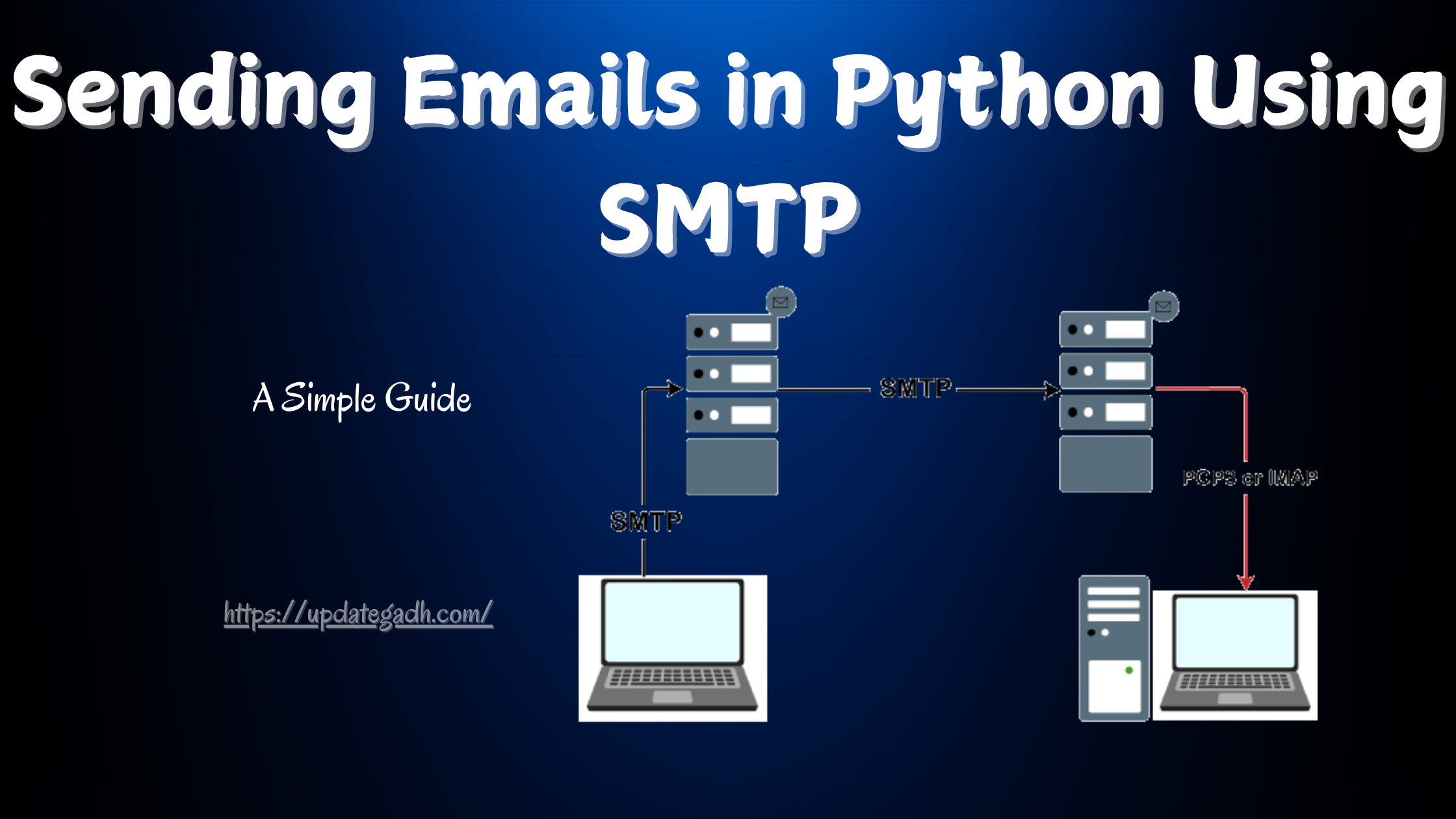
SMTP stands for Simple Mail Transfer Protocol. It is a standard application-layer communication protocol used for sending email messages across networks and between mail servers.
When an application sends an email, SMTP is responsible for transferring the message toward its destination. It provides the communication mechanism required for sending outgoing email messages from an email client or application to an SMTP server.
Email retrieval is handled through different protocols. For example, POP, or Post Office Protocol, and IMAP, or Internet Message Access Protocol, are commonly associated with receiving and accessing email messages.
Python provides the smtplib module for creating an SMTP client session. With this module, a Python application can connect to an SMTP server and send messages programmatically.
Setting Up Python’s SMTP Library
The first step is to import Python’s built-in smtplib module. It provides the functionality needed to create an SMTP connection and transfer email messages.
import smtplibAfter importing the module, you can create an SMTP session object using the following general syntax:
smtpObj = smtplib.SMTP(host, port, local_hostname)Parameters Explained
- host: The hostname or IP address of the SMTP server that will handle the email transfer.
- port: The port through which the SMTP server can be accessed. Common SMTP configurations may use ports such as
25or587, depending on the server and connection method. - local_hostname: An optional parameter that can be used to specify the hostname of the local machine when required by the SMTP configuration.
Once the SMTP connection has been established, the session object can be used to send an email using methods provided by smtplib.
Basic Email Sending Example
Let’s start with a simple Python program that connects to an SMTP server and sends a plain-text email.
import smtplib

sender_email = 'sender@example.com'
receiver_email = ['receiver@example.com']

message = """From: From Person <{}>
To: To Person <{}>
Subject: Test Email from Python SMTP

This is a test email message.
""".format(sender_email, receiver_email)

try:
    smtpObj = smtplib.SMTP('localhost')
    smtpObj.sendmail(sender_email, receiver_email, message)
    print("Email sent successfully!")
except Exception as e:
    print(f"Error: unable to send email - {e}")
Explanation of the Code
The example begins by importing smtplib. Two variables are then used to store the sender’s and receiver’s email addresses.
The message variable contains the basic email information, including the sender, receiver, subject, and body. The sendmail() method is then used to transfer the message through the SMTP connection.
The sendmail() method receives three important values:
- The sender’s email address.
- The receiver’s email address or a list containing multiple recipients.
- The complete message content.
The program uses a try and except block so that an error can be displayed if the SMTP connection or email transfer fails. If the message is successfully sent, the program prints a success message.
Sending Emails with Gmail’s SMTP Server
Python can also be configured to send email through Gmail’s SMTP server. The SMTP server address used in the example is smtp.gmail.com, with port 587 for a secure connection using TLS.
When using an external email provider, authentication is required before the application can send messages through the account. The exact authentication requirements can depend on the provider and account configuration.
A Gmail SMTP example is shown below:
import smtplib

sender_email = 'sender@gmail.com'
receiver_email = ['receiver@gmail.com']

password = input('Enter your email password: ')

message = """From: From Person <{}>
To: To Person <{}>
Subject: Test Email from Python SMTP

This is a test email sent from Python using Gmail's SMTP.
""".format(sender_email, receiver_email)

smtpObj = None

try:
    smtpObj = smtplib.SMTP('smtp.gmail.com', 587)
    smtpObj.starttls()
    smtpObj.login(sender_email, password)
    smtpObj.sendmail(sender_email, receiver_email, message)
    print("Email sent successfully!")
except Exception as e:
    print(f"Error: unable to send email - {e}")
finally:
    if smtpObj:
        smtpObj.quit()
Understanding the Gmail SMTP Code
The program first creates an SMTP connection to smtp.gmail.com through port 587. The starttls() method is then used to establish a secure connection before authentication.
The login() method authenticates the sender account using the supplied credentials. Once authentication succeeds, sendmail() sends the prepared email message.
The finally block closes the SMTP connection with quit(). Closing the connection after the operation is important because it prevents the SMTP session from remaining open unnecessarily.
Important Security Note
Email credentials are sensitive information and should be handled carefully. Avoid placing account passwords directly inside Python source code, especially when the project will be shared, uploaded, or stored in a public repository.
Instead, sensitive values should be kept outside the source code whenever possible. Environment variables and appropriate authentication mechanisms can help prevent credentials from being exposed accidentally.
When working with Gmail or another email provider, always follow the provider’s current authentication and security requirements before connecting an application to the account.
Sending HTML Emails
Plain-text messages are useful for simple notifications, but sometimes an application needs to send a more visually structured email. HTML emails can contain formatted headings, bold text, links, tables, and other HTML-based content.
When sending HTML email content, the message needs to specify the MIME version and the content type. The content type can be set to text/html so that the receiving email client knows that the message contains HTML.
Here is a basic example:
import smtplib

sender_email = 'sender@example.com'
receiver_email = ['receiver@example.com']

message = """From: From Person <{}>
To: To Person <{}>
MIME-Version: 1.0
Content-type: text/html
Subject: HTML Email Test

<h3>Python SMTP Email</h3>
<strong>This is a test email with HTML formatting.</strong>
""".format(sender_email, receiver_email)

try:
    smtpObj = smtplib.SMTP('localhost')
    smtpObj.sendmail(sender_email, receiver_email, message)
    print("HTML email sent successfully!")
except Exception as e:
    print(f"Error: unable to send HTML email - {e}")
Explanation of the HTML Email Code
The basic SMTP process remains the same, but the email headers contain additional information that identifies the message as HTML.
- MIME-Version: Specifies the MIME version used by the message.
- Content-type: Defines the format of the email body. In this example,
text/htmlindicates that HTML content is being sent. - Subject: Defines the subject displayed by the email client.
The body contains HTML elements such as <h3> and <strong>. This allows the email to display formatted content instead of plain text.
Plain Text vs HTML Email
| Feature | Plain Text Email | HTML Email |
|---|---|---|
| Formatting | Basic text | Rich HTML formatting |
| Complex layouts | Limited | Supported through HTML |
| Ease of creation | Simple | Requires HTML content |
| Typical use | Simple notifications | Formatted messages and applications |
Complete Advance AI Topics: Click Here
SQL Tutorial: Click Here
YT:- DecodeIT
Common Uses of Python Email Automation
Python’s SMTP functionality can be useful in many application scenarios. A program can send notifications when an event occurs, provide status updates, send reminders, or communicate the result of an automated process.
For example, a web application may send a confirmation message after a user performs an important action. A background program may send an alert when a task completes, while an automated reporting system can deliver generated information through email.
HTML email support can also make these messages more structured and readable when plain text is not sufficient.
Wrapping Up
Sending emails with Python is a useful skill for developers who want to add communication and automation features to their applications. The built-in smtplib module provides the basic tools required to create an SMTP connection, authenticate with a mail server, and send messages.
In this guide, we explored the purpose of SMTP, learned how to create an SMTP session, sent a basic plain-text email, connected to Gmail’s SMTP server, and created an HTML-formatted email. We also looked at important security considerations when handling email credentials.
Whether you are developing notifications, reminders, application alerts, or automated status messages, Python’s SMTP support provides a practical foundation for email functionality. By understanding the connection process and using secure credential-handling practices, you can integrate email capabilities into Python applications more effectively.
Frequently Asked Questions
1. What is SMTP in Python?
SMTP stands for Simple Mail Transfer Protocol. In Python, the smtplib module provides functionality for connecting to SMTP servers and sending email messages.
2. Which Python module is used to send emails?
The built-in smtplib module is commonly used to create SMTP connections and send emails from Python applications.
3. What is the SMTP server used by Gmail?
The SMTP server used in the example for Gmail is smtp.gmail.com, with port 587 used for the TLS-based connection.
4. What does the sendmail() method do?
The sendmail() method transfers an email through an established SMTP connection. It accepts the sender address, recipient address or addresses, and message content.
5. How can Python send an HTML email?
Python can send an HTML email by including the appropriate MIME headers and setting the content type to text/html in the email message.
6. Why is starttls() used with SMTP?
The starttls() method is used to upgrade an SMTP connection to a TLS-secured connection before continuing with authentication and email transmission.
7. Should an email password be stored directly in Python code?
No. Sensitive credentials should not normally be hardcoded in source code. Safer approaches include environment variables and appropriate authentication methods.
8. Can Python send emails automatically?
Yes. Python can send emails programmatically, making it useful for notifications, reminders, alerts, status messages, and other automated application workflows.
Keywords: How To Send Email Using Python, Python send email Gmail app password, Python send email Gmail OAuth2, how to send Python code in email, Gmail API, send email Python Outlook, Gmail API Python, Python send Gmail with attachment, Python send email without SMTP server, how to send Gmail in Python using Gmail, how to send Gmail in Python without password