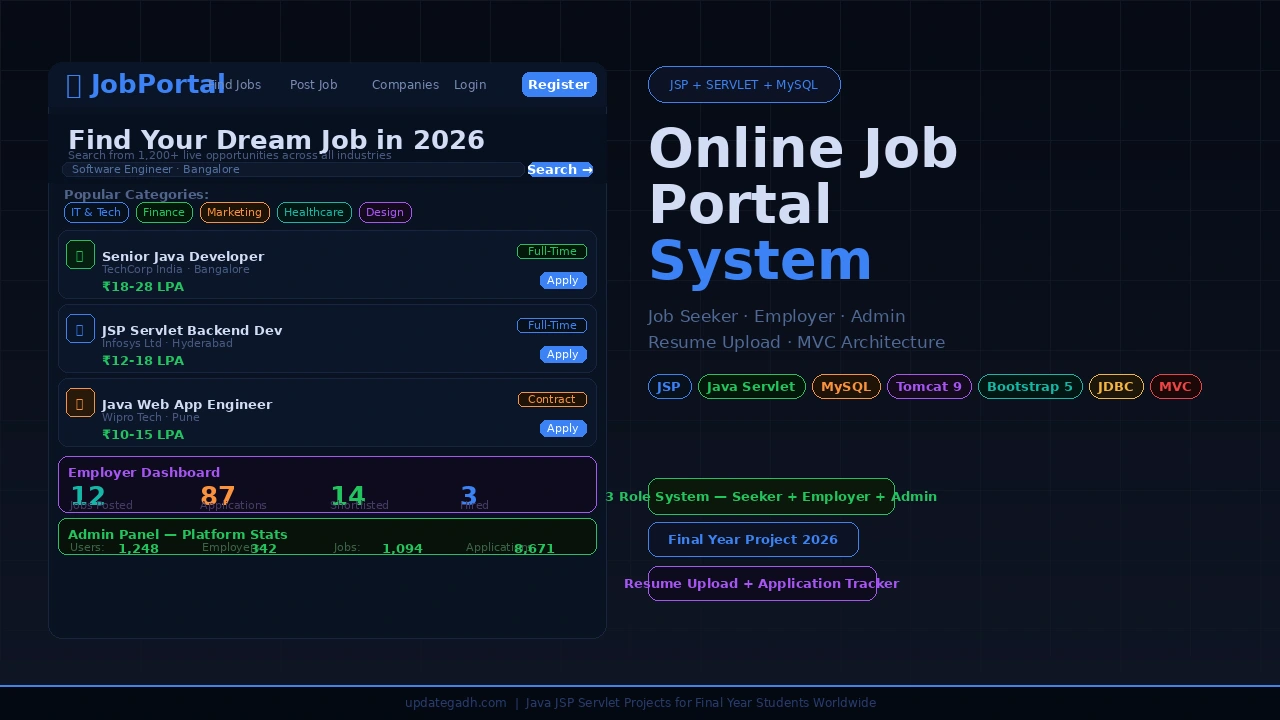
This Online Job Portal built with JSP, Java Servlet, JDBC, and MySQL is a complete three-role web application covering Job Seekers, Employers, and Admins deployed on Apache Tomcat with a Bootstrap-powered responsive UI. It handles everything from job posting and resume upload to application tracking and admin approvals, making it the most feature-complete and placement-relevant JSP project a BCA, MCA, or B.Tech CS/IT student can submit in 2026.
Also Explore on UpdateGadh:
Online Job Portal System in JSP Servlet MySQL Full Project with Source Code 2026
Project Overview
| Project Name | Online Job Portal System |
| Platform | JSP (JavaServer Pages) + Java Servlet |
| Backend | Java, JDBC, J2EE Architecture |
| Frontend | JSP, HTML5, CSS3, Bootstrap 5, JavaScript, jQuery |
| Database | MySQL (jobportaldb) |
| Application Server | Apache Tomcat 9.0+ |
| IDE | Eclipse IDE for Enterprise Java Developers |
| Architecture | MVC (Model-View-Controller) using Servlet + JSP |
| User Roles | Job Seeker · Employer / Recruiter · Admin |
| Best For | BCA, MCA, B.Tech CS/IT Final Year Students Globally |
Key Features
- Three-role system completely separate dashboards, logins, and access levels for Job Seekers, Employers/Recruiters, and Admins, each with role-specific navigation and functionality
- Job posting and management employers post new job listings with title, description, location, salary range, experience required, and job type; edit or close listings at any time
- Resume upload and profile management job seekers build complete profiles with education, experience, skills, and upload resumes in PDF format directly from the dashboard
- Advanced job search and filter search by keyword, location, job type (full-time, part-time, internship), and experience level with instant filtered results
- Online job application system one-click apply from search results or job detail pages; application is saved with timestamp and status
- Application tracking dashboard job seekers track every application with real-time status (Applied, Under Review, Shortlisted, Rejected, Hired); employers manage all received applications with candidate details
- Employer application management recruiters view all applicants per job listing, download resumes, view candidate profiles, and update application status to shortlist or reject candidates
- Admin control panel admin approves or rejects new employer registrations, manages all users and job listings, views platform-wide statistics, and can deactivate any account
Watch the Full Project Tutorial on YouTube!
We build this project step by step on our YouTube channel JSP setup, MySQL schema, Servlet controllers, and Bootstrap UI. Watch, like, and subscribe.
Technologies Used
| Layer | Technology | Purpose |
|---|---|---|
| Presentation | JSP + Bootstrap 5 + HTML/CSS/JS + jQuery | Dynamic pages, responsive UI, form validation, AJAX calls |
| Controller | Java Servlets (J2EE / Jakarta EE) | Handle all HTTP requests, session management, routing |
| Model | Java POJOs + DAO Pattern | Data objects and database access layer |
| Database | MySQL + JDBC | Store users, jobs, applications, resumes, categories |
| Application Server | Apache Tomcat 9.0+ | Deploy and serve the Java EE web application |
| IDE | Eclipse (Enterprise Java Edition) | Development, debugging, and Tomcat integration |
| File Handling | Java I/O + Multipart Servlet | Resume PDF upload and storage |
| Session Security | HttpSession + Role-Based Filters | Login sessions, role checking, unauthorised access prevention |
Get This Project
This is a complete, ready-to-run paid project. It includes the full Java JSP/Servlet source code, MySQL database SQL file with sample data, Eclipse project configuration, login credentials for all three roles, complete setup instructions, and remote setup support from our team.
Online Job Portal System JSP + Servlet + MySQL
Full source code + SQL database + all 3 role credentials + Eclipse config + remote support
Need help after purchase? Contact us on WhatsApp or via our support page
Project Modules All Three Roles
Job Seeker Module
| Feature | Description |
|---|---|
| Register and Login | Create account with email, password, and basic details; secure login with session |
| Build Profile | Add full name, education, work experience, skills, and location |
| Upload Resume | Upload PDF resume directly from dashboard stored securely on server |
| Search Jobs | Search by keyword, location, job type, and experience level with live filtering |
| View Job Details | See full job description, company info, salary range, and requirements |
| Apply for Jobs | One-click application profile and resume sent to employer instantly |
| Track Applications | Dashboard showing all applications with current status (Applied / Shortlisted / Hired / Rejected) |
| Save Jobs | Bookmark interesting listings to apply later from the saved jobs list |
| Change Password | Update account password from profile settings page |
Employer / Recruiter Module
| Feature | Description |
|---|---|
| Register and Login | Company registration with name, type, location, and description pending admin approval |
| Company Profile | Edit company details, logo, description, and contact information |
| Post New Jobs | Create listings with title, description, type, location, salary, experience, and deadline |
| Manage Job Listings | Edit, close, or delete posted jobs from the employer dashboard |
| View All Applicants | See list of all candidates who applied for each job with their profile and resume |
| Download Resumes | Download applicant resumes in PDF directly from the applications panel |
| Update Application Status | Mark candidates as Under Review, Shortlisted, Rejected, or Hired |
| Dashboard Analytics | Quick stats total jobs posted, total applications received, active listings count |
Admin Module
| Feature | Description |
|---|---|
| Secure Admin Login | Separate admin login with dedicated session and role verification |
| Approve Employers | Review new employer registrations and approve or reject company accounts |
| Manage All Users | View, activate, deactivate, or delete any job seeker or employer account |
| Manage All Jobs | View every job listing on the platform remove inappropriate or expired ones |
| Category Management | Add, edit, and delete job categories (IT, Finance, Healthcare, Marketing, etc.) |
| Platform Statistics | Dashboard showing total users, employers, jobs posted, applications submitted |
| View All Applications | Monitor all job applications across the entire platform |
Project Screenshots
Here is a walkthrough of all major screens of the Online Job Portal System:
1. Home Page Job Search Landing
The Bootstrap 5 landing page features a full-width hero search bar for keyword and location search, trending job categories as clickable cards, latest job listings, and separate login/register call-to-action buttons for Job Seekers and Employers.
2. Job Seeker Dashboard
After login, job seekers land on their personal dashboard showing profile completion status, recently applied jobs with live status badges, recommended jobs based on their profile skills, and quick action buttons for job search, profile update, and application history.
3. Job Search and Filter Results
The search results page shows job listing cards with company logo, job title, location, salary range, job type badge, and a one-click Apply button. Left-side filter panel lets users narrow results by job type, experience, and location in real time.
Project Folder Structure
4. Employer Dashboard Manage Applications
The employer panel shows a summary of all posted jobs, total applications received, and quick stats. The applications table displays each candidate’s name, applied job, date, resume download link, and a status dropdown to move candidates through the hiring pipeline.
5. Admin Panel Approve Employers and Manage Platform
The admin control panel shows platform-wide statistics at the top, followed by the employer approval queue where new registrations can be approved or rejected, and full user and job management tables with activate/deactivate and delete controls.
OnlineJobPortal/

 src/main/java/
    com/jobportal/model/          # POJOs: User, Job, Application, Company
    com/jobportal/dao/            # DAO classes: UserDAO, JobDAO, ApplicationDAO
    com/jobportal/servlet/        # Servlets: LoginServlet, JobServlet, ApplyServlet
    com/jobportal/filter/         # Auth filters: LoginFilter, RoleFilter
    com/jobportal/util/           # DBConnection.java, FileUploadUtil.java

 src/main/webapp/
    WEB-INF/
       web.xml                   # Servlet mappings and filters

    jobseeker/                    # Job seeker JSP pages
       dashboard.jsp
       search-jobs.jsp
       job-detail.jsp
       my-applications.jsp
       profile.jsp

    employer/                     # Employer JSP pages
       dashboard.jsp
       post-job.jsp
       manage-jobs.jsp
       applicants.jsp

    admin/                        # Admin JSP pages
       dashboard.jsp
       manage-users.jsp
       manage-jobs.jsp
       approve-employers.jsp

    common/                       # Shared components
       header.jsp
       footer.jsp
       navbar.jsp

    index.jsp                     # Home / Landing page
    login.jsp                     # Unified login page
    register.jsp                  # Registration (role select)
    assets/                       # CSS, JS, images

 database/
     jobportaldb.sql               # Complete MySQL schema + sample data
How to Run This Project
Step 1 Install prerequisites
1. Java JDK 11+         https://www.oracle.com/java/downloads/
2. Apache Tomcat 9.0+   https://tomcat.apache.org/
3. MySQL Server 8.0+    https://dev.mysql.com/downloads/mysql/
4. Eclipse (EE edition) https://www.eclipse.org/downloads/
   (Choose: Eclipse IDE for Enterprise Java and Web Developers)
Step 2 Set up the database
# Open MySQL Workbench or phpMyAdmin
# Create a new database named:
jobportaldb

# Import the provided SQL file:
database/jobportaldb.sql
(MySQL Workbench  Server  Data Import  choose file  Start Import)
Step 3 Configure database connection
# Open: src/main/java/com/jobportal/util/DBConnection.java
# Update these lines with your MySQL credentials:

private static final String URL      = "jdbc:mysql://localhost:3306/jobportaldb";
private static final String USERNAME = "root";
private static final String PASSWORD = "";    // your MySQL password
Step 4 Import and run in Eclipse
Eclipse  File  Import  Maven  Existing Maven Projects
 Browse to extracted project folder  Finish

Right-click project  Run As  Run on Server
 Select Apache Tomcat 9.0  Add All  Finish
Step 5 Open in browser and log in
http://localhost:8080/OnlineJobPortal/

# Admin login:
Email:    admin@jobportal.com
Password: admin@123

# Sample Employer login:
Email:    employer@techcorp.com
Password: employer@123

# Sample Job Seeker login:
Email:    seeker@gmail.com
Password: seeker@123
How It Works
Job seeker application flow
- Job seeker registers with email and password a session is created after login and the role filter redirects them to the job seeker dashboard
- Seeker builds their profile education, skills, experience and uploads a PDF resume; all data is stored in the
usersandresumestables via the DAO layer - Seeker searches for jobs by keyword or category the
JobServletqueries thejobstable with filters and returns matching results tosearch-jobs.jsp - Seeker clicks Apply
ApplyServletinserts a new record in theapplicationstable with status “Applied” and redirects to the application tracker - Application tracker shows all submissions with status badges status updates made by employers are reflected here in real time via JDBC queries
Employer hiring flow
- Employer registers company account is created with status “Pending” until admin approves it from the admin panel
- After approval, employer logs in and posts a job
PostJobServletinserts the listing into thejobstable with all required fields - Job listing appears in search results immediately job seekers apply and records appear in the employer’s applicants panel
- Employer opens an applicant’s profile, views their details, and downloads their resume PDF using the file path stored in the database
- Employer updates application status to Shortlisted or Hired
UpdateStatusServletupdates theapplicationstable; the seeker sees the change on their tracker
Database Tables
| Table | Key Columns | Purpose |
|---|---|---|
users | user_id, name, email, password, role, status | Stores all users job seekers, employers, admin |
companies | company_id, user_id, name, description, status | Employer company profiles and approval status |
jobs | job_id, company_id, title, description, type, location, salary, deadline | All job listings posted by employers |
applications | app_id, job_id, user_id, applied_date, status | Every application with current hiring status |
resumes | resume_id, user_id, file_path, uploaded_date | Uploaded resume file paths per user |
categories | cat_id, name | Job categories managed by admin |
saved_jobs | save_id, user_id, job_id, saved_date | Jobs bookmarked by seekers for later |
Why This is a Great Final Year Project
- Three distinct role-based modules with separate dashboards, session management, and access filters demonstrate enterprise-level web application design in a single project
- Resume file upload using Java Multipart Servlets is a concept directly tested in interviews very few student projects actually implement proper file handling
- Full MVC architecture with Servlet controllers, JSP views, and DAO-pattern models shows you understand separation of concerns a question every interviewer at product companies asks
- Admin approval workflow for employers is a real-world business process that makes the project feel production-ready and gives you excellent viva material about multi-step workflows
- Application status tracking across buyer and seller (seeker and employer) demonstrates understanding of real-time state management in a relational database directly maps to production ATS systems
- Bootstrap 5 responsive UI runs on any screen size live demos on a laptop, tablet, or phone during viva all look professional without extra effort
You Might Also Like:
- online job portal system in jsp
- online job portal system project
- online job portal system
- online job portal system er diagram
- online job portal system project report
- online job search system
- online job search system project
- online job portal management system project
- localhost/online job portal/system/
- online job portal management system