
CSV to JSON Converter in Python
CSV files are widely used for storing and exchanging structured data. Student records, sales information, product catalogs, customer leads, and exported reports are commonly available in CSV format. However, modern web applications, APIs, and many databases often work with JSON. This makes a CSV to JSON Converter in Python a practical project for converting structured CSV data into a JSON format.
This project is designed as more than a basic row-to-JSON converter. It includes useful data-processing capabilities such as data cleaning, validation, field mapping, type inference, multiple JSON output formats, and downloadable results. These features make the project suitable for students who want to understand practical data conversion and automation.
Complete Advance AI Topics: Click Here
Real Time Projects on YouTube:- DecodeIT
Project Problem Statement
Many users and development teams receive data in CSV format but need JSON data for APIs, web applications, mobile applications, databases, and automated workflows. Manually converting large or inconsistent CSV files can take time and may introduce errors.
CSV files can contain inconsistent headers, missing values, different delimiters, extra columns, and values that require proper data-type conversion. This project provides a structured solution for converting CSV data into clean and usable JSON output.
Why This Project is Useful
A simple CSV-to-JSON converter normally converts every row into a JSON object. This project extends that approach by providing additional data-processing options.
- Smart Type Inference: Detects values such as integers, floating-point numbers, booleans, dates, and null values.
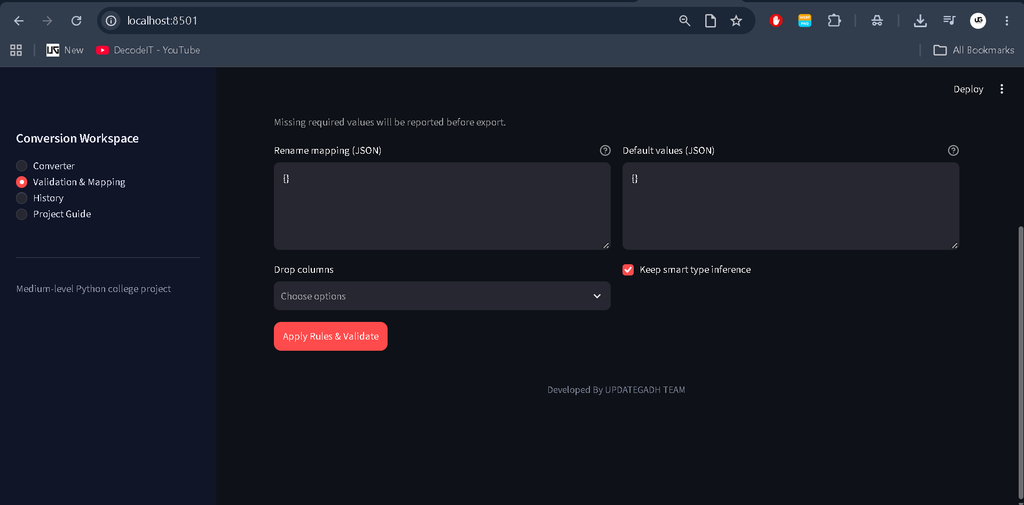
- Config-Based Mapping: Allows fields to be renamed, removed, or assigned default values.
- Validation: Helps identify missing required fields and invalid values.
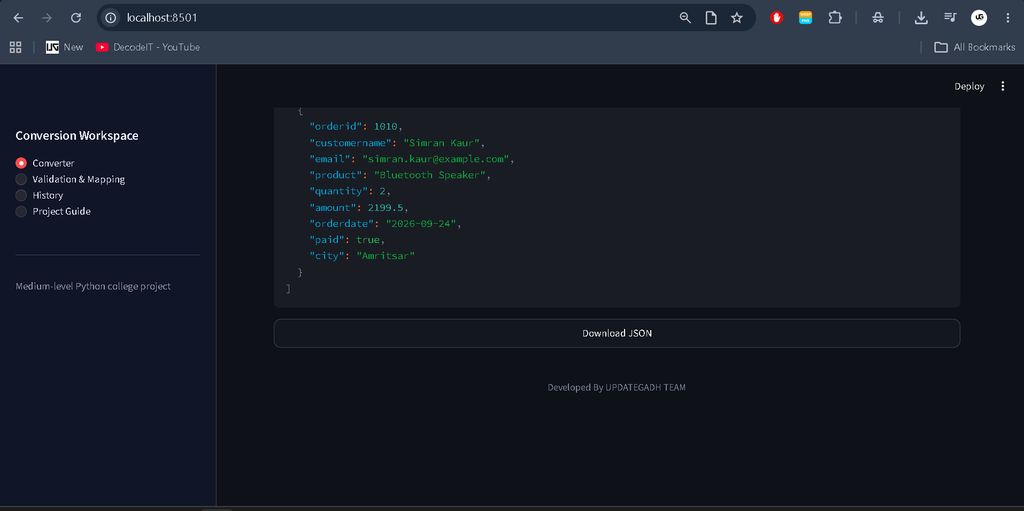
- Multiple JSON Formats: Supports JSON Array, JSON Lines, and grouped JSON output.
- Large File Support: Provides streaming or line-by-line processing options for handling larger CSV files.
Real-World Use Cases
| Industry/Area | CSV Example | JSON Required For |
|---|---|---|
| E-commerce | Supplier Product Feed | Catalog APIs and inventory applications |
| Education | Student Data Export | Portal dashboards and analytics |
| Marketing/CRM | Leads CSV | CRM imports and automation workflows |
| Startups | Orders and Transactions | Microservices and NoSQL storage |
| Testing/QA | Test Data Sheets | API payloads and mocked responses |
Key Features
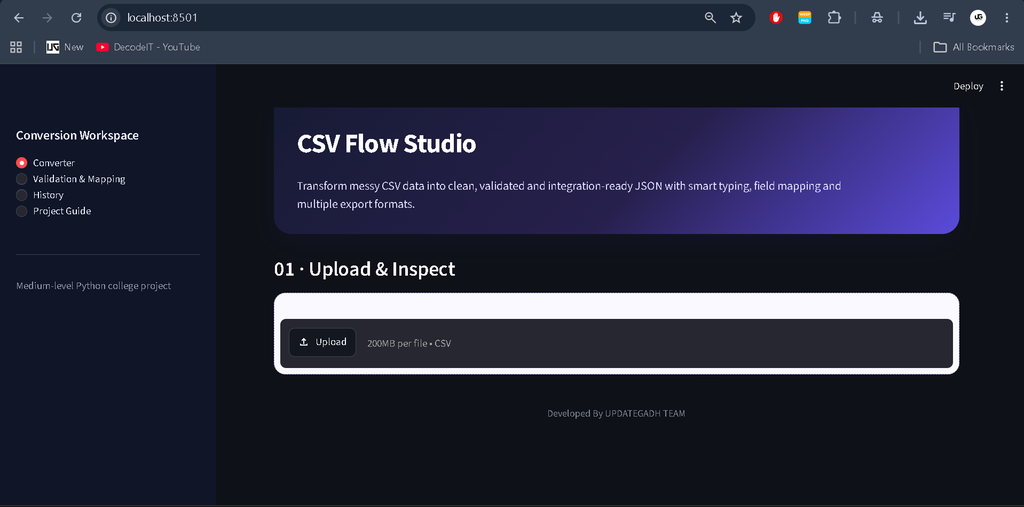
CSV File Upload
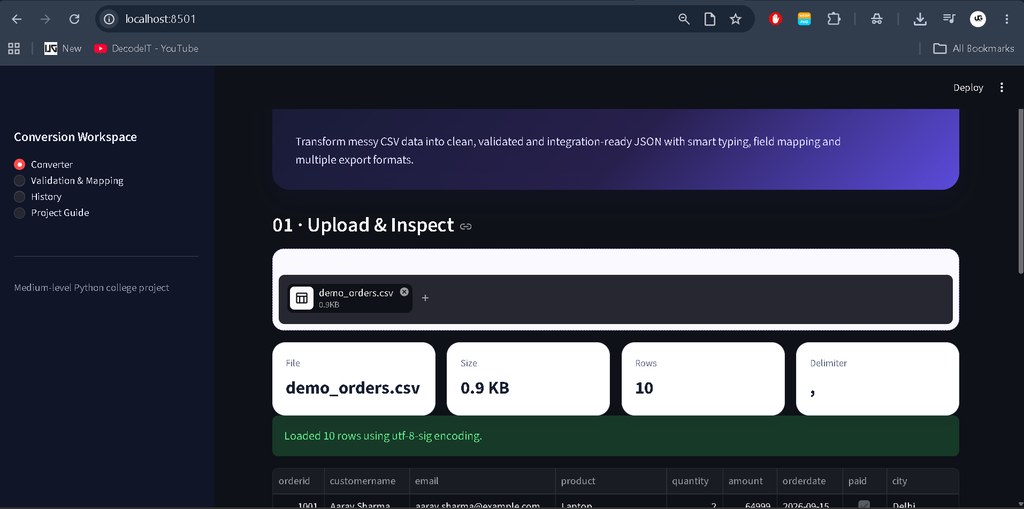
Users can select or upload a CSV file that needs to be converted into JSON format.
Delimiter and Encoding Handling
The converter can detect or handle different CSV delimiters and encoding-related issues during data processing.
Data Cleaning
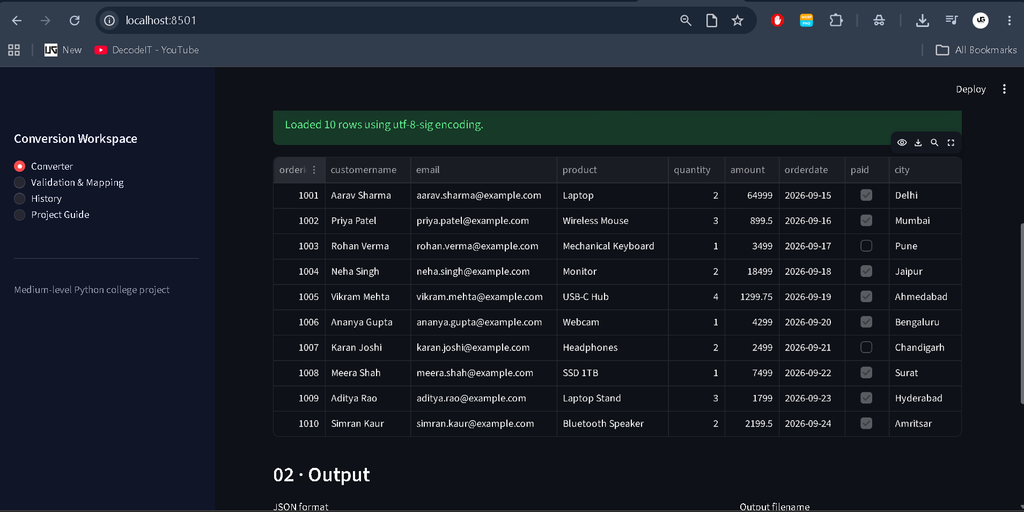
The system can trim unnecessary spaces, normalize column names, and handle missing values before generating the JSON output.
Smart Type Inference
CSV values are normally read as text. The system can identify suitable data types so that numeric values, boolean values, dates, and empty values can be represented appropriately in JSON.
Field Mapping
Mapping configuration can be used to rename fields, remove unwanted columns, and apply default values without changing the main application code.
Data Validation
The validation layer checks required fields and data-type conditions before the final JSON output is generated.
Multiple JSON Output Formats
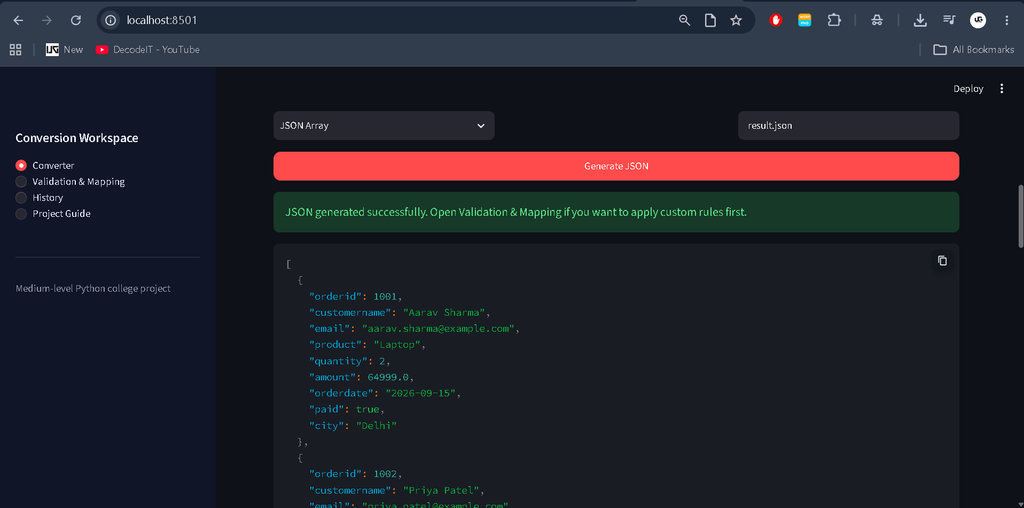
The project can generate different JSON formats according to the requirements of the application or data pipeline.
- JSON Array
- JSON Lines (NDJSON)
- Grouped JSON
Download Converted Data
After conversion, users can save or download the generated JSON file for further use.
Advanced Features
- Mapping configuration for renaming and dropping fields
- Schema validation
- Grouped or nested JSON generation
- JSON Lines output for larger data pipelines
- REST API integration using FastAPI
- Conversion history using SQLite or log files
Project Workflow
| Step | Module | What Happens |
|---|---|---|
| 1 | CSV Reader | Reads the CSV file and handles delimiters, encoding, and headers. |
| 2 | Cleaner | Trims values, normalizes column names, and handles missing values. |
| 3 | Validator | Checks required columns and data-type conditions. |
| 4 | Mapper | Renames fields, removes columns, and applies default values. |
| 5 | JSON Generator | Creates JSON Array, NDJSON, or grouped JSON output. |
| 6 | Exporter and Logs | Saves the output and provides conversion information. |
Download complete source code
Screenshot
How to Run the Project
Step 1: Extract the Project ZIP
Extract the project ZIP file and open the extracted project folder in Visual Studio Code or another code editor.
Step 2: Open the Terminal
Open the terminal inside the project folder.
Step 3: Create a Virtual Environment
python -m venv .venvWindows:
.venv\Scripts\activateLinux/Mac:
source .venv/bin/activateStep 4: Install Requirements
pip install -r requirements.txtStep 5: Start the Streamlit Application
streamlit run app/streamlit_app.pyAfter the application starts, open the Streamlit URL in your browser and upload a CSV file to begin the conversion process.
CLI Usage
The project can also provide a command-line interface for converting CSV files directly.
python cli.py --input data/sample_orders.csv --out output/result.json --format json_arrayFor JSON Lines output:
python cli.py --input data/sample_orders.csv --out output/result.ndjson --format ndjsonFor grouped JSON:
python cli.py --input data/sample_orders.csv --out output/grouped.json --format grouped --group-by OrderIDProject Structure and Included Resources
The project contains the resources required to work with the CSV-to-JSON conversion workflow.
- Streamlit web application
- CSV upload and conversion functionality
- Mapping and validation functionality
- Grouped JSON output
- CLI conversion tool
- Sample CSV file
- Mapping configuration example
- Project documentation
Tech Stack
- Programming Language: Python 3.x
- Libraries: csv, pandas, json, pathlib
- Validation: Pydantic
- User Interface: Streamlit
- CLI: Typer or argparse
- Storage: Local files and optional SQLite
Frequently Asked Viva Questions
Q1. What is the difference between JSON Array and JSON Lines?
Answer: A JSON Array stores multiple objects inside one JSON list, while JSON Lines stores one JSON object per line. JSON Lines is useful when data needs to be processed incrementally or line by line.
Q2. Why is type inference useful in CSV to JSON conversion?
Answer: CSV values are commonly read as text. Type inference helps convert suitable values into numbers, booleans, dates, or null values so that the resulting JSON represents the data more appropriately.
Q3. Why is mapping configuration useful?
Answer: Mapping configuration allows users to rename fields, remove unwanted columns, and apply default values without modifying the main application code. This makes the converter reusable with different CSV structures.
Conclusion
The CSV to JSON Converter in Python is a practical project for understanding data processing, validation, transformation, and automation. Instead of performing only a basic CSV-to-JSON conversion, the project introduces features such as cleaning, type inference, mapping, validation, grouped output, and multiple JSON formats.
Keywords
CSV to JSON Converter in Python, CSV to JSON Converter Free, CSV to JSON Free, CSV to JSON Example, Python Convert JSON to CSV Example, Convert JSON to CSV Python Jupyter Notebook, Convert JSON to CSV Python Without Pandas, Python Convert JSON to CSV Format, How to Convert a CSV to JSON in Python, How to Convert a CSV File to JSON in Python, How to Convert a JSON File to CSV Using Python, Convert CSV to JSON Python Script, Convert CSV to JSON Python Code.