
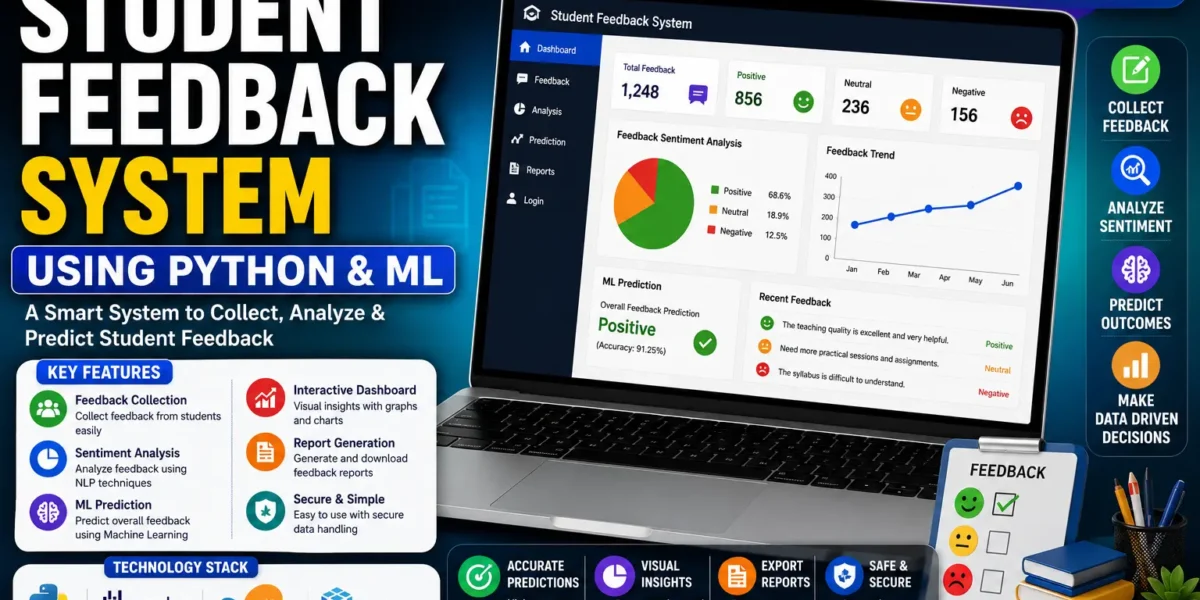
Student Feedback System Using Python and ML
The Student Feedback System Using Python and Machine Learning is a web-based application designed to collect student feedback and automatically analyze the feedback using machine learning and sentiment analysis. The system helps educational institutions understand how students feel about their teachers, departments, and learning experience.
Instead of requiring students to reveal their names while submitting feedback, the system allows anonymous feedback submission. The submitted feedback is processed using machine learning models and classified into three sentiment categories: Positive, Neutral, or Negative.
The application is developed using Python and Flask for the backend, while the frontend is created using HTML, CSS, and Bootstrap. Feedback and user information are stored using an SQLite database, while Matplotlib is used to generate charts and visualizations.
Student Feedback System – Project Overview
The main purpose of this project is to make the student feedback process easier to manage and analyze. Students can submit their feedback anonymously, and the system automatically processes the feedback using machine learning.
The application uses machine learning classifiers such as Naive Bayes and SVM to determine the sentiment of feedback. Once the feedback is analyzed, the result is categorized as Positive, Neutral, or Negative.
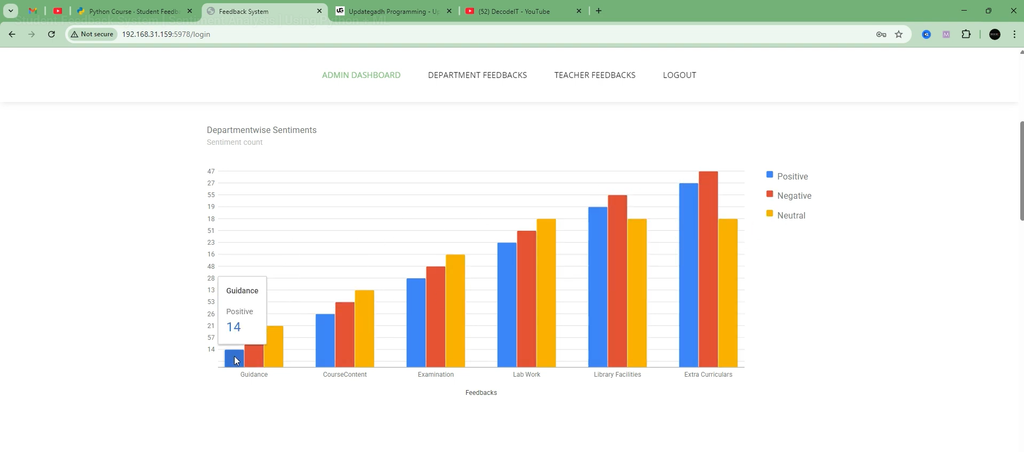
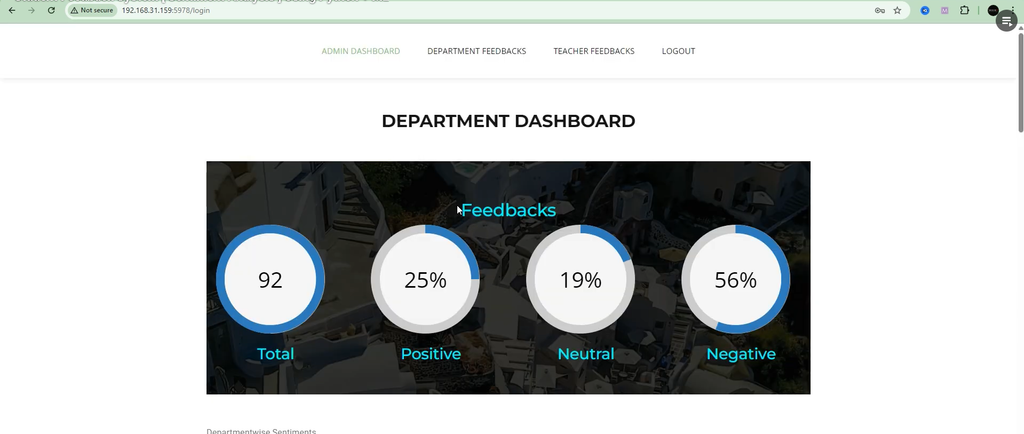
The system also provides dashboards where feedback results and sentiment trends can be viewed through charts. This allows administrators to understand the overall feedback received from students and analyze sentiment distribution over time.
| Project Detail | Information |
|---|---|
| Project Name | Student Feedback System Using Python and Machine Learning |
| Backend | Python (Flask) |
| Frontend | HTML, CSS, Bootstrap |
| Machine Learning Models | Scikit-learn, Naive Bayes, SVM |
| Database | SQLite (user_data.db) |
| Visualization | Matplotlib |
| Project Type | Web Application |
Key Features
1. Anonymous Feedback Submission
The system provides an anonymous feedback submission facility for students. Students can submit their opinions without revealing personal details.
Anonymous feedback helps encourage students to provide honest opinions and reduces the possibility of students changing their responses because of personal identification.
2. Sentiment Analysis Using Machine Learning
One of the most important features of the project is its machine learning-based sentiment analysis. The feedback submitted by students is processed using machine learning classifiers such as Naive Bayes and SVM.
The models are pre-trained using labeled datasets and are used to categorize feedback into three different sentiment categories:
- Positive
- Neutral
- Negative
This allows the system to automatically analyze student feedback instead of requiring every feedback entry to be manually reviewed.
3. Role-Based Authentication
The application provides role-based authentication so that different users can access the features associated with their roles.
The main roles available in the system are:
- Student: Students can log in and submit feedback anonymously.
- Admin: Administrators can manage student records, review submitted feedback, and analyze sentiment trends.
Role-based access helps organize the application and ensures that students and administrators have access to the appropriate parts of the system.
4. Interactive Dashboards
The project includes interactive dashboards that provide visual information about student feedback.
The admin dashboard can display:
- Sentiment distribution through pie charts.
- Sentiment distribution through bar graphs.
- Total feedback statistics.
- Feedback trends over time.
These visualizations make it easier for administrators to understand feedback data and identify overall sentiment trends.
5. Structured Database Storage
The system uses an SQLite database to store feedback and user-related information. The database provides a structured way to manage the information generated by the application.
Stored data can be retrieved, searched, and used for historical analysis of student feedback.
The project uses the database file:
user_data.db6. Modular Codebase
The application follows a clean MVC-style separation of concerns. Different parts of the application are organized according to their responsibilities.
- Models: Handles the machine learning logic used for sentiment classification.
- UI Templates: Provides user-friendly forms and dashboard pages.
This structure helps keep the project organized and makes it easier to work with different components of the application.
Technologies Used
| Area | Technology |
|---|---|
| Backend | Python (Flask) |
| Frontend | HTML, CSS, Bootstrap |
| ML Models | Scikit-learn, Naive Bayes, SVM |
| Database | SQLite |
| Database File | user_data.db |
| Visualization | Matplotlib |
Running the Application
The application can be started using the Python server file included in the project.
Open the project terminal and run the following command:
python server.pyThis command starts the Flask server and launches the web application locally.
User Roles and Access
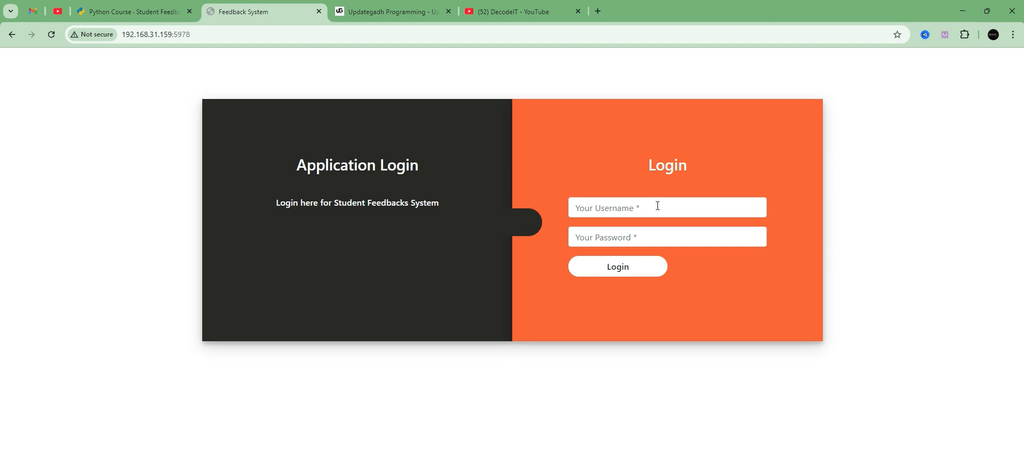
1. Login
Users can access the login page through the /login endpoint. After logging in, users are directed to their respective dashboards based on their assigned role.
The available roles are:
- Student
- Admin
2. Student Feedback Submission
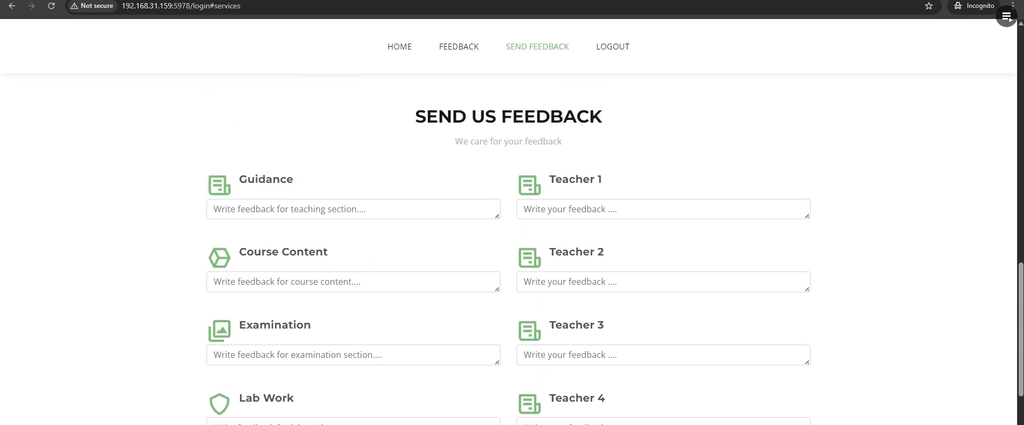
Students can submit their feedback through the /feedback endpoint.
The feedback form includes:
- Feedback text
- Teacher or department selection
After the feedback is submitted, the text is automatically analyzed using a pre-trained machine learning model.
The sentiment is classified using the following values:
- Positive (1)
- Neutral (0)
- Negative (-1)
The feedback data is then stored for further analysis.
3. Admin Dashboard
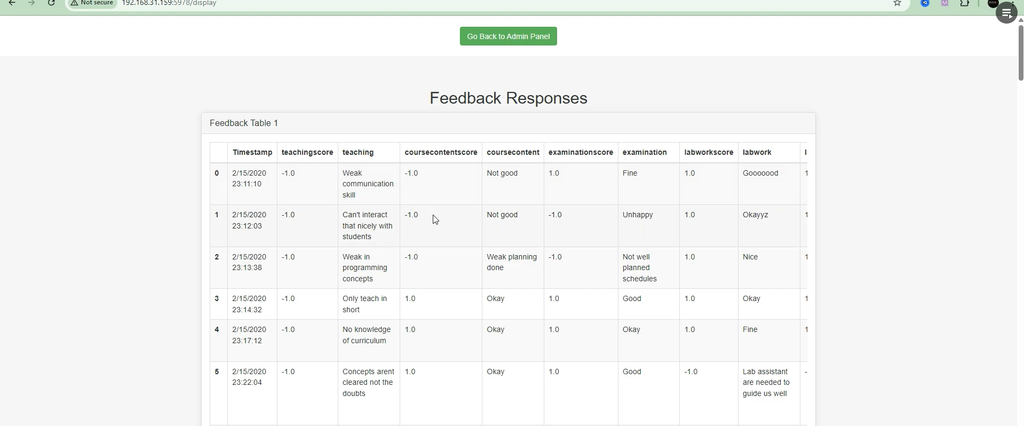
The Admin Dashboard provides administrators with tools to review and analyze student feedback.
Administrators can:
- View the total number of feedback submissions.
- Analyze sentiment distribution through pie charts.
- Read feedback entries along with their sentiment scores.
The visualizations are dynamically generated using Matplotlib or an equivalent visualization method.
Machine Learning Model Integration
Machine learning models are an important part of the Student Feedback System. The trained models are stored inside the models/ folder and are loaded by server.py when feedback needs to be analyzed.
For example, the project contains a model file such as:
MultinomialNB_stemmed_classifier.pklThe stored machine learning model is loaded by the application to automatically analyze incoming student feedback and determine its sentiment.
How to Download
The complete package is available so you can run, study, and submit it with confidence. It includes:
Screenshot:-
How the Student Feedback System Works
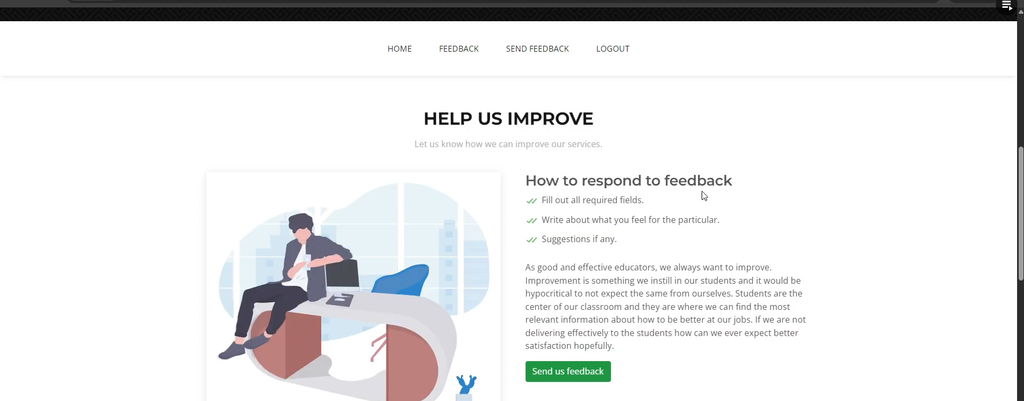
The complete workflow of the system is straightforward. A student first accesses the application and logs in through the login page. The student can then submit feedback through the feedback section without revealing personal details.
Once the feedback is submitted, the application sends the feedback text to the pre-trained machine learning model. The model analyzes the text and determines whether the feedback is positive, neutral, or negative.
The analyzed feedback is stored by the system, allowing administrators to review the feedback entries and examine sentiment scores. Administrators can also use the dashboard charts to understand the overall distribution of student feedback.
This workflow combines a feedback management system with machine learning-based sentiment analysis in a single web application.
Benefits of the Project
The Student Feedback System provides a practical example of how Python, Flask, Machine Learning, database management, and data visualization can be combined to create a useful educational application.
The anonymous feedback feature encourages students to share their opinions, while machine learning helps classify feedback automatically. The dashboard and charts provide administrators with a visual way to understand feedback statistics and sentiment trends.
Conclusion
The Student Feedback System Using Python and Machine Learning is a practical web application for collecting, storing, and analyzing student feedback. By using machine learning models such as Naive Bayes and SVM, the system can automatically classify feedback as Positive, Neutral, or Negative.
With features such as anonymous feedback submission, role-based authentication, interactive dashboards, SQLite database storage, machine learning integration, and Matplotlib visualizations, the project demonstrates the practical use of machine learning in an educational feedback system.
This project can be useful for students who want to learn how a Python Flask application can integrate machine learning models with a database and data visualization components.
Keywords: student feedback system using python, student feedback system using machine learning, student feedback system python, student feedback project in python, student feedback analysis using machine learning, student feedback system source code, sentiment analysis using machine learning, student feedback management system, python machine learning project, student feedback review system using python student feedback system using python and ml ppt
student feedback system using python and ml pdf
student feedback system using python and ml github
student feedback system using python and ml example
student feedback system project report pdf
student feedback system project in python
student-feedback-system project github
student feedback system project ppt



[…] Get This Project […]