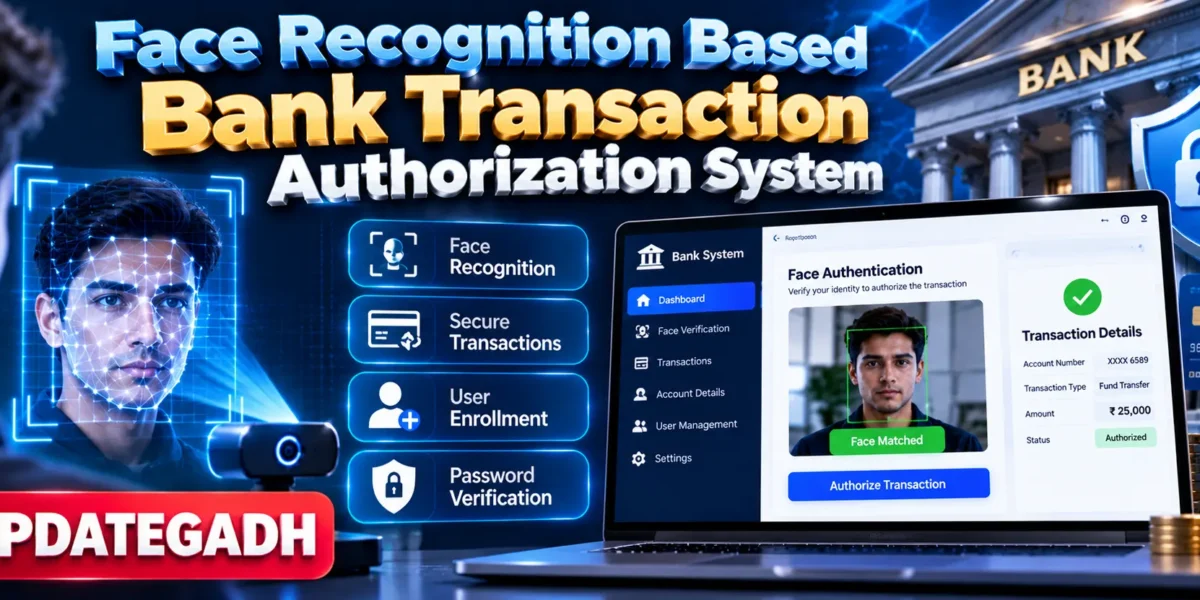
Face Recognition Based Bank Transaction Authorization System
Introduction
Security is one of the most important requirements in modern banking systems. Traditional banking applications commonly depend on passwords, PINs, and other authentication methods. If these credentials are stolen or exposed, unauthorized users may gain access to sensitive banking services.
The Face Recognition Based Bank Transaction Authorization System, developed by UPDATEGADH, is a Python-based security application that uses facial recognition to verify a user’s identity before allowing banking transactions. The system combines face verification with password authentication to provide an additional layer of security.
The application uses OpenCV for real-time face detection and recognition and provides a graphical interface using Tkinter. User and account information is stored locally using SQLite3.
Complete Advance AI Topics: Click Here
Real Time Projects on YouTube:- DecodeIT
Project Overview
| Project Name | Face Recognition Based Bank Transaction Authorization System |
|---|---|
| Language/s Used | Python |
| Frontend | Tkinter GUI |
| Computer Vision | OpenCV |
| Machine Learning | Scikit-learn |
| Database | SQLite3 |
| Image Processing | PIL |
| Project Type | Desktop Banking Security Application |
Technologies Used
- Programming Language: Python
- GUI Framework: Tkinter
- Computer Vision: OpenCV
- Machine Learning: Scikit-learn
- Image Processing: PIL
- Data Processing: Pandas
- Additional Library: imutils
- Database: SQLite3
- Recommended Python Version: Python 3.8+
- IDE: VS Code or PyCharm
Available Features
- Facial recognition-based login
- Real-time face detection using a webcam
- Face-based transaction authorization
- Secure withdrawal authorization
- New user enrollment
- Face data registration
- Password-based verification
- Account information management
- Three-attempt verification lockout
- Face-based access to banking services
- Local SQLite3 data storage
- Tkinter-based graphical interface
How the System Works
1. New User Enrollment
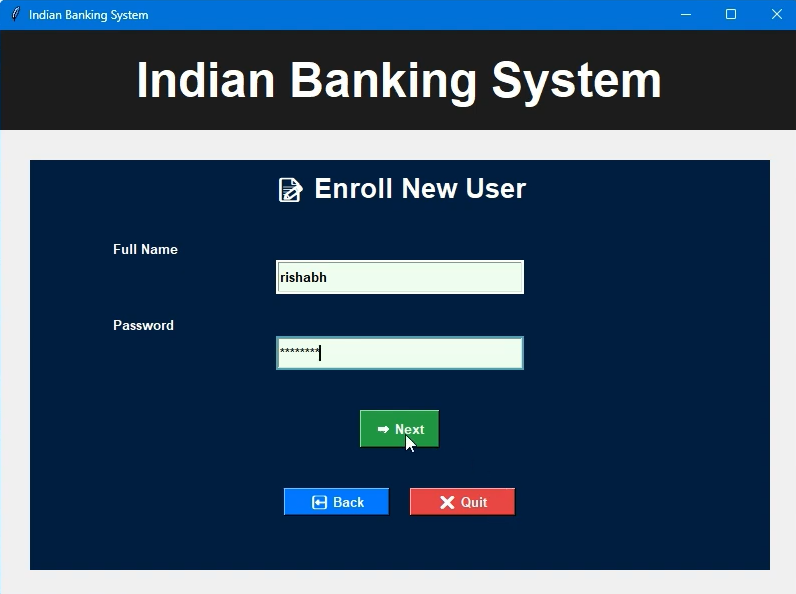
New users can register with the system by providing their account information, password, and facial data. The face information is captured using the system’s camera and associated with the registered user.
2. Face Detection
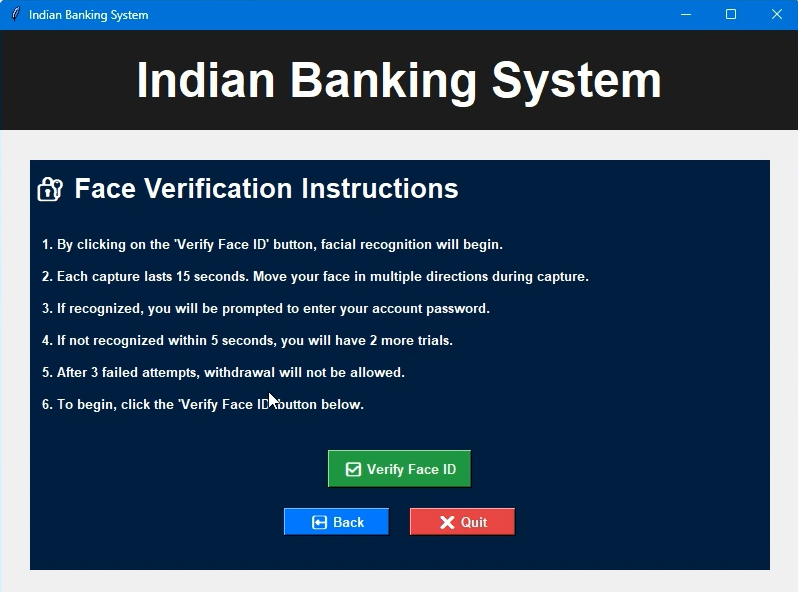
When authentication is required, the application uses the webcam to detect the user’s face in real time. OpenCV processes the camera input and identifies the face presented to the system.
3. Face Verification
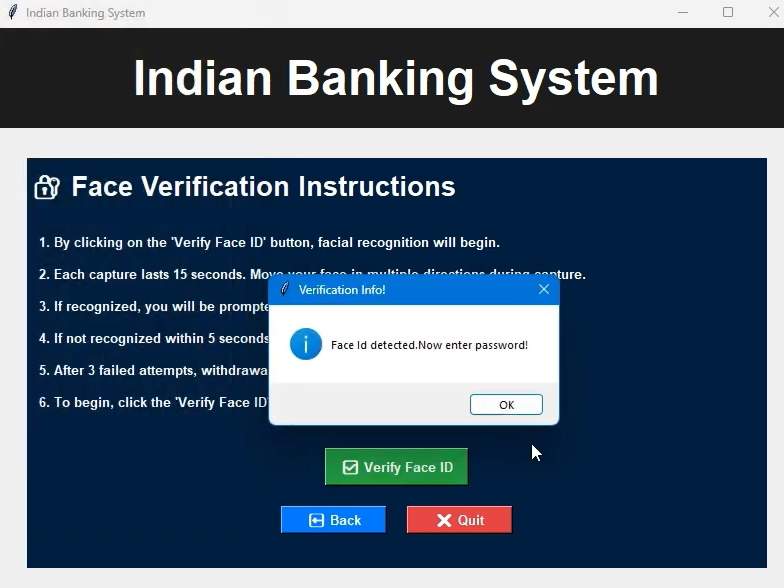
The detected face is compared with the registered facial information. If the face matches the registered user, the authentication process can continue. If the identity cannot be verified, access to the protected operation is denied.
4. Password Verification
The system also uses password verification as an additional authentication factor. Combining facial recognition with password verification provides a multi-factor authentication workflow.
5. Transaction Authorization
Before a protected banking operation such as withdrawal is performed, the system verifies the user’s identity. Only an authenticated user is permitted to proceed with the authorized transaction.
6. Failed Attempt Lockout
The system limits authentication attempts. After three unsuccessful verification attempts, the application blocks further unauthorized attempts, adding an additional security layer.
Professional UI Highlights
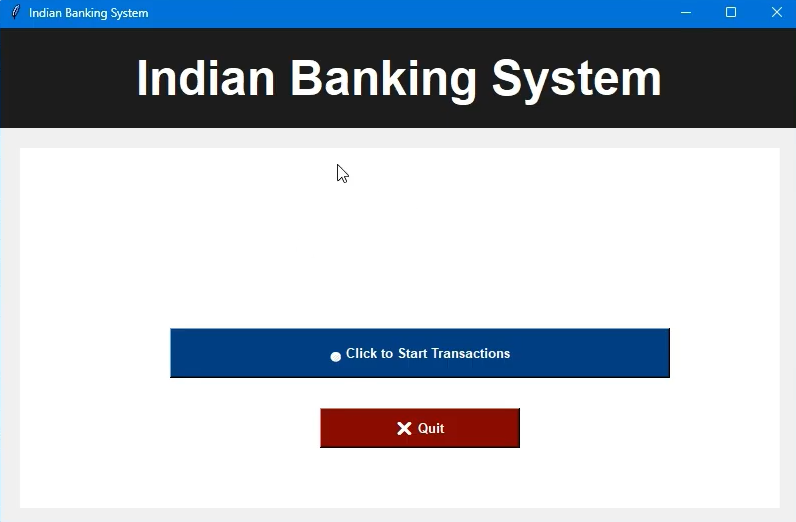
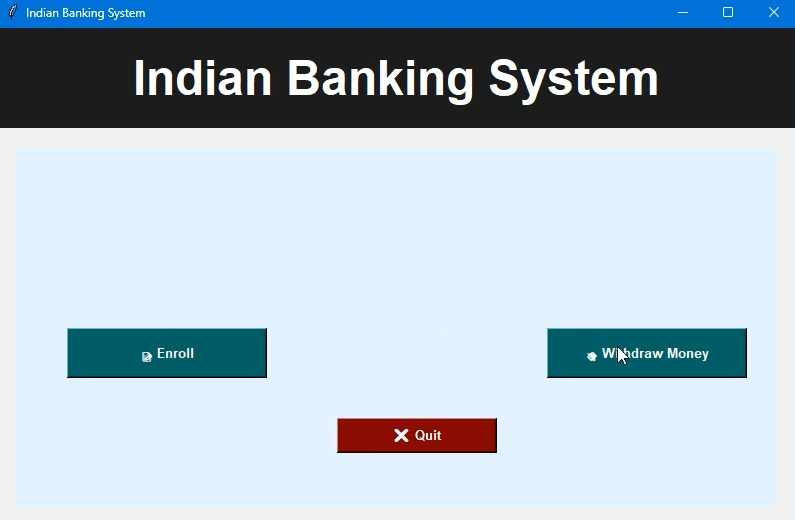
The application uses a Tkinter-based graphical interface designed to make the banking workflow simple to understand and operate.
- User-friendly graphical interface
- Registration and login screens
- Transaction-related interface
- Interactive buttons and panels
- Clear instructions for users
- Error and authentication messages
- Simple navigation between application functions
Security Features
- Facial Authentication: Uses facial recognition to verify the user’s identity.
- Multi-Factor Verification: Combines face verification with password authentication.
- Failed Attempt Protection: Limits verification attempts to prevent repeated unauthorized access.
- Local Data Storage: Uses SQLite3 for storing application data locally.
- Privacy-Focused Design: The project is designed to operate locally rather than depending on external servers.
Project Structure
The project is organized around the major components required for user enrollment, authentication, face processing, account management, and transaction authorization.
- Python Application Files: Handle the application’s authentication and banking workflows.
- Face Recognition Components: Process webcam input and verify registered users.
- Tkinter Interface: Provides the graphical screens for registration, login, and transactions.
- SQLite3 Database: Stores the required local account and application information.
- Image Processing Components: Process facial images using the supported Python libraries.
Software and Tools Required
- Python 3.8 or above
- VS Code or PyCharm
- Webcam
- OpenCV
- Scikit-learn
- imutils
- Pandas
- PIL
- SQLite3
How to Download
The complete package is available so you can run, study, and submit it with confidence. It includes:
- Full Source Code
- Project Report
- Synopsis
- PPT Presentation
Demo Video
Screenshot
Installation Guide
Step 1: Open the Project
Open the project folder in VS Code or PyCharm and make sure Python is installed on your computer.
Step 2: Create a Virtual Environment
python -m venv venvStep 3: Activate the Virtual Environment
For Windows:
venv\Scripts\activateStep 4: Install Required Libraries
pip install opencv-python scikit-learn imutils pandas pillowStep 5: Run the Application
python main.pyIf the project’s main Python file uses a different filename, run that file instead.
Usage
Start the application and register a new user by entering the required account information and capturing the user’s facial data. After registration, the user can access the login interface and complete the required authentication process.
During a protected transaction, the application uses the webcam to verify the user’s face and also performs password verification. If the authentication is successful, the user can proceed with the authorized banking operation. Failed authentication attempts are restricted according to the application’s security mechanism.
Project Benefits
- Demonstrates practical facial recognition using Python.
- Provides hands-on experience with OpenCV and computer vision.
- Shows how biometric authentication can be integrated into an application.
- Combines face recognition and password verification.
- Demonstrates local database management using SQLite3.
- Helps students understand basic banking security workflows.
- Combines AI, machine learning, computer vision, and cybersecurity concepts.
Future Enhancements
The system can be further improved by adding more advanced biometric security methods, stronger authentication mechanisms, encrypted sensitive information, improved face recognition models, transaction history, and additional banking operations.
The application could also be extended into a web or mobile-based banking security system and integrated with secure backend services for larger-scale deployment.
Final Thoughts
From a student’s perspective, the Face Recognition Based Bank Transaction Authorization System is an interesting project because it combines multiple important technologies in one practical application. It demonstrates how Python, OpenCV, machine learning, Tkinter, and SQLite3 can work together to create a biometric authentication system.