Diabetes Prediction Using Machine Learning
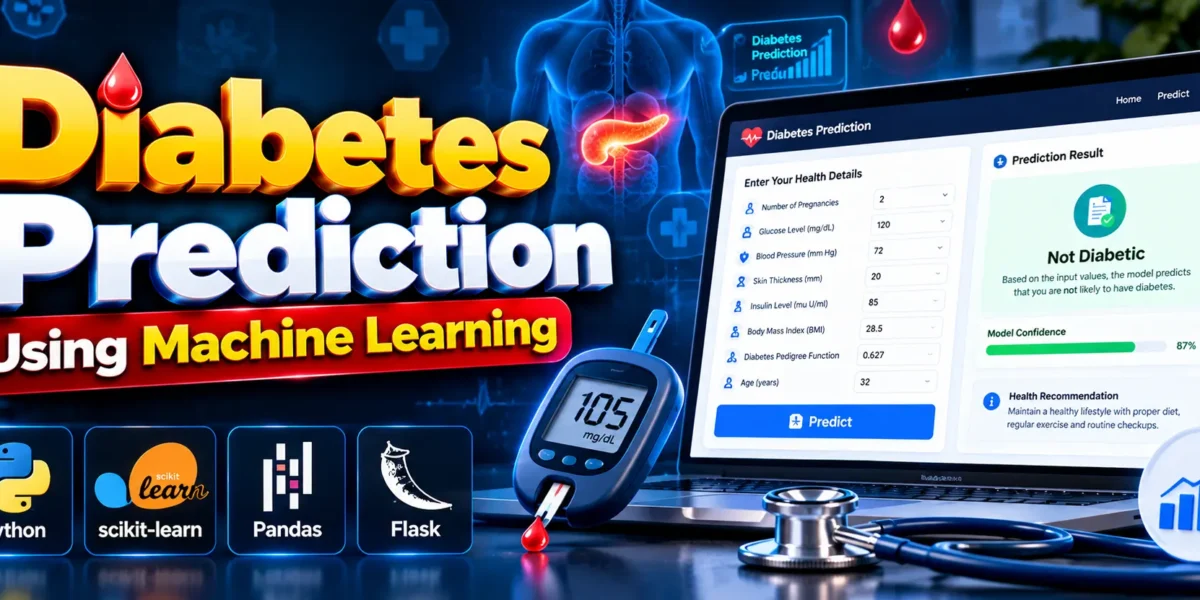
The Diabetes Prediction Using Machine Learning project is a Python-based machine learning application that predicts whether a person is likely to have diabetes based on health parameters entered by the user. It combines data analysis, preprocessing, model training, evaluation, and a Flask web application to demonstrate how machine learning can be applied to a healthcare-related problem.
Complete Advance AI Topics: Click Here
Real Time Projects on YouTube:- DecodeIT
What Is the Diabetes Prediction Project?
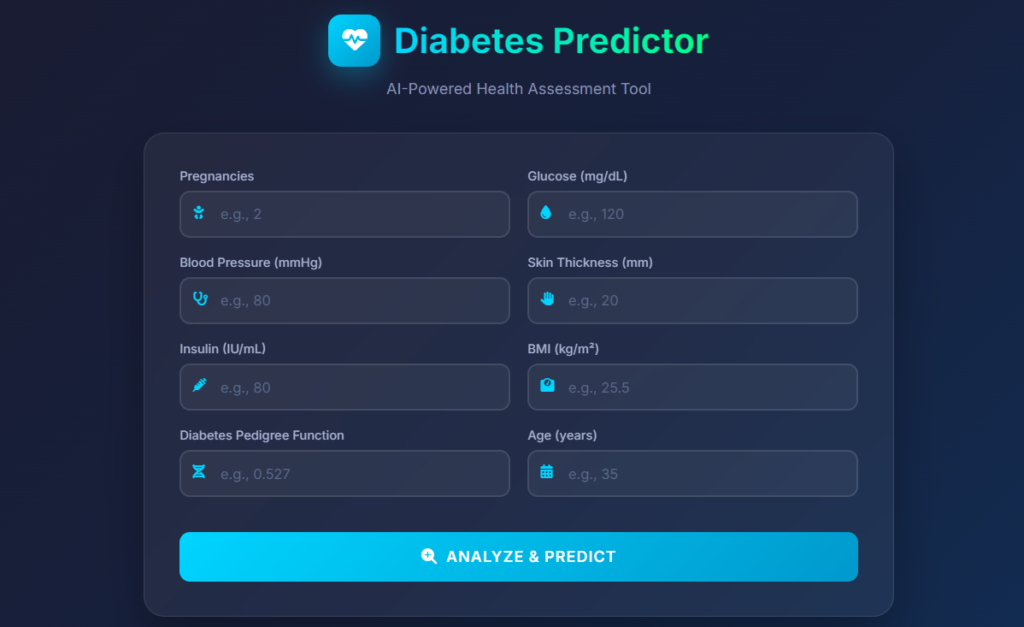
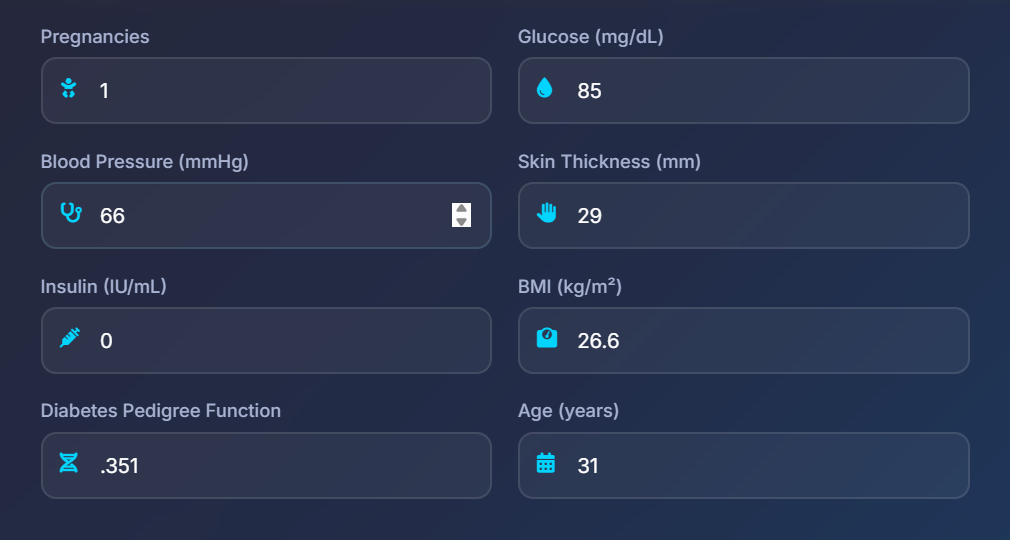
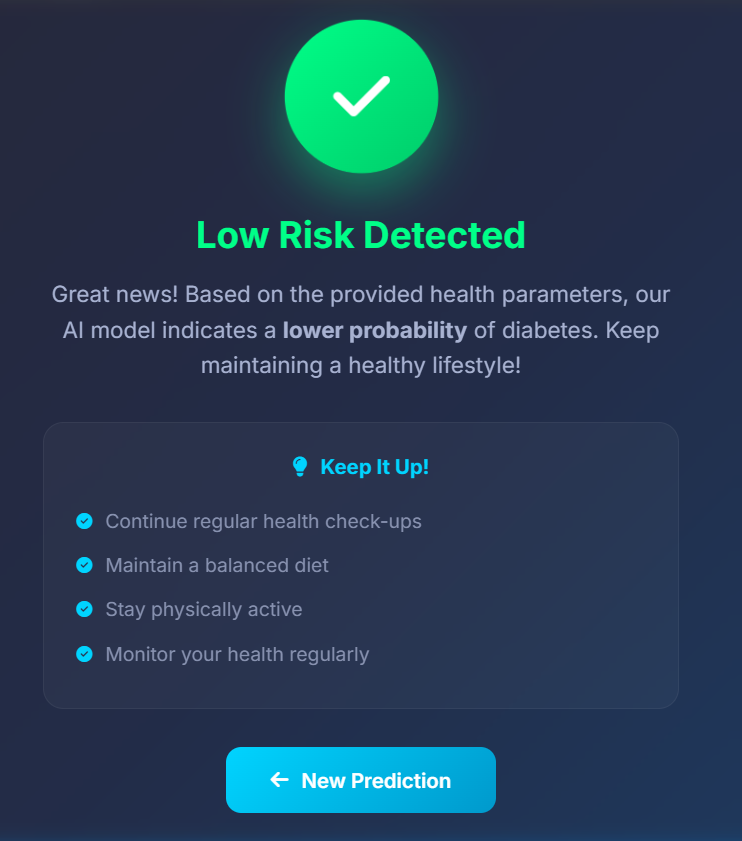
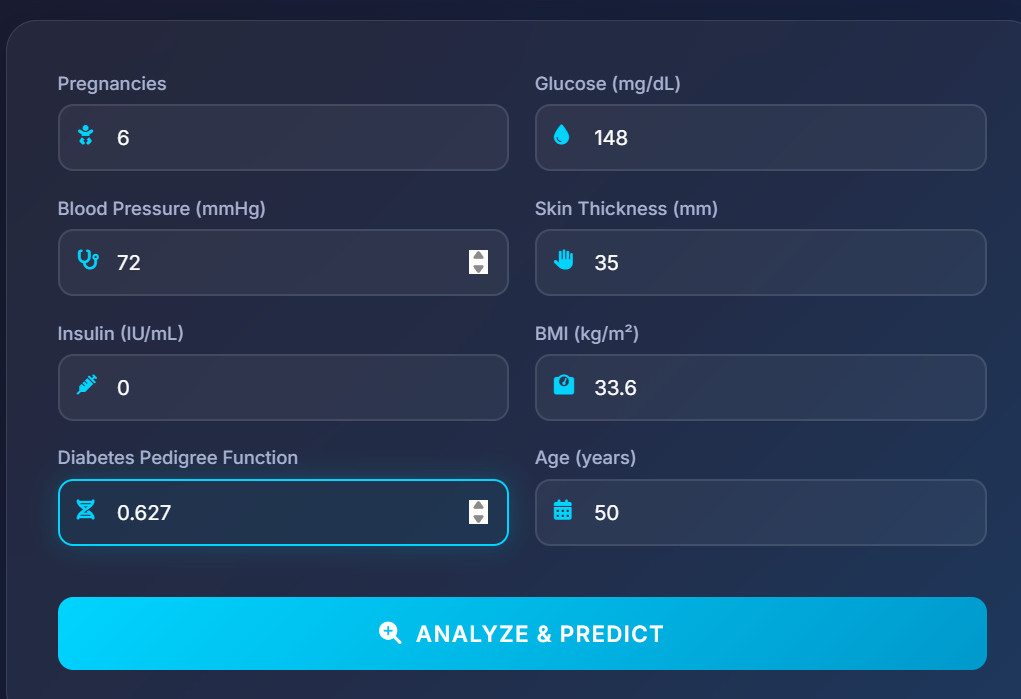
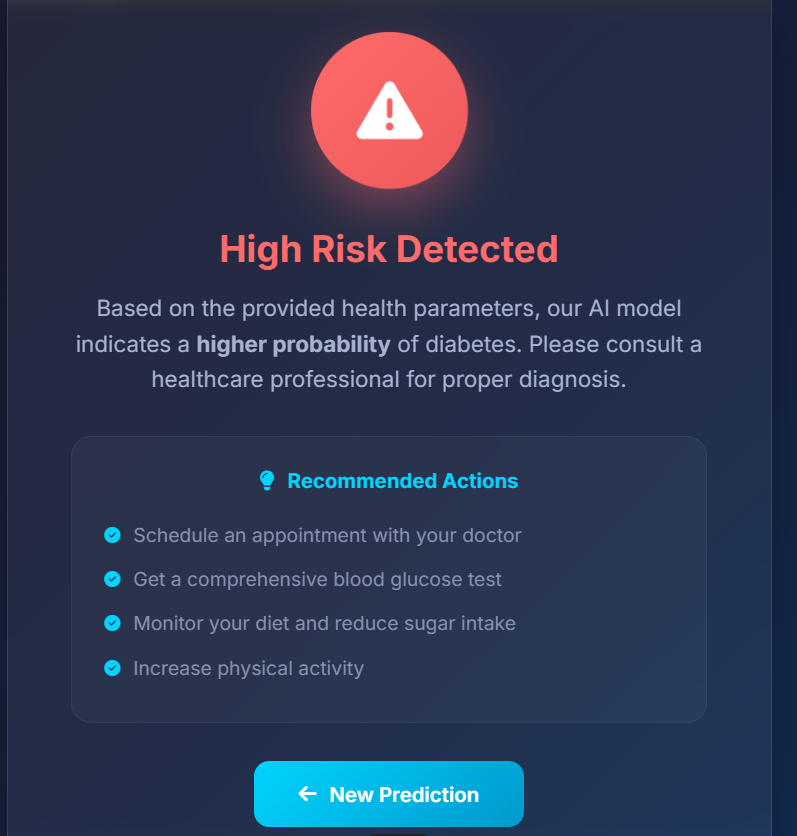
This project uses a trained machine learning model to analyze health information submitted through a web form. After the user enters the required values and clicks the submit button, the application processes the input and displays the prediction on a result page.
The prediction is intended for educational purposes and should not be treated as a medical diagnosis.
Why Choose This Project?
- Demonstrates the machine learning workflow from data preparation to deployment.
- Introduces a practical healthcare-related use case.
- Combines machine learning with a Flask web application.
- Helps students understand data preprocessing, model training, and evaluation.
- Can be used as a mini project or final-year academic project.
Project Objectives
The project follows a structured machine learning lifecycle:
- Data Gathering: Obtain medical data from public sources.
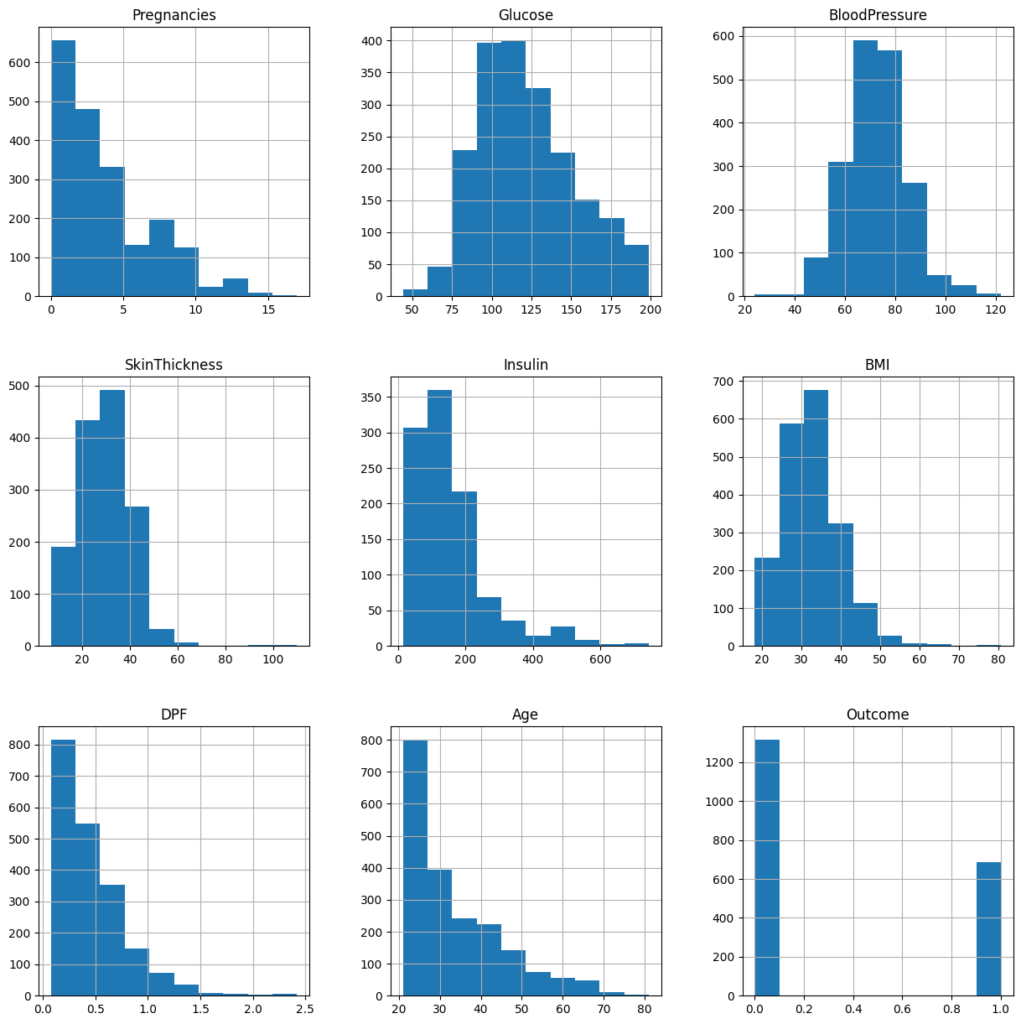
- Descriptive Analysis: Examine the dataset to understand its patterns and characteristics.
- Data Visualization: Present data patterns and insights through graphs.
- Data Preprocessing: Clean and transform the dataset for model training.
- Model Building: Train machine learning algorithms using the prepared data.
- Model Evaluation: Assess model performance using appropriate evaluation methods.
- Model Deployment: Connect the trained model to a Flask web application.
Which Input Features Are Used?
The application accepts the following eight health parameters for prediction:
- Number of Pregnancies
- Insulin Level
- Age
- Body Mass Index (BMI)
- Blood Pressure
- Glucose Level
- Skin Thickness
- Diabetes Pedigree Function
After processing these values, the system displays a prediction indicating whether the model identifies a likely diabetes outcome. The result is a machine learning estimate, not confirmation that a person does or does not have diabetes.
Which Machine Learning Algorithms Are Used?
The project uses scikit-learn for machine learning and includes these algorithms:
- Logistic Regression: A classification algorithm used to estimate the likelihood of a class outcome.
- Decision Tree: A model that makes predictions through a series of decision rules.
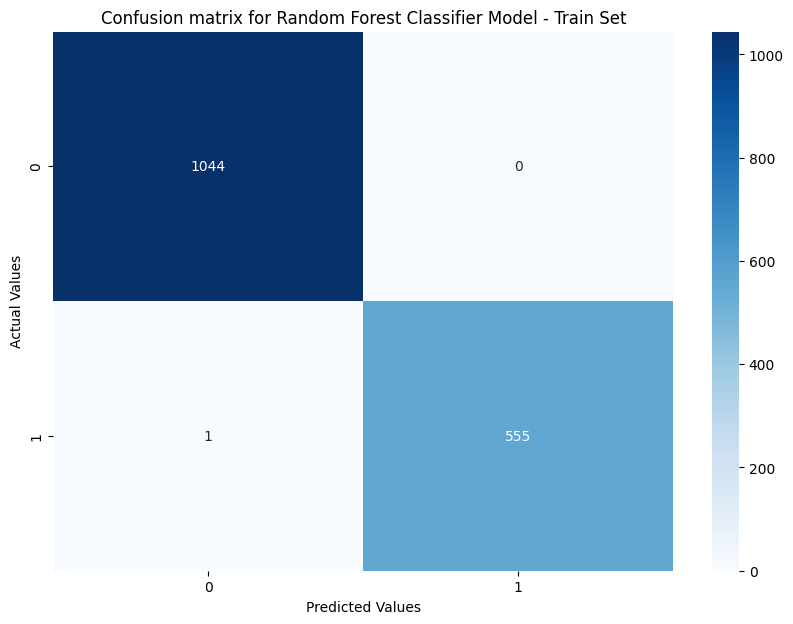
- Random Forest: An ensemble algorithm that combines predictions from multiple decision trees.
How Does the Web Application Work?
- The user opens the prediction form.
- The user enters the required health parameters.
- The form is submitted to the Flask application.
- The application processes the input and passes it to the trained model.
- The prediction is displayed on a separate result page.
Technology Stack
| Area | Technology |
|---|---|
| Programming Language | Python |
| Machine Learning | scikit-learn |
| Data Handling | Pandas |
| Web Framework | Flask |
| Deployment | Depends on the selected hosting environment |
How to Download
The complete package is available so you can run, study, and submit it with confidence. It includes:
- Full Source Code
- Project Report
- Synopsis
- PPT Presentation
Demo Video
Screenshots

Train Model On Dataset
Installation Guide
Follow these steps to set up and run the Diabetes Prediction Using Machine Learning project in Visual Studio Code.
Step 1: Install Python and VS Code
Install Python and Visual Studio Code on your system. Open VS Code and install the Python extension.
Step 2: Extract and Open the Project
Extract the project ZIP file and open the extracted project folder in VS Code. Select Terminal → New Terminal.
Step 3: Create a Virtual Environment
python -m venv venvStep 4: Activate the Virtual Environment
On Windows:
venv\Scripts\activateOn macOS or Linux:
source venv/bin/activateStep 5: Install Required Libraries
If the project contains a requirements.txt file, install the dependencies using:
python -m pip install -r requirements.txtStep 6: Run the Project
Locate the main Flask application file in the project folder. If the entry-point file is named app.py, run:
python app.pyIf the project uses a different entry-point filename, replace app.py with the actual filename.
Step 7: Open the Application
Check the terminal for the local address displayed by Flask. If it shows the default address, open:
http://127.0.0.1:5000/Step 8: Make a Prediction
Enter the required health parameters in the form, submit the details, and view the prediction on the result page.
Note: These commands assume the project uses a standard Flask entry point. The exact filename and dependencies should be confirmed from the project files.
Frequently Asked Questions (FAQs)
1. What is Diabetes Prediction Using Machine Learning?
It is a machine learning project that uses health parameters entered by the user to predict whether the trained model identifies a likely diabetes outcome.
2. Which programming language is used in this project?
The project uses Python for machine learning and backend development, with Flask providing the web application.
3. Which machine learning algorithms are included?
The project includes Logistic Regression, Decision Tree, and Random Forest algorithms using scikit-learn.
4. Which input parameters are required for prediction?
The listed inputs are pregnancies, insulin level, age, BMI, blood pressure, glucose level, skin thickness, and diabetes pedigree function.
5. Can this project diagnose diabetes accurately?
The application provides a model-based prediction for educational purposes. It is not a medical diagnosis or a substitute for professional medical testing and advice.
Future Improvements You Can Add
- More powerful ML models
- Login system for users
- Better UI design
- More health attributes
- Mobile friendly layout
These can be added as future scope in your project report .
Who Should Build This?
- B.Tech / BCA / MCA Students
- Data Science Beginners
- Final Year Project Seekers
- Hackathon Participants
- Anyone learning Machine Learning
How Does the Prediction Process Work?
The overall workflow connects user input to the trained model and displays the resulting prediction.
Workflow: User Input → Data Preprocessing → Machine Learning Model → Prediction → Result Page
Conclusion
The Diabetes Prediction Using Machine Learning project demonstrates how Python, Pandas, scikit-learn, and Flask can work together in a machine learning application. It covers the main stages of data analysis, preprocessing, model development, evaluation, and web integration, making it a useful project for learning the practical machine learning workflow.
diabetes prediction using machine learning, diabetes prediction using machine learning ppt, diabetes prediction using machine learning code, diabetes prediction using machine learning papers, diabetes prediction using machine learning github, diabetes prediction using machine learning project, diabetes prediction system using machine learning, diabetes prediciton using machine learning, prediction of diabetes using machine learning techniques, diabetes prediction using deep learning