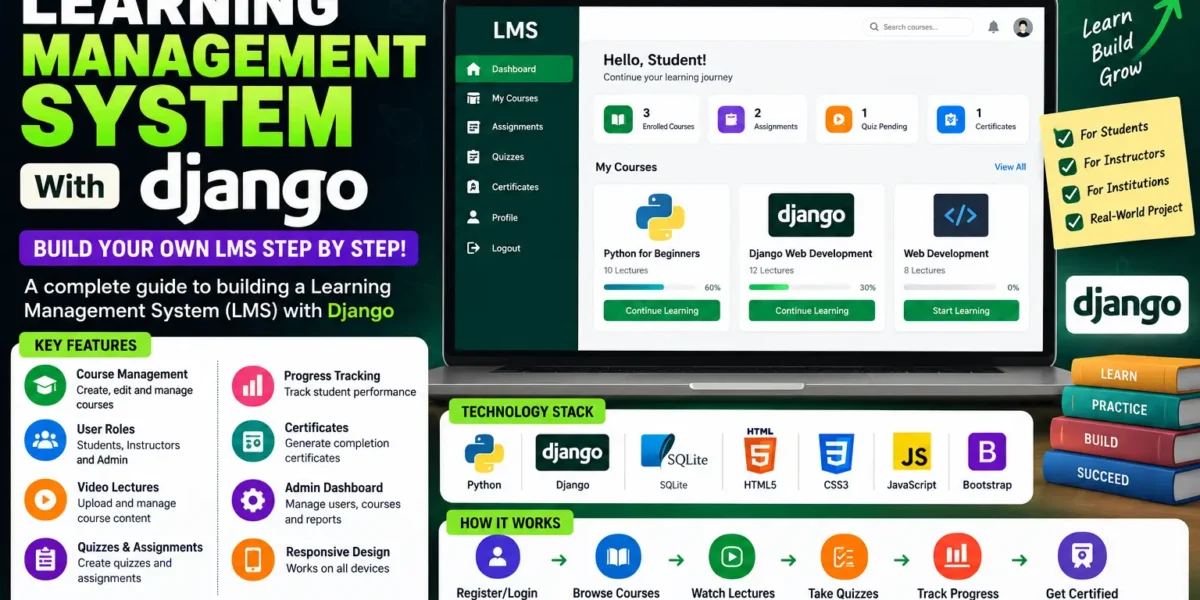
Learning Management System
Building a Learning Management System with Django is one of the smartest choices for a final year submission, because it touches almost every skill an examiner looks for: authentication, role-based access, file handling, report generation and online payments, all in one codebase.
This complete Django learning management system ships with four user roles, a live analytics dashboard, self-marking quizzes, GPA and CGPA calculation, PDF result sheets and a working Razorpay fee module. Below you will find what it does, the stack behind it, how to run it, and how to get the source code with the report, synopsis and PPT.
| Detail | Description |
|---|---|
| Project Name | Learning Management System (LMS) |
| Language | Python 3.13 |
| Framework | Django 4.2 |
| Database | SQLite (development), PostgreSQL or MySQL ready |
| Frontend | Bootstrap 5, Chart.js, custom CSS |
| Project Type | Web Application |
| Category | Education / E-Learning |
| Difficulty | Intermediate to Advanced |
| Best For | BCA, MCA, B.Tech CS/IT, M.Tech final year students |
| Platform | Cross-platform (Windows, macOS, Linux) |
| Payment Gateway | Razorpay (test and live mode) |
| Year | 2026 |
| Developer | Updategadh |
About This Django Learning Management System
Most colleges still run on scattered tools. Marks live in a spreadsheet, notes get shared over messaging apps, and fee receipts are written by hand. Nobody has a single view of a student, and results season becomes days of reconciling numbers that should have been instant.
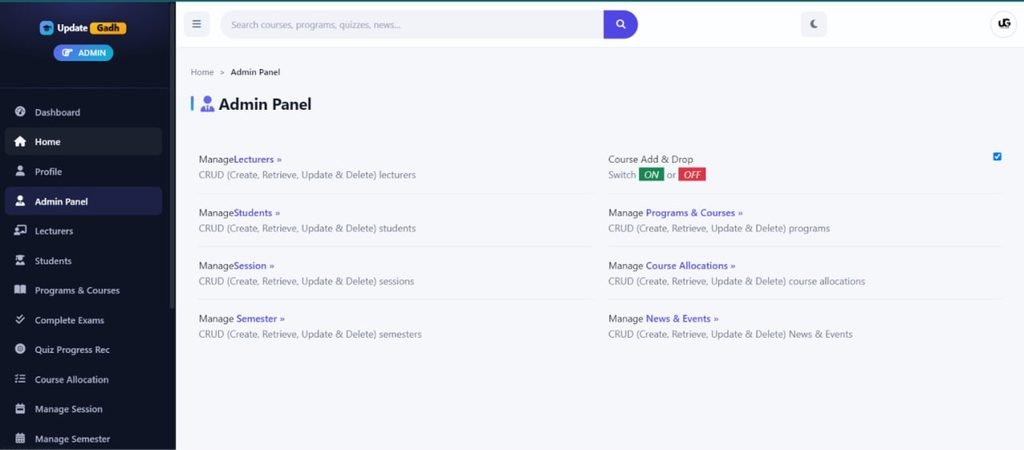
This learning management system project in Django pulls all of that into one application. Administrators create programmes, courses and sessions, then allocate courses to lecturers. Lecturers upload notes and videos, write quizzes and enter marks; the system totals them, assigns a grade and calculates GPA and CGPA. The office raises invoices in bulk, and students pay online and download a receipt.
Key Features of This LMS Project in Django
Administrator Module
- Role-based access control: Four user types on a custom Django user model, enforced server-side by view decorators, not just hidden in templates.
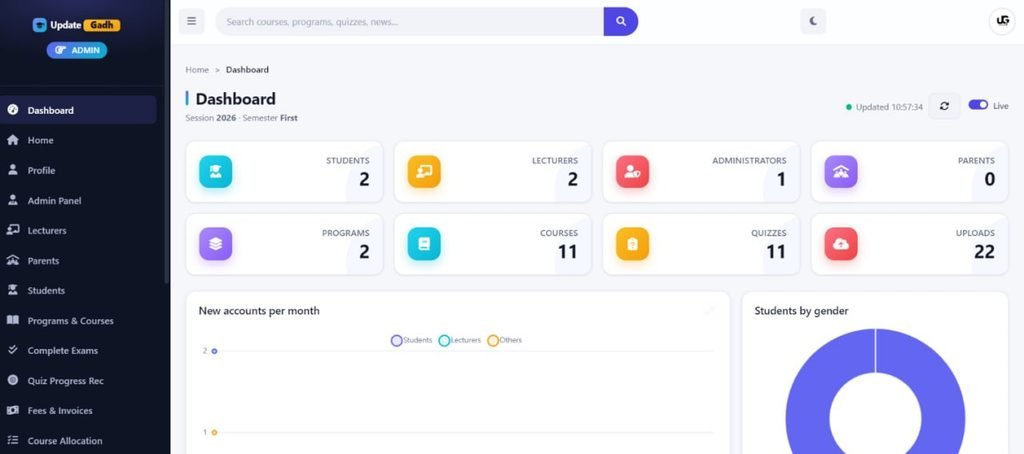
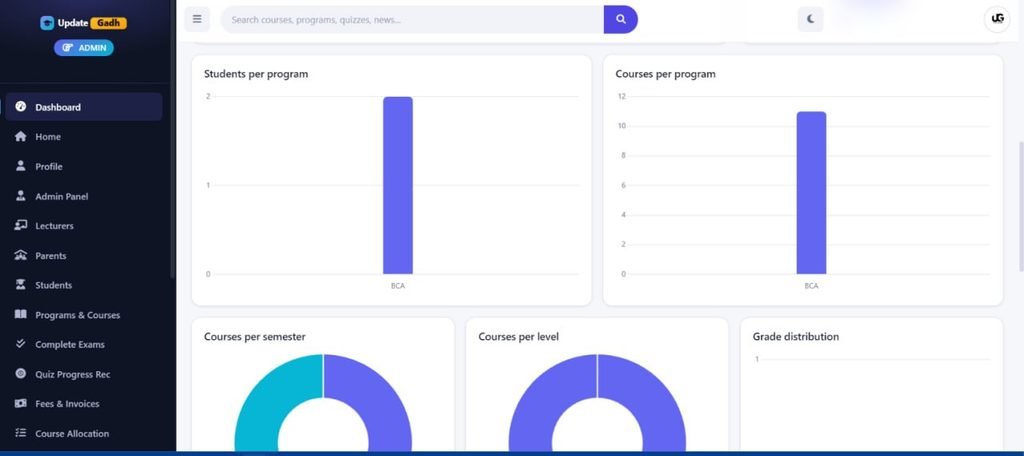
- Real-time analytics dashboard: Counts, enrolment trends and grade distribution computed as database aggregates and refreshed every fifteen seconds.
- Automatic credentials: New students and lecturers get a generated ID and password, emailed on account creation.
- Password management: Set a new password for any user from the student or lecturer list.
- Session control: Set the current session and semester once; every registration, result and fee screen follows it.
Lecturer Module
- Material uploads: PDFs, documents, slides and archives, plus lecture videos in MP4, MKV and more.
- Quiz builder: Multiple-choice and essay questions with a pass mark, optional single attempt and randomised order.
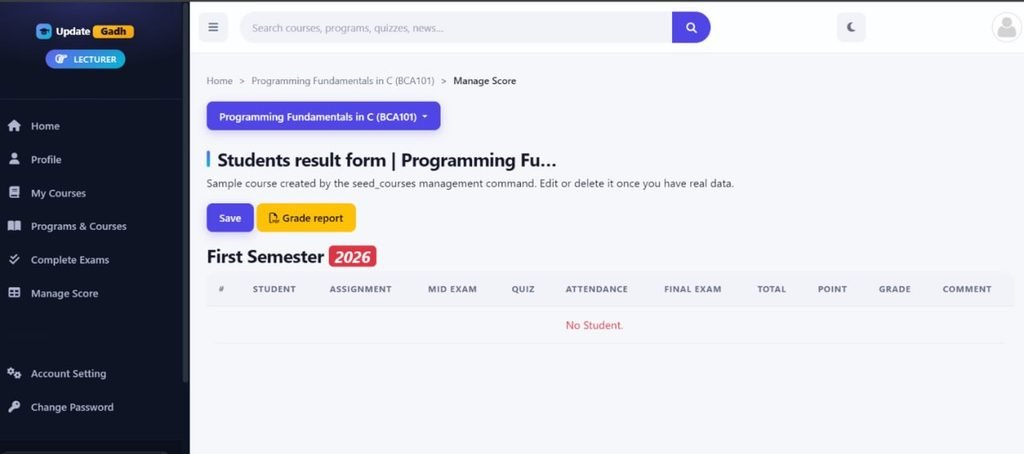
- Marks entry: Assignment, mid-exam, quiz, attendance and final-exam scores in one grid for a whole class.
- Printable result sheets: Export a result sheet for any allocated course as a PDF.
Student Module
- Course registration: Add and drop courses within the student’s own programme, level and semester.
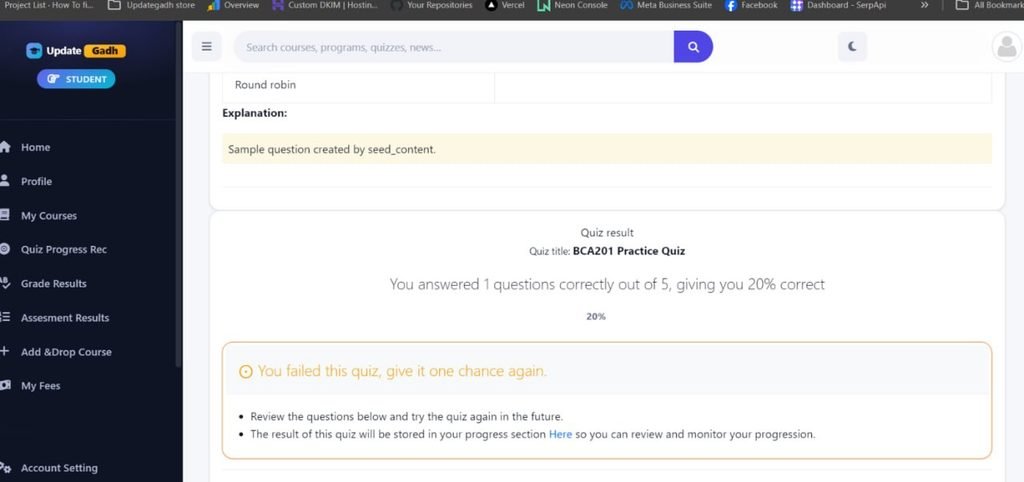
- Self-marking quizzes: Question-by-question attempts with instant or end-of-quiz feedback and stored progress.
- Results and GPA: View grades, semester GPA and cumulative CGPA, and download the registration form as a PDF.
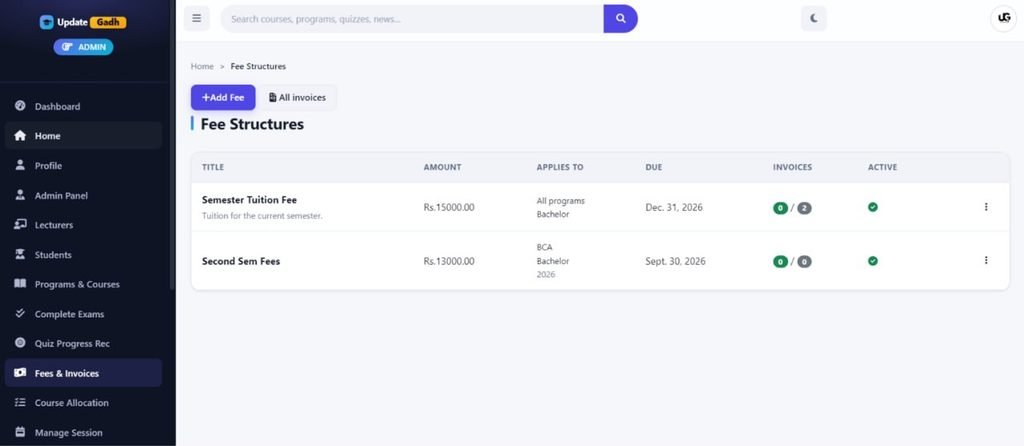
- Online fee payment: See outstanding and paid amounts, pay by card, UPI or netbanking, and download a receipt.
System-Wide Features
- Multilingual interface: English, French, Spanish and Russian, with translatable database content.
- Light and dark theme: Follows the system preference, with a toggle that persists.
- Global search: One search box across courses, programmes, quizzes and campus news.
- Activity logging: Every create, update and delete feeds the dashboard.
Technologies Used in This Python Django LMS Project
| Layer | Technology | Purpose |
|---|---|---|
| Backend | Python 3.13, Django 4.2 | Logic, ORM, authentication and routing |
| Frontend | Bootstrap 5, HTML5, custom CSS | Responsive layout and theming |
| Charts | Chart.js | Dashboard graphs from a live JSON endpoint |
| Database | SQLite, PostgreSQL, MySQL | Storage; switch with one setting |
| Forms | django-crispy-forms, django-filter | Form rendering and filtering |
| Reporting | ReportLab, xhtml2pdf | Result sheets, invoices and receipts |
| Payments | Razorpay Python SDK | Orders and signature verification |
| Translation | django-modeltranslation | Multilingual database fields |
| API | Django REST Framework | JSON endpoints for dashboard data |
| Static Files | WhiteNoise | Compressed static assets in production |
How This Learning Management System in Django Works
- Set the calendar. Create a session and mark the current semester; every screen reads from it.
- Build the catalogue. Create programmes, then add courses with a code, credits, level, year and semester.
- Onboard users. Adding a student or lecturer generates an ID and password and emails the credentials.
- Allocate courses. Assigning courses to a lecturer unlocks uploads, quizzes and marks entry for them.
- Students register. Each picks courses from their programme and level for the active semester.
- Teaching happens. Lecturers publish notes, videos and quizzes; scores are stored automatically.
- Marks become results. Five score components are totalled, graded, converted to points and turned into GPA and CGPA.
- Fees are collected. Students pay through Razorpay; the signed callback is verified before an invoice is marked paid, then a PDF receipt is available.
How to Run This Django Learning Management System
Step 1: Prerequisites
Install Python 3.10 or newer and pip. Any modern editor such as VS Code or PyCharm will do.
Step 2: Create a Virtual Environment
python -m venv venv

# Windows
venv\Scripts\activate

# macOS or Linux
source venv/bin/activate
Step 3: Install Dependencies
pip install -r requirements.txtStep 4: Configure Environment Variables
Create a .env file in the project root. Leave the Razorpay keys blank to disable online payment and record fees offline instead.
DEBUG=True
SECRET_KEY=your-secret-key-here
ALLOWED_HOSTS=127.0.0.1,localhost

EMAIL_BACKEND=django.core.mail.backends.console.EmailBackend

RAZORPAY_KEY_ID=
RAZORPAY_KEY_SECRET=
PAYMENT_CURRENCY=INR
Step 5: Apply Migrations and Create an Admin
python manage.py migrate
python manage.py createsuperuser
Step 6: Run the Development Server
python manage.py runserverOpen http://127.0.0.1:8000 and sign in with the superuser account you just created.
Demo Video
Project Screenshots
Why This Is a Great Final Year Project
- Covers the syllabus in one build. Authentication, ORM relationships, file uploads, PDF generation, REST endpoints and a payment integration in one application.
- Viva-ready architecture. Clean Django apps for accounts, courses, quizzes, results and payments, so you can explain any module without hunting through one giant file.
- Placement-relevant skills. Django, REST APIs and payment gateways appear constantly in junior backend job descriptions.
- Real logic to defend. GPA and CGPA calculation, grade banding and payment signature verification, not just forms saving to a table.
- Resume-worthy scope. A multi-role learning management system using Django reads as serious work on a fresher CV.
How to Get This Project
The complete package for this learning management system project with source code includes everything you need for submission:
- Full source code: The entire Django project, ready to run.
- Project report: Documentation covering objectives, design and testing.
- Synopsis: A concise summary for approval.
- Presentation: A ready PPT for your viva.
- Database file: Sample data for an instant demo.
Get This Project
For customisation or setup queries, message us directly.
WhatsApp: +91 79834 34684
Possible Extensions and Future Enhancements
- Attendance module: Per-lecture attendance feeding into the result calculation.
- Live classes: A video conferencing API for scheduled online lectures.
- Assignment submissions: Upload work against a deadline for lecturers to grade.
- Certificate generation: An automatic PDF certificate on course completion.
- Mobile application: An Android or Flutter client on the existing REST API.
- Discussion forums: A question and answer board per course.
- Notifications: Email or SMS reminders for fee due dates and results.
Watch More Project Tutorials
Full walkthroughs, setup guides and explanations for dozens of final year projects are available on our channel.
Subscribe to DecodeIT2 on YouTube
Frequently Asked Questions
What technology is used in this learning management system in Django?
Python 3.13 with Django 4.2 and the Django ORM on the backend. Bootstrap 5 and Chart.js on the front, ReportLab and xhtml2pdf for PDFs, and Razorpay for fee collection. It ships on SQLite and moves to PostgreSQL or MySQL by changing one setting.
Is this project suitable for BCA, MCA and B.Tech students?
Yes. It is pitched at intermediate to advanced level and suits BCA, MCA, B.Tech CS/IT and M.Tech submissions. The modular structure lets you present it whole or focus your viva on one area, such as the results engine.
Does the package include the report, synopsis and PPT?
Yes. Along with the source code you get a formatted report, a synopsis for approval, a viva presentation and a sample database.
Can I deploy this Django learning management system online?
Yes. It is deployment-ready for PythonAnywhere, Render, Railway or any VPS. Switch to PostgreSQL, set DEBUG to false, add your domain to the allowed hosts and run collectstatic. WhiteNoise already serves static files in production.— SEO Title: Learning Management System in Django with Source Code – 2026 | Updategadh Meta Description: Complete learning management system in Django with 4 user roles, live dashboard, quizzes, GPA results and Razorpay payments. Free source code, report and PPT. Focus Keyword: learning management system in django —