Skip to content
  • SiteMap
  • Our Services
  • Frequently Asked Questions (FAQ)
  • Support
  • About Us

UpdateGadh

Update Your Skills.

  • Home
  • Projects
    •  Blockchain projects
    • Python Project
    • Data Science
    •  Ai projects
    • Machine Learning
    • PHP Project
    • React Projects
    • Java Project
    • SpringBoot
    • JSP Projects
    • Java Script Projects
    • Code Snippet
    • Free Projects
  • Tutorials
    • Ai
    • Machine Learning
    • Advance Python
    • Advance SQL
    • DBMS Tutorial
    • Data Analyst
    • Deep Learning Tutorial
    • Data Science
    • Nodejs Tutorial
  • Blog
  • Contact us
  • Toggle search form
How to Create a URL Shortener Using Django Framework

URL Shortener Using Django Framework

Posted on June 30, 2024March 15, 2026 By Updategadh No Comments on URL Shortener Using Django Framework

How to Create a URL Shortener Using Django Framework

Introduction

In today’s digital age, URL shorteners have become an essential tool for making long URLs manageable and shareable. They are widely used for social media, marketing campaigns, and simplifying complex links. In this blog post, we’ll explore how to create a URL shortener using the Django framework. We’ll walk through the entire process, from setting up the project to deploying it, and share some essential features and tools needed along the way.

Step 1: Making the Project

To start with, you need to set up a new Django project. Django, a high-level Python web framework, encourages rapid development and clean, pragmatic design.

Begin by creating a new virtual environment to keep your project dependencies isolated. Install Django within this environment and create a new project:

$ mkdir url_shortener
$ cd url_shortener
$ python -m venv venv
$ source venv/bin/activate
$ pip install django
$ django-admin startproject myurlshortener
$ cd myurlshortener
$ django-admin startapp shortener

This sets up the basic structure of your Django project and a new app called “shortener” where all the URL shortening logic will reside.

Step 2: Essential Features

For a functional URL shortener, the following features are essential:

  1. URL Input Form: A form where users can input the long URL they want to shorten.
  2. Short URL Generation: A system to generate unique short URLs.
  3. Redirection: Redirect users from the short URL to the original long URL.
  4. Analytics: Track the number of times a short URL is clicked.
  5. Admin Interface: Manage all URLs via Django’s admin interface.

Step 3: Required Software and Tools

To build this project, you will need the following software and tools:

  • Python: Ensure you have Python installed on your machine.
  • Django: The primary framework for this project.
  • SQLite: The default database for Django projects, suitable for development.
  • Virtualenv: For managing virtual environments.
  • Text Editor/IDE: Any text editor or Integrated Development Environment like VS Code, PyCharm, or Sublime Text.

Step 4: Running the Project

Once you have completed the coding part, running the Django project is straightforward. First, apply migrations to set up your database tables:

$ python manage.py makemigrations
$ python manage.py migrate

Then, create a superuser to access the admin interface:

$ python manage.py createsuperuser

Finally, run the Django development server:

$ python manage.py runserver

Navigate to http://127.0.0.1:8000/ in your browser to see your project in action. You can also access the admin interface at http://127.0.0.1:8000/admin.

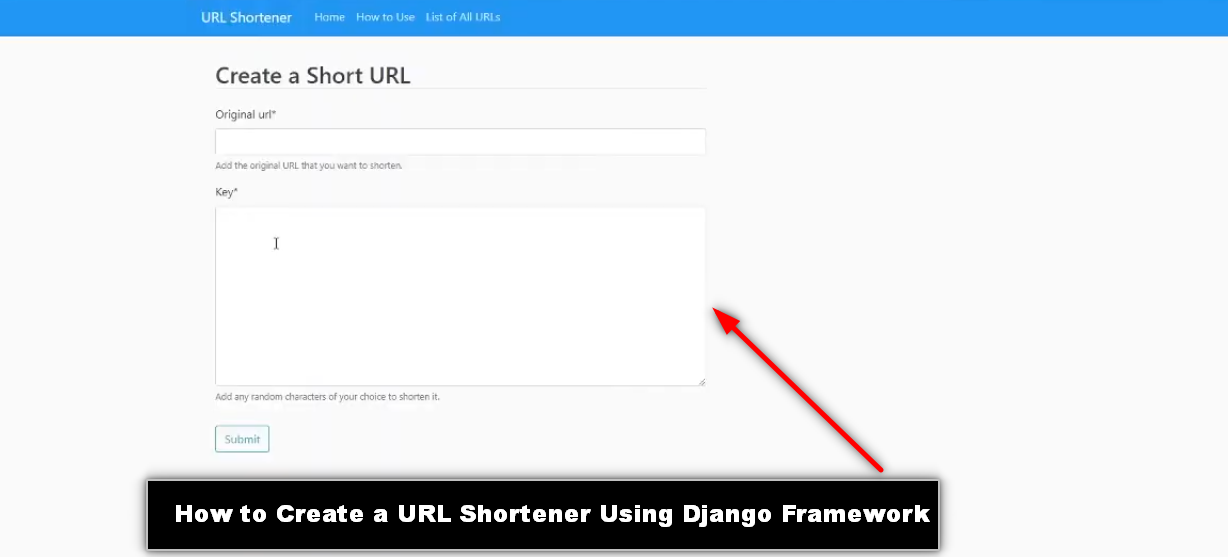
Step 5: Project Screenshots

Here are some screenshots of the project in action:
How to Create a URL Shortener Using Django Framework

  1. Homepage: A simple form where users can input their long URLs and receive a shortened version.
  2. Short URL Redirect: Demonstrating the redirection from a short URL to the original long URL.
  3. Admin Interface: The Django admin interface showing a list of all shortened URLs and their analytics.

Step 6: Download Project

Download Project Free Click Here

Complete Python Course : Click here

Free Notes :- Click here

New Project :-https://www.youtube.com/@Decodeit2

How to setup this Project Complete video – Click here


  • url shortener using django
  • is url shortener safe
  • url shortener how does it work
  • what is the use of url shortener
  • what are url shorteners
  • short url example
  • django url shortener Using Django
  • how to create a url shortener in python
  • python url shortener Using Django github
  • django url shortener github
  • url shortener Using Django python django
  • python url shortener Using Django
  • python url shortener library
  • django url question mark
  • django urlquote
  • url shortener tutorial
  • url shortener design interview

Post Views: 1,609
PythonFreeProject Tags:django, Django Projects, Open Source, Python, URL Management, URL Shortener, Web Development

Post navigation

Previous Post: Hotel Management using java download Free code
Next Post: Cab Booking Application Free source code

More Related Articles

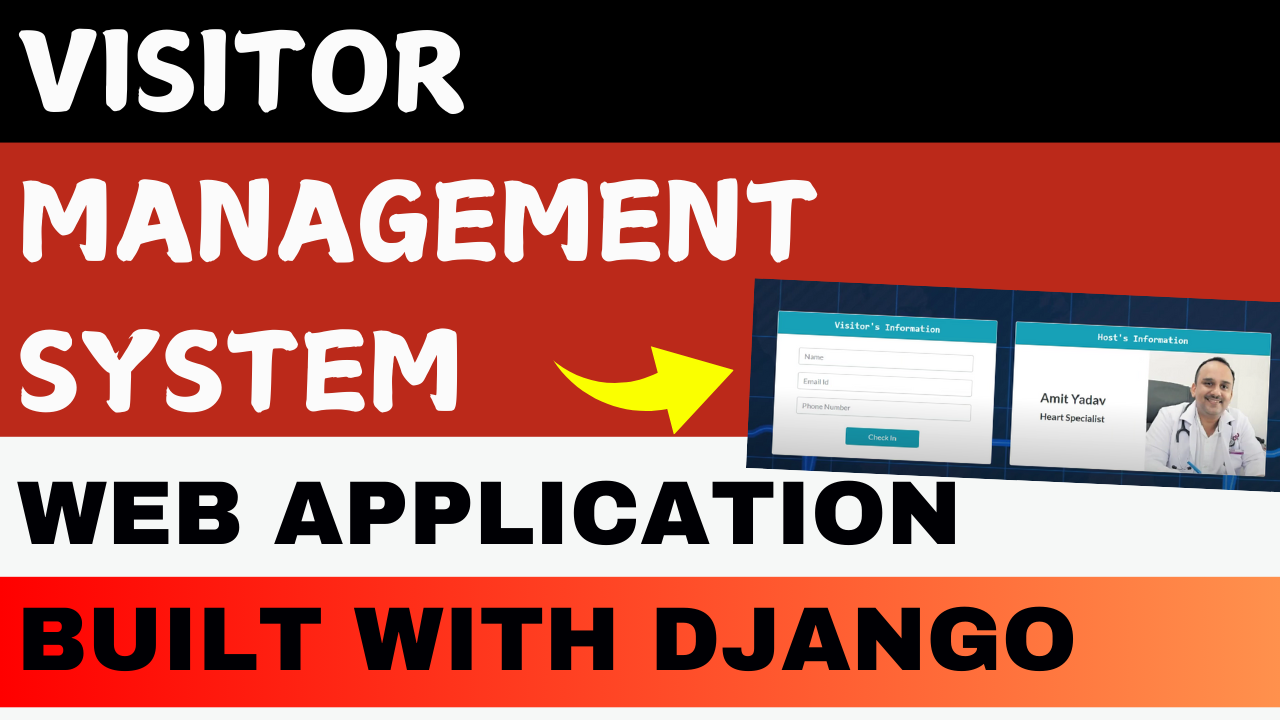
Visitor Management System in Hospital Visitor Management System in Hospital PythonFreeProject
Appointment Management System Best Appointment Management System Using Python Django PythonFreeProject
School Management System School Management System in Django with Source Code PythonFreeProject

Leave a Reply Cancel reply

Your email address will not be published. Required fields are marked *

You may also like

  1. E-commerce Website using Django With Free Source Code
  2. Detecting Malicious URLs with Django
  3. Contact Management System In PYTHON
  4. 🔍 Best Django Project for Beginners: Department Store Management System (Free to Use)
  5. Hotel Price Prediction Machine Learning
  6. Best Money Management System Using Python – A Django & MySQL Based Personal Finance Management System

Most Viewed Posts

  1. Top Large Language Models in 2025
  2. Online Shopping System using PHP, MySQL with Free Source Code
  3. login form in php and mysql , Step-by-Step with Free Source Code
  4. Flipkart Clone using PHP And MYSQL Free Source Code
  5. News Portal Project in PHP and MySql Free Source Code
  6. User Login & Registration System Using PHP and MySQL Free Code
  7. Top 10 Final Year Project Ideas in Python
  8. Online Bike Rental Management System Using PHP and MySQL
  9. E learning Website in php with Free source code
  10. E-Commerce Website Project in Java Servlets (JSP)
  • AI
  • ASP.NET
  • Blockchain
  • ChatCPT
  • code Snippets
  • Collage Projects
  • Data Science Project
  • Data Science Tutorial
  • DBMS Tutorial
  • Deep Learning Tutorial
  • Final Year Projects
  • Free Projects
  • How to
  • html
  • Interview Question
  • Java Notes
  • Java Project
  • Java Script Notes
  • JAVASCRIPT
  • Javascript Project
  • JSP JAVA(J2EE)
  • Machine Learning Project
  • Machine Learning Tutorial
  • MySQL Tutorial
  • Node.js Tutorial
  • PHP Project
  • Portfolio
  • Python
  • Python Interview Question
  • Python Projects
  • PythonFreeProject
  • React Free Project
  • React Projects
  • Spring boot
  • SQL Tutorial
  • TOP 10
  • Uncategorized
  • Online Examination System in PHP with Source Code
  • AI Chatbot for College and Hospital
  • Job Portal Web Application in PHP MySQL
  • Online Tutorial Portal Site in PHP MySQL — Full Project with Source Code
  • Online Job Portal System in JSP Servlet MySQL

Most Viewed Posts

  • Top Large Language Models in 2025 (8,615)
  • Online Shopping System using PHP, MySQL with Free Source Code (5,217)
  • login form in php and mysql , Step-by-Step with Free Source Code (4,870)

Copyright © 2026 UpdateGadh.

Powered by PressBook Green WordPress theme