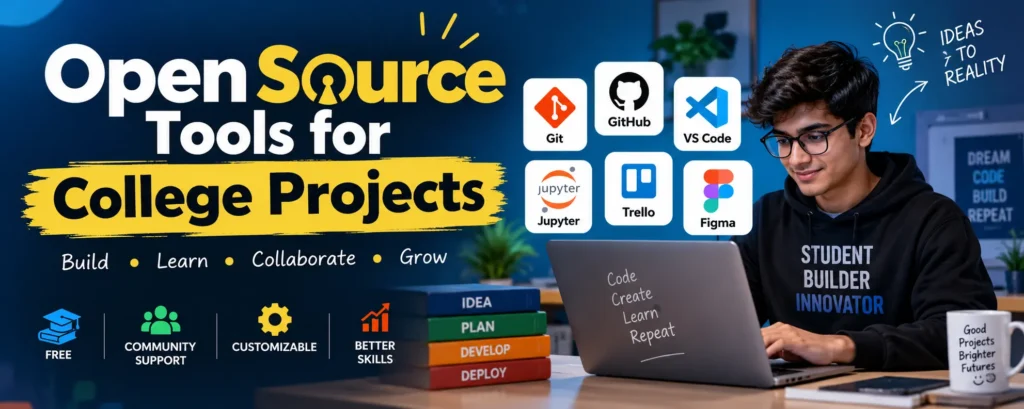
Open Source Tools for College Projects
Introduction
Open-source tools have become extremely useful for students working on college projects. Many of these tools are free to use, supported by active communities, and provide practical experience with technologies used in real-world software development.
Whether you are developing a software project, analyzing data, managing a team, or designing a user interface, the right open-source tools can make your project easier to build and manage.
Complete Advance AI Topics: Click Here
SQL Tutorial: Click Here
Benefits of Open Source Tools
- Cost-Effective: Most open-source tools are free, making them accessible to students without requiring expensive software licenses.
- Community Support: Popular open-source projects have large communities that provide documentation, tutorials, forums, and troubleshooting support.
- Customization: Many open-source tools can be customized according to the requirements of a project.
- Learning Opportunities: Using open-source software gives students practical experience with tools and workflows commonly used by developers and organizations.
- Portfolio Building: Projects managed with tools such as Git and GitHub can be presented as part of a student’s technical portfolio.
Essential Open Source Tools for College Projects
1. Version Control: Git and GitHub
Git is a distributed version control system used to track changes in source code. It allows students to work on different parts of a project while keeping a history of changes.
GitHub provides an online platform for hosting Git repositories and collaborating with other developers. Students can use repositories to store project code, manage versions, and collaborate with team members.
How to Use: Create a repository for your project and use Git commands such as clone, add, commit, pull, and push to manage changes.
2. Project Management: Trello and Kanban
Trello is a visual project management platform based on boards, lists, and cards. The Kanban approach helps students organize tasks and monitor project progress.
How to Use: Create lists such as To Do, In Progress, and Completed. Add individual tasks as cards and move them between lists as work progresses.
3. Code Editor: Visual Studio Code
Visual Studio Code (VS Code) is a widely used source-code editor that supports programming languages, debugging, extensions, Git integration, and many development frameworks.
How to Use: Install VS Code and add extensions based on your programming language or framework. Features such as IntelliSense, debugging, integrated terminal, and source control can help improve development productivity.
4. Data Analysis: Jupyter Notebook
Jupyter Notebook is an open-source interactive environment that allows students to combine code, explanations, mathematical equations, and visualizations in a single document.
It is especially useful for data science, machine learning, Python projects, statistical analysis, and data visualization.
How to Use: Students can use notebooks to import datasets, clean and analyze data, execute Python code, create charts, and document their findings.
5. UI/UX Design: Figma
Figma is a collaborative interface design and prototyping platform that can be useful for students working on UI/UX and web application projects.
How to Use: Create a design project, build wireframes and interface screens, create prototypes, and collaborate with team members during the design process.
Other Useful Tools for College Projects
| Tool | Purpose | Useful For |
|---|---|---|
| Git | Version Control | Software Development |
| GitHub | Code Hosting & Collaboration | Team Projects |
| VS Code | Code Editing | Web & Software Projects |
| Jupyter Notebook | Data Analysis | Python, AI & ML Projects |
| Figma | UI/UX Design | Web & Mobile Applications |
| Trello | Task Management | Project Planning |
Best Practices for Using Open Source Tools
- Stay Organized: Divide your project into smaller tasks and track deadlines using a project management system.
- Use Version Control: Regularly commit your code and maintain a clear version history so that previous changes can be restored when required.
- Document Your Project: Maintain a detailed README file, explain important code sections, and document installation and usage instructions.
- Collaborate Effectively: Define responsibilities among team members and follow a consistent workflow when working on shared code.
- Use Official Documentation: When learning a tool, refer to its official documentation for accurate information and updated features.
- Explore the Community: Open-source communities can provide useful examples, solutions, discussions, and learning resources.
Why Students Should Learn Open Source Tools
Learning open-source tools is not only useful for completing college assignments. It also helps students develop practical skills that can be valuable during internships, placements, and software development careers.
For example, a student can build a project using VS Code, manage its source code with Git and GitHub, analyze data using Jupyter Notebook, organize tasks with Trello, and create the application’s interface using Figma.
YT:- DecodeIT
Conclusion
Open-source tools provide college students with affordable and practical resources for building high-quality projects. From coding and version control to project management, data analysis, and UI design, these tools can improve productivity and provide valuable hands-on experience.
By learning tools such as Git, GitHub, VS Code, Jupyter Notebook, Trello, and Figma, students can not only complete their college projects more effectively but also develop skills that can strengthen their portfolios and career opportunities.
Keywords
Open Source Tools for College Projects, tools for college projects, tools for college, tools for college projects students, tools for college success, project management tools for students, AI tools for college project, information technology projects for college students, college project tools, open source software for students, student project tools, final year project tools, coding tools for students, GitHub for college projects, Python project tools