
How to Document Your College Project Effectively
A college project is an opportunity to apply your creativity, technical knowledge, research skills, and problem-solving abilities. However, completing the project is only part of the process. Proper documentation is equally important because it explains your work, records the development process, and makes your project easier to understand and evaluate.
This guide explains how to create clear, organized, and professional documentation for your college project.
Complete Advance AI Topics: Click Here
SQL Tutorial: Click Here
1. Understand the Purpose of Project Documentation
Before preparing your report, understand why documentation is important.
- Record Keeping: Documents the important stages, decisions, and outcomes of your project.
- Communication: Helps professors, evaluators, teammates, and other readers understand your project.
- Evaluation: Provides evidence of your methodology, implementation, testing, and results.
- Reflection: Helps you evaluate what worked well, what challenges you faced, and what you learned.
- Future Reference: A well-written report can help you or others improve and extend the project later.
2. Create a Clear Project Structure
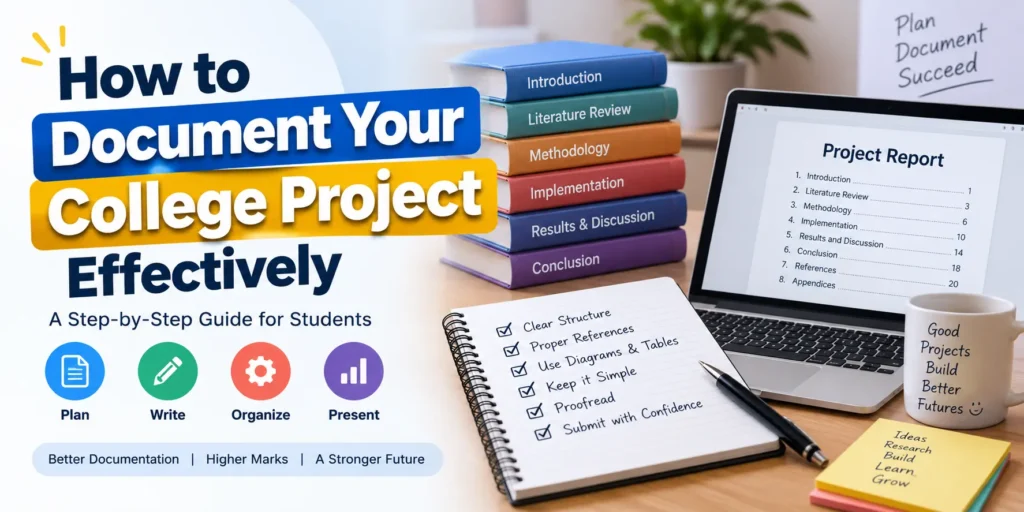
A well-organized structure makes your project report easier to read and navigate. A typical college project document can include the following sections:
- Title Page: Add the project title, student name, course, institution, guide or supervisor, and submission date.
- Abstract: Provide a short overview of the problem, proposed solution, methodology, and major results.
- Table of Contents: List chapters, sections, and page numbers.
- Introduction: Explain the background, problem statement, objectives, and scope.
- Literature Review: Discuss existing research, systems, or solutions related to your project.
- Methodology: Describe the methods, technologies, tools, and techniques used.
- Implementation: Explain the development and implementation process.
- Testing: Document test cases, expected results, actual results, and identified issues.
- Results and Discussion: Present and interpret the project’s results.
- Conclusion: Summarize achievements and possible improvements.
- References: List all books, websites, papers, documentation, and other sources used.
- Appendices: Include supplementary information such as source code, additional screenshots, raw data, or calculations.
3. Write the Introduction
The introduction provides the foundation for your project and helps readers understand why the project was developed.
Background
Explain the topic, current situation, and reason the project is relevant.
Problem Statement
Clearly describe the specific problem your project is intended to solve.
Objectives
List the main goals of your project. Objectives should be specific and easy to understand.
Scope
Define what your project covers and, where appropriate, what it does not cover. This helps establish realistic expectations.
4. Prepare a Literature Review
The literature review demonstrates that you have studied existing work related to your topic.
- Existing Research: Summarize relevant papers, books, articles, and existing systems.
- Existing Solutions: Explain how similar projects or applications currently work.
- Gap Analysis: Identify limitations or gaps in existing solutions that your project attempts to address.
- References: Properly cite the sources used during your research.
5. Explain the Methodology
The methodology section describes how you planned and carried out the project.
- Approach: Explain the overall development or research approach.
- Tools and Technologies: Mention programming languages, frameworks, databases, software, hardware, and other tools used.
- Data Collection: Explain how data was collected if your project involves surveys, experiments, datasets, or observations.
- Data Analysis: Describe how collected data was processed and analyzed.
6. Document the Implementation
The implementation section explains how the proposed solution was converted into a working project.
System Design
Describe the architecture and major components of your project. Use diagrams such as flowcharts, ER diagrams, UML diagrams, or system architecture diagrams when appropriate.
Development Process
Explain the major development steps and important decisions made during implementation. You can also mention significant challenges and how you solved them.
Testing
Document the testing process using test cases. Include the input, expected output, actual output, and test status where appropriate.
| Test Case | Input | Expected Result | Actual Result | Status |
|---|---|---|---|---|
| Login Test | Valid credentials | User successfully logs in | User successfully logs in | Pass |
| Invalid Login | Incorrect password | Error message displayed | Error message displayed | Pass |
7. Present Results and Discussion
This section presents what you achieved after implementing and testing the project.
- Results: Present important outcomes using tables, charts, graphs, screenshots, or other suitable visual elements.
- Interpretation: Explain what the results mean and how they relate to your original objectives.
- Performance: If applicable, discuss accuracy, speed, efficiency, usability, or other relevant performance measures.
- Limitations: Honestly describe limitations or problems that remain in the current version.
8. Write the Conclusion
The conclusion should bring the project report together without introducing major information that was not discussed earlier.
- Summary: Briefly recap the problem, approach, and major findings.
- Achievements: Explain which objectives were successfully completed.
- Future Work: Mention features, improvements, or research that could be added in future versions.
9. Add References
Include every important source used during the development and documentation of your project.
Depending on your college requirements, you may use formats such as APA, IEEE, or MLA. Most importantly, use one citation style consistently throughout the report.
Your references may include:
- Research papers and journals
- Books and textbooks
- Official software documentation
- Educational websites
- Datasets and technical reports
10. Use Appendices for Additional Information
Appendices contain supporting information that is useful but too detailed for the main sections of the report.
Examples include:
- Source code excerpts
- Additional screenshots
- Questionnaires and survey forms
- Raw datasets
- Detailed calculations
- Additional test cases
- Technical configuration details
Tips for Professional Project Documentation
Maintain Clarity and Precision
Use simple, direct language and explain technical concepts clearly. Avoid unnecessary jargon and overly complicated sentences.
Be Consistent
Use consistent fonts, heading styles, spacing, numbering, table formats, and figure captions throughout the report.
Proofread Your Report
Check spelling, grammar, punctuation, page numbers, headings, references, and formatting before submission.
Use Visual Aids
Diagrams, screenshots, flowcharts, tables, and graphs can make technical information easier to understand.
Get Feedback
Ask your project guide, professor, teammate, or classmate to review the report. Their feedback can help you identify unclear explanations and formatting issues.
Final Checklist for College Project Documentation
- Project title and student details are correct.
- Problem statement and objectives are clearly defined.
- Methodology is properly explained.
- System design and implementation are documented.
- Testing and results are included.
- Limitations and future improvements are mentioned.
- All sources are properly referenced.
- Important screenshots and diagrams are included.
- Grammar and formatting have been checked.
- Table of contents and page numbers are accurate.
YT:- DecodeIT
Conclusion
Effective project documentation turns your college project into a complete professional record of your work. A well-structured report explains the problem, documents your approach, demonstrates the implementation, presents the results, and highlights what you learned.
By following a consistent structure and paying attention to clarity, testing, references, visuals, and proofreading, you can create project documentation that is easier to evaluate and useful for future academic or professional work.
Keywords
College Project Documentation, How to Document College Projects, Project Documentation Tips, Academic Project Guide, Professional Project Reports, Student Project Documentation, Research Project Structure, Effective Documentation Techniques, College Project Writing, Project Report Best Practices