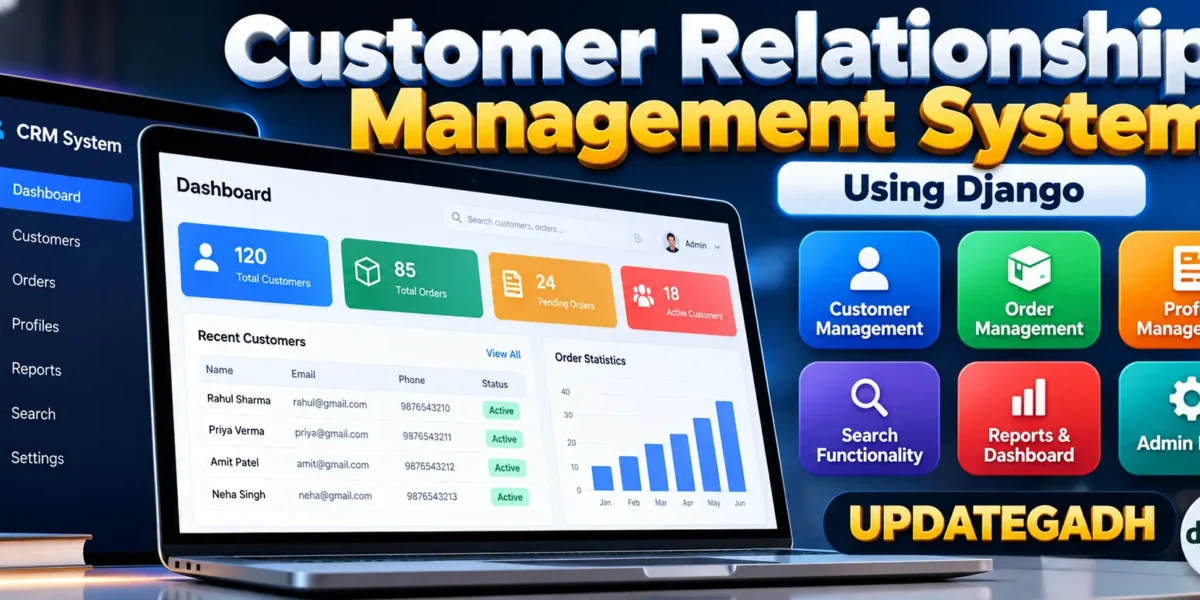
Customer Relationship Management System Using Django
The Customer Relationship Management (CRM) System is a medium-level Django web application designed to organize customer profiles and order information through one centralized workspace. The project replaces scattered records with a structured system where authenticated users can maintain customer details, create and update orders, search records, and review useful business summaries. It is designed as a practical college project that demonstrates how Python and Django can be applied to a real business-management requirement.
Table of Contents
Complete Advance AI Topics: Click Here
Real Time Projects on YouTube:- DecodeIT
Project Overview
The application uses Python with Django for the backend and SQLite for data storage. Its interface follows a modern CRM dashboard approach rather than relying on Django’s built-in administration interface for the main workflow. Users sign in, open the dashboard, review key figures, and move between customer, order, and report sections using a dedicated navigation layout.
| Project Detail | Information |
|---|---|
| Project Name | Customer Relationship Management (CRM) |
| Language / Framework | Python, Django |
| Database | SQLite |
| Frontend | HTML, CSS |
| Type | Web Application |
| Developer | UPDATEGADH |
Key Features
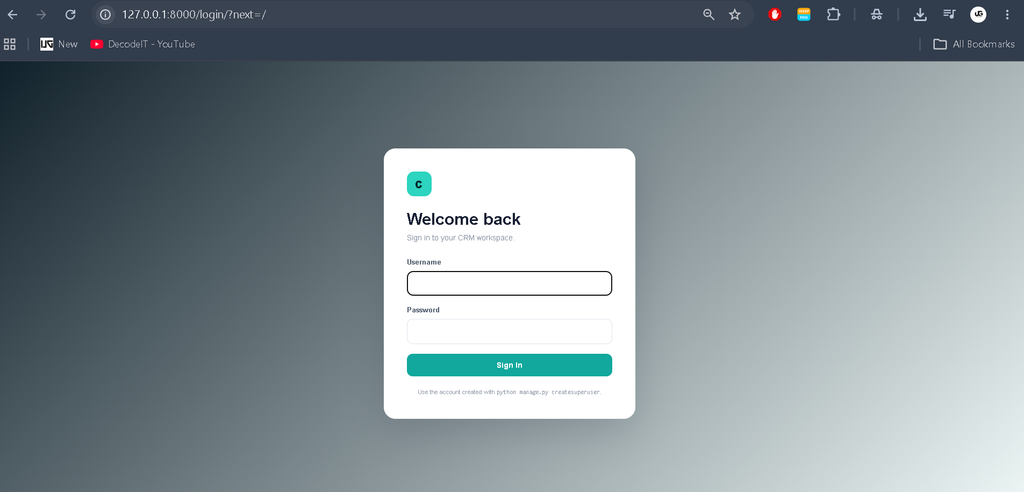
- Authentication: The application provides a login workflow using Django authentication so CRM pages are available only to authenticated users.
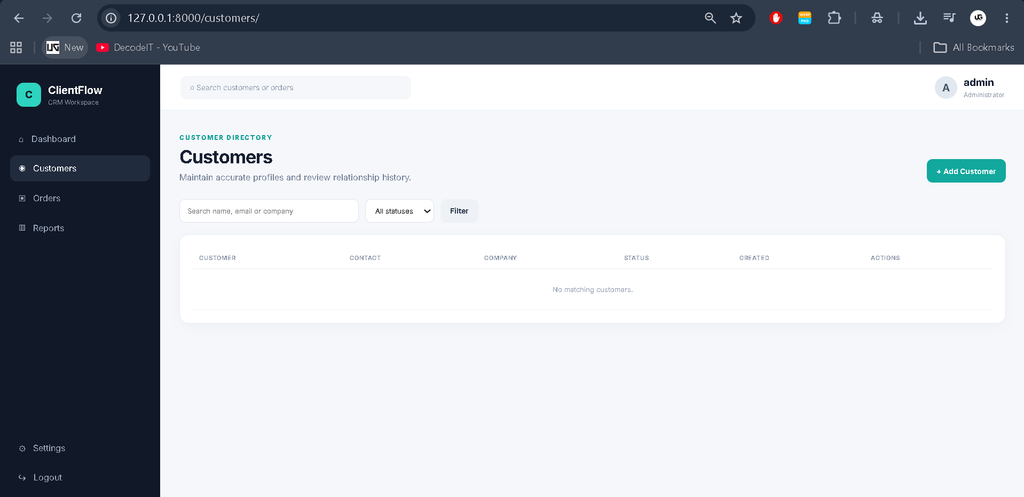
- Customer Management: Users can create, view, edit, search, filter, and delete customer profiles. Each profile stores contact information, company details, address, and active status.
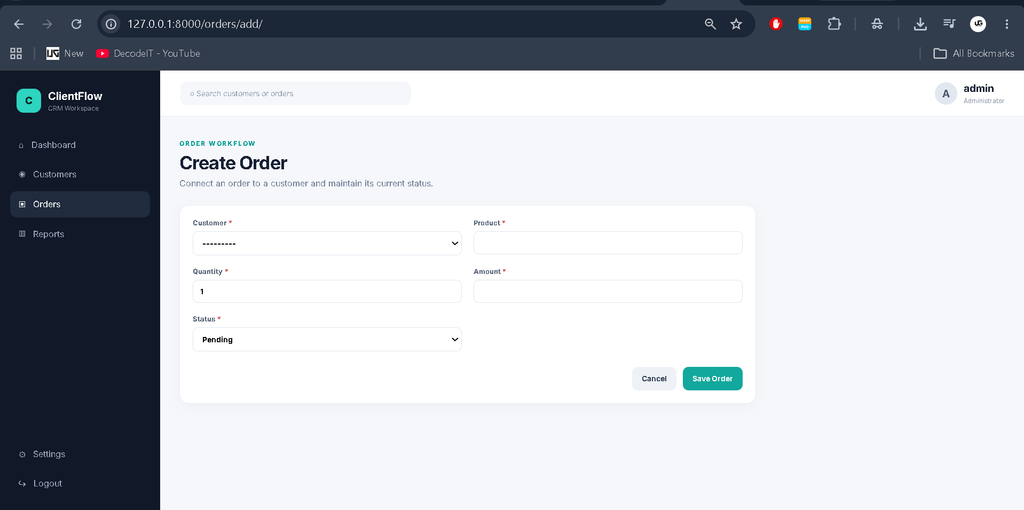
- Order Management: Orders can be created for existing customers and maintained through pending, processing, completed, or cancelled states.
- Customer Profiles: A dedicated profile page presents customer information together with the customer’s order history.
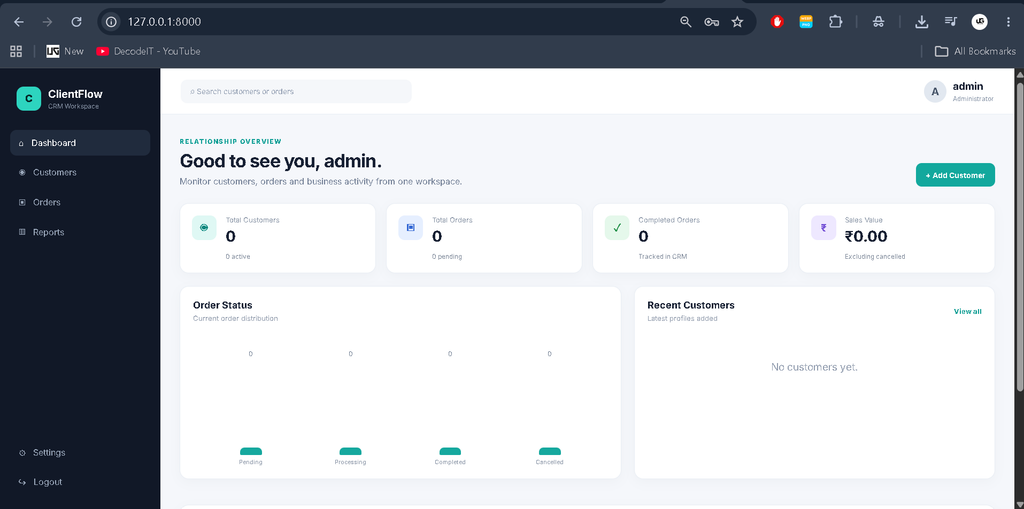
- Dashboard: The dashboard summarizes customers, active customers, orders, pending orders, completed orders, and sales value while also showing recent activity.
- Search and Filtering: Customer and order pages include practical search fields and status filters for locating records quickly.
- Reports: A simple reporting page summarizes order counts by status and the total value of non-cancelled orders.
- Responsive Interface: The layout adapts to desktop, tablet, and mobile screen sizes while retaining the main navigation and data-management workflow.
User Roles
The project keeps access control understandable for a college-level implementation. The authenticated account is used as the CRM operator, while Django’s authentication system protects the application pages. The account can manage customers, manage orders, review profiles, and open reports. The project intentionally avoids a complicated enterprise permission hierarchy so the source remains easy to study and extend.
Project Modules
Dashboard Module
The dashboard acts as the starting point after login. KPI cards show the current customer and order totals, while a status visualization provides a quick view of order distribution. Recent customers and recent orders are also presented so users can move directly into current records.
Customer Module
The customer module provides the main relationship-management workflow. A customer can be added with a name, email, phone number, company, address, and status. Existing records can be searched and filtered. Opening an individual profile reveals contact details and related orders, making the data more useful than a standalone CRUD table.
Order Module
The order module connects purchases to customer records through a database relationship. Each order stores the customer, product, quantity, amount, status, and dates. Users can create, edit, search, filter, and delete orders. Status badges make the current stage easy to identify from the table.
Reports Module
The reports section provides a compact management summary based on actual stored records. It displays total orders, sales value excluding cancelled orders, and a status-wise breakdown. The report is intentionally simple and suitable for a medium college project rather than an enterprise analytics platform.
Technologies Used
- Python: Main programming language.
- Django: Web framework used for routing, authentication, forms, models, templates, and request handling.
- SQLite: Lightweight relational database used for customers and orders.
- HTML and CSS: Used to build the responsive interface, dashboard, forms, tables, and profile pages.
Download complete source code
Screenshot
How the System Works
The workflow starts with authentication. After successful login, the user reaches the dashboard and can select Customers, Orders, or Reports from the sidebar. Customer information is stored in the database and can be updated whenever required. Orders reference customers through a foreign-key relationship, allowing the profile page to display related order history. Search and status filters narrow large record lists, while forms validate required fields before saving. The result is a connected workflow from login to data entry, review, update, and reporting.
Installation and Setup
Download or extract the project and open its folder in Visual Studio Code. Create a virtual environment and activate it before installing dependencies. Run the following commands:
python -m venv venv
venv\Scripts\activate
pip install -r requirements.txt
python manage.py migrate
python manage.py createsuperuser
python manage.py runserver
After the server starts, open http://127.0.0.1:8000/ in a browser and sign in using the account created through the command line. The database is created locally through Django migrations, so the project does not require a separate database server.
Usage
After login, begin by adding customer profiles from the Customers section. Once customers exist, create orders from the Orders section and connect each order to the correct customer. Use search and status filters when working with multiple records. Open a customer profile to inspect contact information and order history. The Dashboard provides a quick operational summary, while Reports presents a simple status-based view for management review. Records can be edited when information changes and deleted when they are no longer required.
Frequently Asked Questions
What is the purpose of this CRM project?
It provides a centralized way to manage customer profiles and their orders through a Django web application.
Which database is used?
The project uses SQLite, which is lightweight and suitable for local college-project development.
Does the project use Django Admin?
No. The main CRM workflow uses custom dashboard, customer, order, profile, and report pages. Django’s authentication components are used for login protection.
Can customers be searched?
Yes. The customer page supports searching by name, email, or company and filtering by active status.
Can order status be changed?
Yes. Orders can be edited and assigned Pending, Processing, Completed, or Cancelled status.
Is the interface responsive?
Yes. The custom CSS includes responsive layouts for desktop, tablet, and mobile screens.
Project Benefits
This project is useful for academic learning because each major part of the application demonstrates a practical Django concept. Models show how related customer and order data can be represented in a relational database. Forms demonstrate controlled data entry and validation, while views connect requests with database operations and templates. The dashboard demonstrates how stored records can be converted into useful summaries without introducing a complex analytics framework. The responsive interface also gives students an opportunity to practice professional frontend organization alongside backend development. Because the workflow is divided into clear modules, students can study one part at a time and understand how authentication, database relationships, CRUD operations, filtering, and reporting work together in a single web application.
Future Scope
- Add richer customer communication history and interaction notes.
- Introduce exportable customer and order reports.
- Add more granular staff roles and permissions.
- Provide configurable dashboard date filters.
- Extend the reporting section with additional business summaries.
Conclusion
The Customer Relationship Management System demonstrates how Django can be used to create a practical business application beyond a basic CRUD example. By combining authentication, customer profiles, connected orders, search and filtering, a professional dashboard, and simple reports, the project offers a complete workflow that is understandable for college students. Its modular structure also makes it suitable for further academic improvements while keeping the current implementation focused, maintainable, and aligned with the CRM concept.
Keyword:
Customer Relationship Management system
customer relationship management system – Google Search
Customer Relationship Management syste
customer relationship management system (crm)
customer relationship management system project
customer relationship management systems would generally be considered to be an
customer relationship management systems examples
customer relationship management system meaning
customer relationship management system crms
customer relationship management system salesforce
customer relationship management system pdf