MySQL Variables
Variables are an important part of programming because they allow data to be stored, accessed, and modified while a program is running. In MySQL, variables are useful for storing and passing values between different statements.
Understanding how MySQL variables work can help you create more dynamic queries and stored procedures, making database operations easier and more effective.
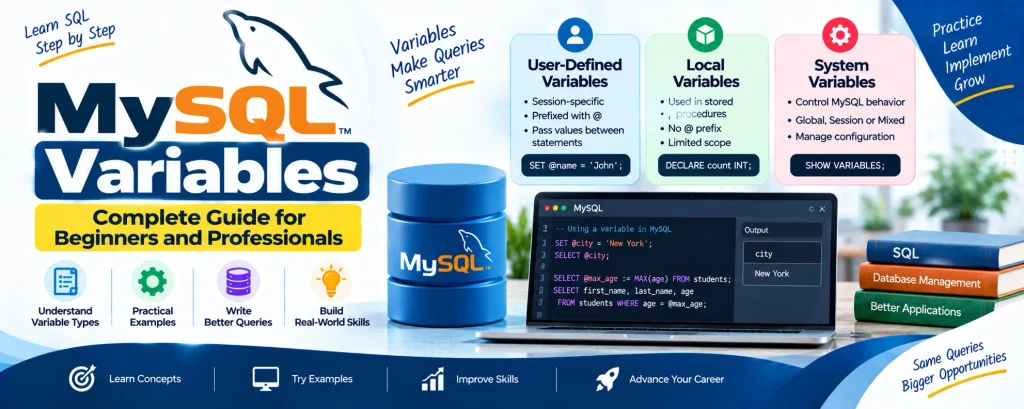
MySQL supports three main types of variables:
- User-Defined Variables
- Local Variables
- System Variables
Let’s understand each type in detail.
Complete Advance AI Topics: Click Here
SQL Tutorial: Click Here
1. User-Defined Variables
User-defined variables are used to store and pass values between statements within a session. They are identified by the @ prefix and can store values such as integers, floating-point numbers, decimals, strings, or NULL.
These variables are specific to the current session, which means they cannot be accessed by other sessions.
Declaring and Initializing User-Defined Variables
A user-defined variable can be assigned a value using either the SET or SELECT statement.
Using the SET Statement
SET @customer_name = 'John Doe';Using the SELECT Statement
SELECT @customer_age := 28;Example 1: Assigning and Displaying a Value
SET @city = 'New York';
SELECT @city;
Output:
New YorkExample 2: Using User-Defined Variables in Queries
Suppose there is a students table containing student information. You can use a variable to find the details of the oldest student.
SELECT @max_age := MAX(age) FROM students;
SELECT first_name, last_name, age FROM students WHERE age = @max_age;
Example 3: Accessing an Undeclared Variable
If you try to access a variable that has not been assigned a value, MySQL returns NULL.
SELECT @unknown_variable;Output:
NULL2. Local Variables
Local variables are created inside stored procedures or functions. Unlike user-defined variables, they do not use the @ prefix.
Their scope is restricted to the program block where they are declared.
Declaring Local Variables
The DECLARE statement is used to create a local variable. You specify its datatype and can also provide a default value.
DECLARE total_price DECIMAL(10,2) DEFAULT 0.0;
DECLARE order_count INT DEFAULT 0;
Example: Using Local Variables in a Stored Procedure
The following example creates a stored procedure that uses local variables to calculate a final price after applying a discount.
DELIMITER //
CREATE PROCEDURE CalculateTotal()
BEGIN
    DECLARE price INT DEFAULT 200;
    DECLARE discount INT DEFAULT 50;
    DECLARE final_price INT;
    SET final_price = price - discount;
    SELECT price, discount, final_price;
END //
DELIMITER ;
You can execute the procedure using:
CALL CalculateTotal();Output:
price | discount | final_price
--------------------------------
 200   | 50      | 150
3. System Variables
System variables are used to control MySQL’s configuration and behavior. They can be categorized as Global, Session, or Mixed variables.
- Global Variables: These affect the entire MySQL server instance.
- Session Variables: These affect only the current session.
- Mixed Variables: These can work at both the global and session levels.
Viewing System Variables
To display the current system variables, use:
SHOW VARIABLES;To check a particular system variable, you can use:
SELECT @@max_connections;Example: Checking and Modifying a System Variable
You can check the value of wait_timeout and modify its global value using the following statements:
SHOW VARIABLES LIKE 'wait_timeout';
SET GLOBAL wait_timeout = 300;
Example: Retrieving a Specific System Variable Value
SELECT @@sort_buffer_size;Output:
sort_buffer_size | 262144Download New Real Time Projects :- Click here
Conclusion
Understanding MySQL variables makes it easier to handle data and execute queries efficiently. Whether you need to pass values within a session, create local variables inside stored procedures, or manage MySQL’s configuration through system variables, knowing how each type works can improve your database operations.
SEO Keywords
mysql variables types, mysql variables in query, mysql variables list, mysql declare variable, mysql set variable from select, mysql variables w3schools, mysql variables array, mysql> set global variable, mysql, mysql data types, mysql variables examples