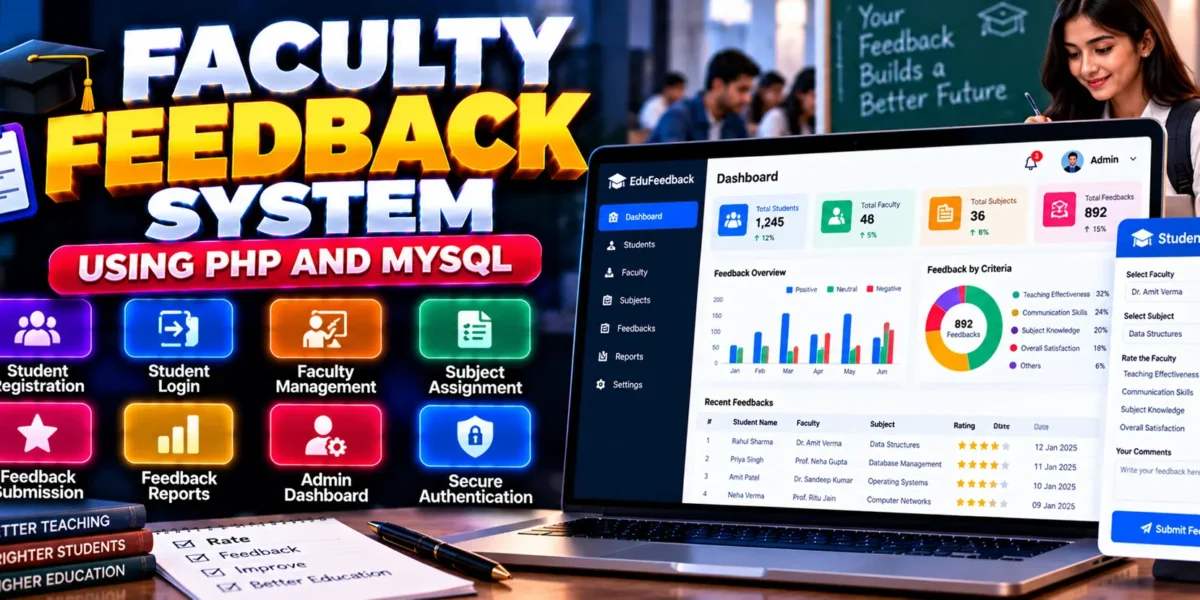
Faculty Feedback System in PHP and MySQL
The Faculty Feedback System in PHP and MySQL is a web-based application designed to help educational institutions collect, organize, and review student feedback about faculty performance. Built using PHP and MySQL, the system provides a structured platform where students can submit feedback and administrators can manage faculty information, subject assignments, and feedback reports.
The application supports feedback related to teaching effectiveness, communication skills, subject knowledge, and overall satisfaction. Its administrative dashboard helps organize feedback records and review faculty performance information, making it a useful example of a database-driven educational management application.
This project is suitable for students learning PHP development, MySQL database management, authentication, and form processing.
Complete Advance AI Topics: Click Here
Real Time Projects on YouTube:- DecodeIT
What Is a Faculty Feedback System?
A Faculty Feedback System is a web application that allows students to provide feedback about their teachers and learning experiences. It helps institutions organize feedback records and gives administrators a centralized way to review responses and assess faculty performance.
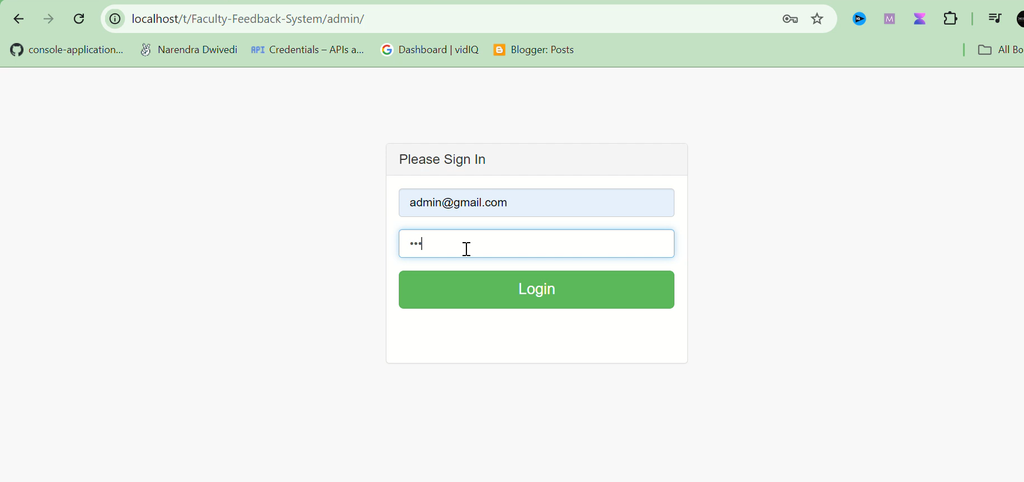
This project uses separate admin and student login functionality to support feedback collection and administrative management.
Faculty Feedback System Project Overview
| Project Details | Description |
|---|---|
| Project Name | Faculty Feedback System |
| Programming Language | PHP |
| Frontend | HTML, CSS, JavaScript |
| Database | MySQL |
| Recommended PHP Version | PHP 7.0 or above |
| Type | Web Application |
What Are the Available Features?
The system includes user authentication, faculty and subject management, student feedback submission, feedback reporting, and an administrative dashboard.
1. User Authentication
- Admin Login: Allows administrators to access the management interface.
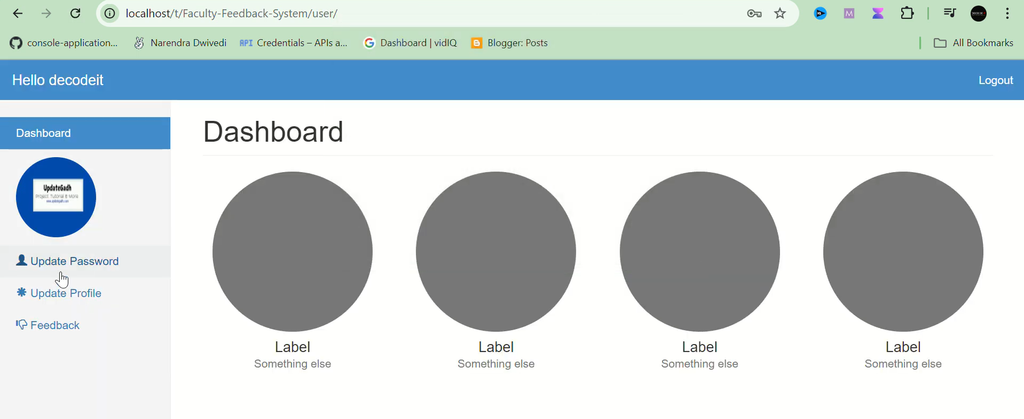
- Student Login: Allows students to access the feedback submission functionality.
- Password Protection: The supplied description identifies password encryption as a security feature.
2. Faculty Management
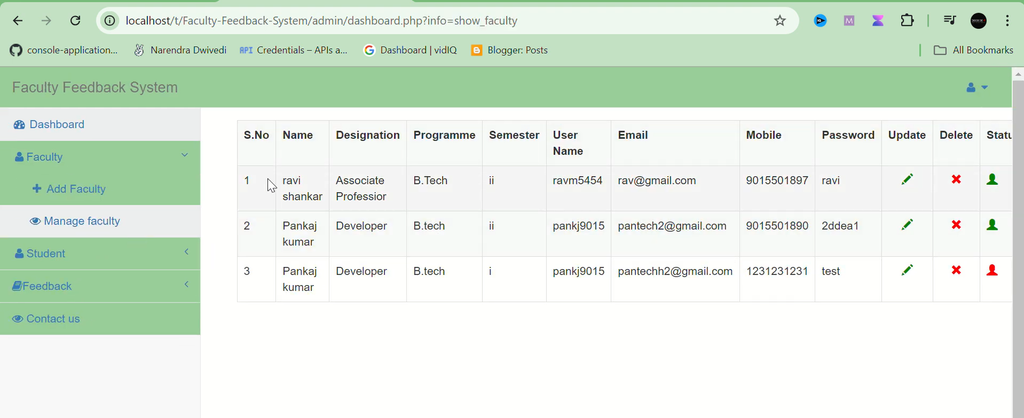
Administrators can manage faculty information, helping organize teacher records for feedback collection.
3. Subject Assignment
The system supports linking subjects to specific faculty members so that feedback can be organized according to the relevant teacher and subject.
4. Student Feedback Submission
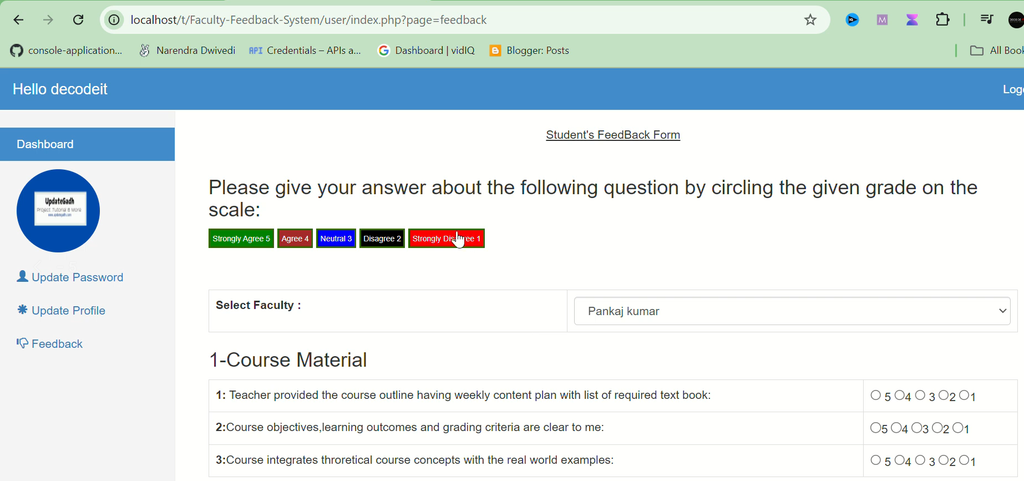
Students can use a feedback form to submit ratings and comments about faculty performance.
The listed feedback categories include:
- Teaching effectiveness.
- Communication skills.
- Subject knowledge.
- Overall satisfaction.
5. Feedback Reports
Administrators can review summarized feedback reports to understand the responses submitted by students. Charts and graphs may be integrated to help visualize feedback trends.
6. Admin Dashboard
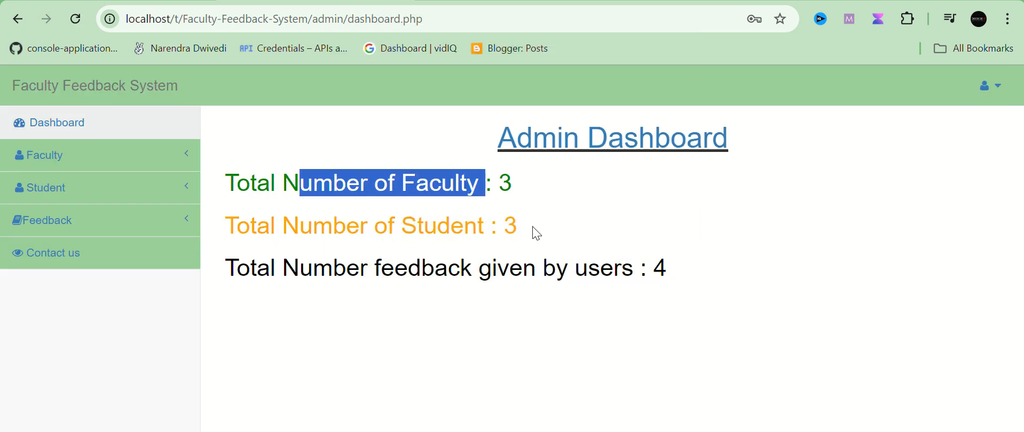
The administrative dashboard provides an overview of faculty performance information, recent feedback submissions, and relevant feedback insights.
Which Technologies Are Used in This Project?
- PHP: Handles server-side processing and application functionality.
- MySQL: Stores faculty, student, subject, and feedback-related information.
- HTML: Structures the application pages.
- CSS: Styles the user interface.
- JavaScript: Supports client-side interactions.
What Software Is Required?
- XAMPP or WAMP: Provides a local Apache and MySQL environment.
- Visual Studio Code: Used to view and edit the project files.
- Web Browser: Used to access the application.
How to Download
The complete package is available so you can run, study, and submit it with confidence. It includes:
- Full Source Code
- Project Report
- Synopsis
- PPT Presentation
Demo Video
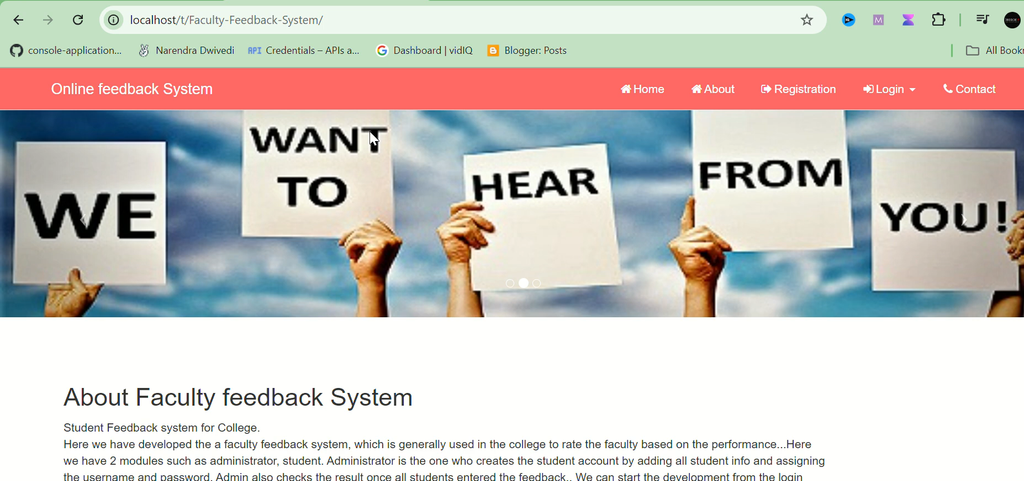
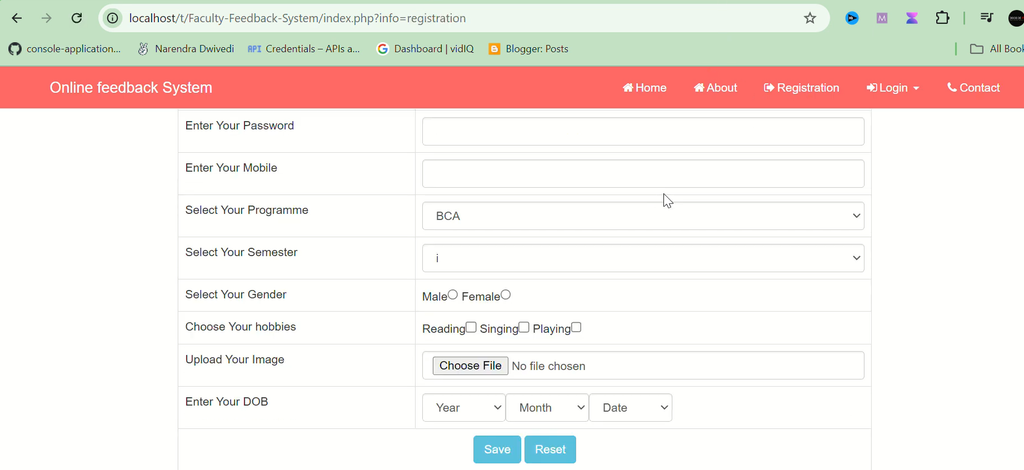
Screenshot
How to Install the Faculty Feedback System in VS Code
Follow these steps to configure and run the project locally. The database name and SQL filename should be confirmed from the supplied project files.
- Download and Extract: Extract the project ZIP file to a folder on your computer.
- Start Local Services: Open the XAMPP or WAMP control panel and start Apache and MySQL.
- Copy the Project Folder: For XAMPP, place the extracted folder inside
C:\xampp\htdocs\. - Open in VS Code: Open the extracted project folder in Visual Studio Code.
- Open phpMyAdmin: Visit
http://localhost/phpmyadmin/in your browser. - Create the Database: Create a database named
feedback_db, as suggested in the supplied setup instructions. If the project documentation specifies a different name, use that name instead. - Import the SQL File: Locate the SQL file included in the project ZIP and import it into the database you created.
- Configure Database Connection: Find
db_config.phpand update the database name, username, and password to match your local MySQL configuration. - Run the Application: Open the project using its local URL. For example, if the folder is named
Faculty-Feedback-System, visithttp://localhost/Faculty-Feedback-System/. - Log In: Use the administrator credentials provided in the project documentation, if available.
How to Use the Faculty Feedback System?
For Students
Log in to the student interface, access the feedback form, and submit ratings or comments about the relevant faculty member and subject.
For Administrators
Log in to the admin panel to manage faculty information, organize subject assignments, review feedback submissions, and access available reports.
What Are the Advantages of This Project?
- Convenient Feedback Collection: Students can submit feedback through an online form.
- Organized Records: Feedback can be associated with faculty members and subjects.
- Centralized Administration: Administrators can manage faculty details and review submissions in one application.
- Performance Review: Summarized reports help institutions examine student feedback.
- Practical Learning: Students can study authentication, database connectivity, form handling, and reporting.
Why Is This Project Useful for Students?
This project provides practical experience with PHP programming, MySQL database connectivity, user authentication, form processing, and CRUD operations. It demonstrates how student responses can be collected and organized within an educational application.
Students can explore how faculty records, subject assignments, and feedback data work together, making the project useful for learning the fundamentals of educational management systems.
Final Thoughts
The Faculty Feedback System in PHP and MySQL is a practical project for understanding online feedback collection in educational institutions. Its features include student login, faculty management, subject assignment, feedback submission, reports, and an administrative dashboard.
From a student’s perspective, this project offers an opportunity to strengthen PHP and MySQL development skills while exploring how software can support feedback collection and faculty performance review.
Frequently Asked Questions
1. What is a Faculty Feedback System?
It is a web application that allows students to submit feedback about faculty members and helps administrators review the responses.
2. Which technologies are used in this project?
The project uses PHP and MySQL, with HTML, CSS, and JavaScript for the interface.
3. What feedback categories are included?
The supplied description lists teaching effectiveness, communication skills, subject knowledge, and overall satisfaction.
4. What can administrators manage?
Administrators can manage faculty information, assign subjects to faculty members, review feedback submissions, and access reports.
5. Which software is required to run the project?
XAMPP or WAMP, Visual Studio Code, and a web browser are listed as the main tools for local setup.
Keywords: Faculty Feedback System in PHP, Faculty Feedback System in PHP and MySQL, Student Feedback System PHP Project, Faculty Evaluation System, PHP MySQL Feedback Project, Student Faculty Feedback Website