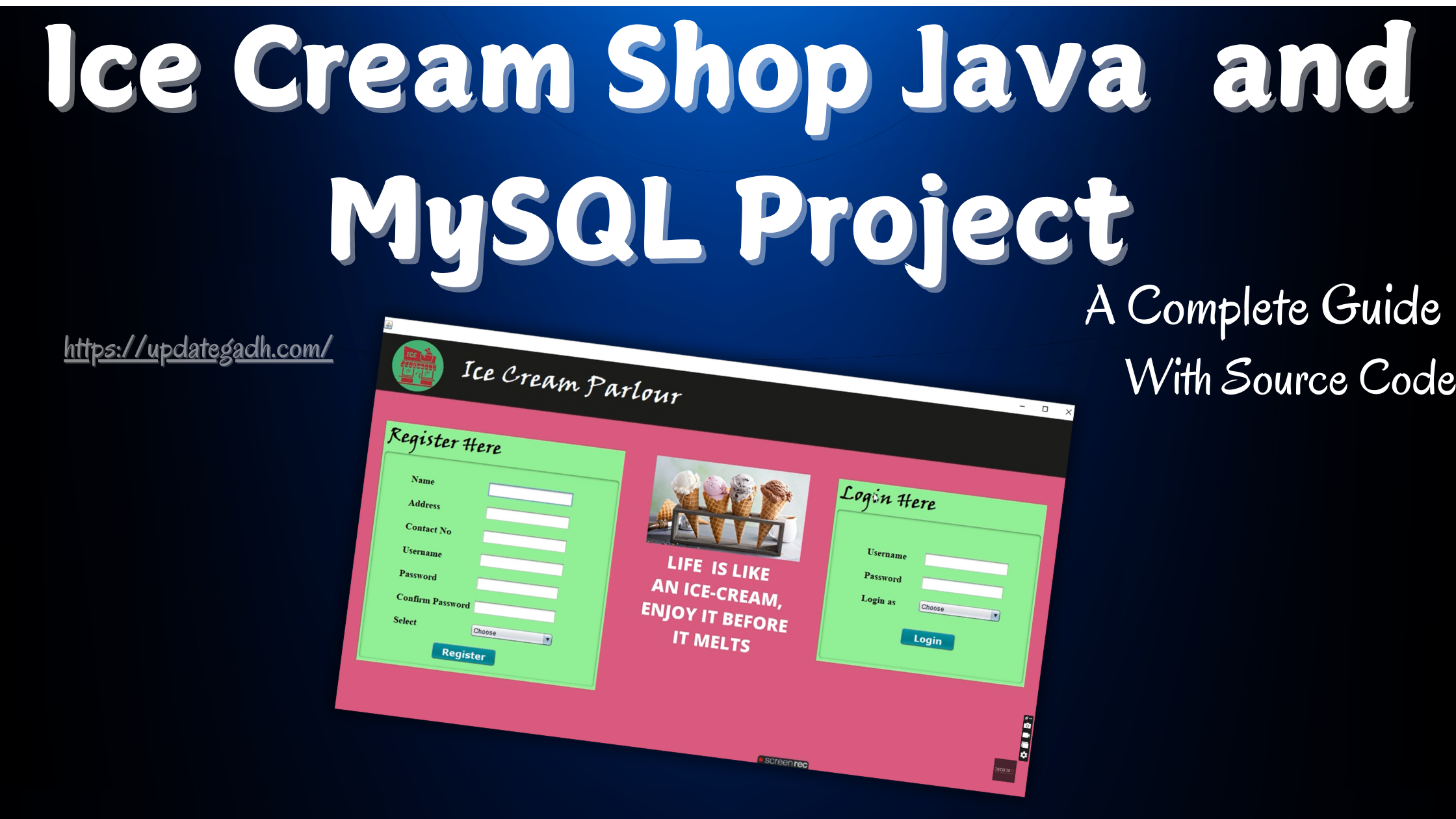
Ice Cream Shop Java Project
Building a Java project that simulates an ice cream shop can be an exciting way to learn the principles of object-oriented programming, understand business logic, and apply these skills in a way that mimics real-life operations. In this post, well walk through a conceptual Java project that creates a basic, user-interactive ice cream shop management system, covering setup and step-by-step guidelines to get the project running. While we wont provide source code here, this guide will help you design and implement your own version from scratch.
Project Overview
This ice cream shop project aims to simulate the core functions of a small business: managing inventory, handling customer orders, and calculating bills. By breaking down this project, well touch on essential programming concepts such as classes, objects, methods, and data structures, while designing a simple interface that brings the project to life.
Goals and Features
Our Ice Cream Shop project will be designed with the following functionalities in mind:
- Customer Order Management Allow customers to place orders by choosing from a list of ice cream flavors and add-ons.
- Inventory Management Track inventory levels for each ice cream flavor to ensure availability.
- Billing System Calculate total costs, including tax, and display a receipt.
- User Interface Design a basic console interface that allows customers to interact with the shop.
Download New Real Time Projects :-Click here
Project Setup
- Create a New Project in Your IDE:
- Open your Java IDE (like IntelliJ or Eclipse).
- Create a new Java project and name it something like
IceCreamShopProject.
- Set Up Packages and Classes:
- Create packages to organize different parts of the project, such as
inventory,billing, andorder. - Define main classes within each package. Here are the key ones:
InventoryManagerOrderManagerBillingSystemIceCreamShop
Building Inventory Management
- Define Ice Cream Flavors:
- Start with a class
IceCreamFlavorthat includes attributes for flavor name, price, and quantity. - Store each flavor in a list within the
InventoryManagerclass.
- InventoryManager Class:
- The
InventoryManagerclass should handle checking stock levels, updating quantities when an order is placed, and restocking flavors. - Methods:
addFlavor: Adds a new ice cream flavor to the inventory.checkAvailability: Checks if a particular flavor is available in stock.updateStock: Decreases the stock level after a sale.
Setting Up Customer Orders
- Order Class:
- Create an
Orderclass with details such as a list of selected flavors, quantities, and any special requests. - Define methods for adding flavors, calculating the total order cost, and displaying the order summary.
- OrderManager Class:
- Manage customer orders with
OrderManager, which handles creating new orders and validating them against inventory. - Methods:
createOrder: Initializes a new order, allowing customers to choose flavors and add-ons.finalizeOrder: Verifies availability and processes the order.
Implementing the Billing System
- Billing System Class:
- This class is responsible for calculating the total cost of each order, adding taxes, and generating a simple receipt.
- Methods:
calculateTotal: Sums up the costs of all items in an order and adds tax.generateReceipt: Outputs an itemized receipt that includes each flavor, the quantity, total cost, and tax.
- Tax Calculation:
- Include a method to calculate tax at a predefined rate, for example, 5%. This can be a separate method or part of the
calculateTotalfunction.
Designing the User Interface
To create a user-friendly interface, we can start with a simple console-based system that lets customers interact through text-based prompts.
- Main Menu:
- When the program starts, display options for the customer:
1. View Menu2. Place Order3. Exit
- Navigating the Menu:
- Based on the input, direct the customer to view available ice cream flavors, initiate a new order, or exit the program.
- Order Placement Process:
- Show a list of flavors with prices.
- Prompt the user to select their flavors and specify quantities.
- Once the order is placed, display the total and ask for confirmation.
- Receipt Generation:
- Once confirmed, generate a receipt and display it on the console with order details, tax, and the final total.
Running and Testing the Program
- Testing Inventory Functionality:
- Ensure that items are accurately removed from stock upon order completion and that out-of-stock flavors are unavailable for selection.
- Order Accuracy:
- Test the order process by selecting multiple items to confirm that total cost calculations are accurate.
- Billing Verification:
- Validate that the billing system calculates taxes correctly and includes them in the final total.
- User Interaction:
- Run through different user scenarios to verify that the interface is intuitive and flows smoothly.
Future Enhancements
Here are some additional features you could consider adding to enhance the project:
- Graphical User Interface (GUI) Upgrade from a console-based interface to a GUI using Java Swing or JavaFX.
- Discounts and Promotions Implement a system for discounts or seasonal promotions.
- Data Persistence Use a simple database (like SQLite) to save inventory data and order history, so they persist between program runs.
- Report Generation Create daily or weekly reports for sales and inventory levels, useful for business analysis.
Contact Us to Get the Source Code:
If you need the source code for the Ice Cream Shop Java Project , feel free to reach out through any of the provided contact methods.
- Remotely Setup Project.
- The Full project files
- Database.
- Step-by-step configuration tutorial.
ice cream shop java project pdf Ice Cream Shop Java Project With Source Code ice cream shop java project GitHub ice cream shop java project pdf download ice cream shop java project example project tunnel projects download project tunnel free projects project tunnel mechanical