
A simple project based on Face Recognition Attendance System which is developed using Python, Django, and OpenCV. This project is designed to provide a modern way of managing student or employee attendance through facial recognition. By capturing and recognizing faces in real-time, the system automatically marks attendance without the need for manual entry.
The application is straightforward, practical, and directly connected to real-world scenarios where accuracy and time management are important. It is an excellent project for students who want to explore the integration of machine learning with web applications while solving a real problem in educational and organizational setups.
Tech Stack Overview
| Technology | Purpose |
|---|---|
| Python | Core programming language |
| Django | Web framework for routing/views/forms |
| OpenCV | Face detection and recognition |
| Pandas | Handle CSV read/write for attendance |
| Pillow (PIL) | Image processing during training |
| HTML/CSS (basic) | Frontend forms and attendance table display |
Core Features
- Student face registration via webcam
- Face recognition with real-time webcam feed
- Attendance stored daily in CSV files
- Trainable model (LBPH Face Recognizer)
- No need for admin panel or database
Key Functionalities
1. register_student(request)
Allows students to register their ID and Name, and capture 20 face images using a webcam.
Highlights:
- Faces detected using Haar Cascade
- Manual image capture (
'c'key) - Saves data to
StudentDetails.csv
2. train_model(request)
Trains the model using the LBPH (Local Binary Pattern Histogram) algorithm from OpenCV.
Highlights:
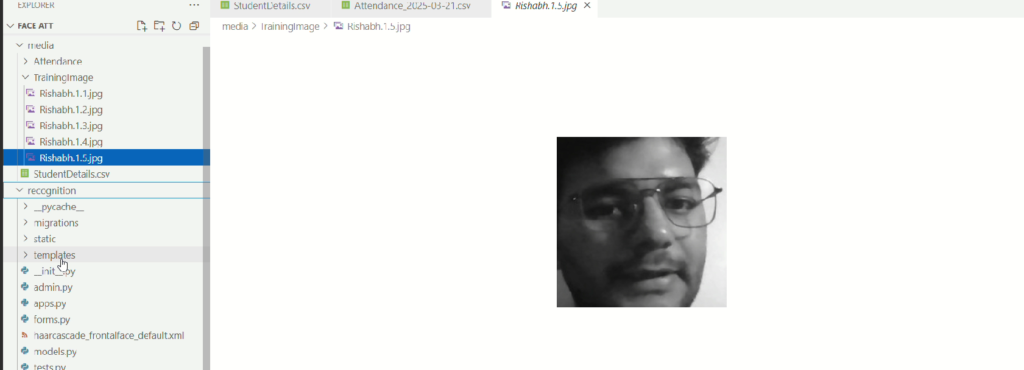
- Reads all images from
TrainingImage/ - Converts to grayscale using Pillow
- Detects faces and associates with ID
- Saves model as
trained_model.yml
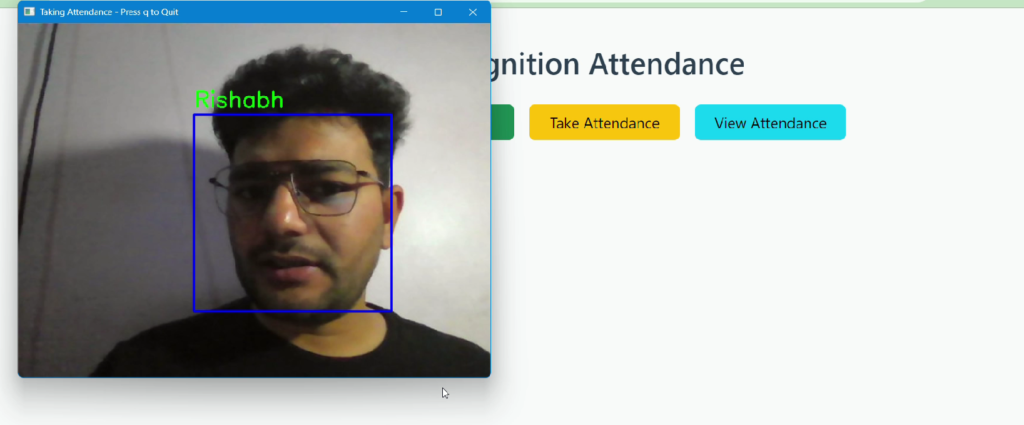
3. take_attendance(request)
Real-time face recognition and attendance marking.
Highlights:
- Loads trained model and student data
- Detects faces, predicts ID, fetches Name
- Avoids duplicate entries per session
- Saves daily CSV in
Attendance/
CSV Format:
pgsqlCopy codeID, Name, Date, Time
4. view_attendance(request)
Displays attendance for the current date on a simple HTML page.
Highlights:
- Reads CSV for today’s date
- Renders a table in
attendance.html - Shows empty state if no attendance file exists
File Structure Snapshot
pgsqlCopy codemedia/
├── TrainingImage/
├── Attendance/
│   └── Attendance_YYYY-MM-DD.csv
└── StudentDetails.csv

recognition/
├── views.py
├── trained_model.yml
├── haarcascade_frontalface_default.xml

templates/
├── index.html
├── register.html
└── attendance.html
Usage Flow
- Navigate to
/register/and register student face - Go to
/train/and train the face recognition model - Use
/take_attendance/to mark attendance - Check
/view_attendance/to see today’s attendance

Thoughts
This lightweight system is great for small-scale projects and educational purposes only. You can extend it by:
- Adding email notifications after attendance
- Integrating student login system
- Visualizing attendance stats
🎓 Need Complete Final Year Project?
Get Source Code + Report + PPT + Viva Questions (Instant Access)
🛒 Visit UpdateGadh Store →