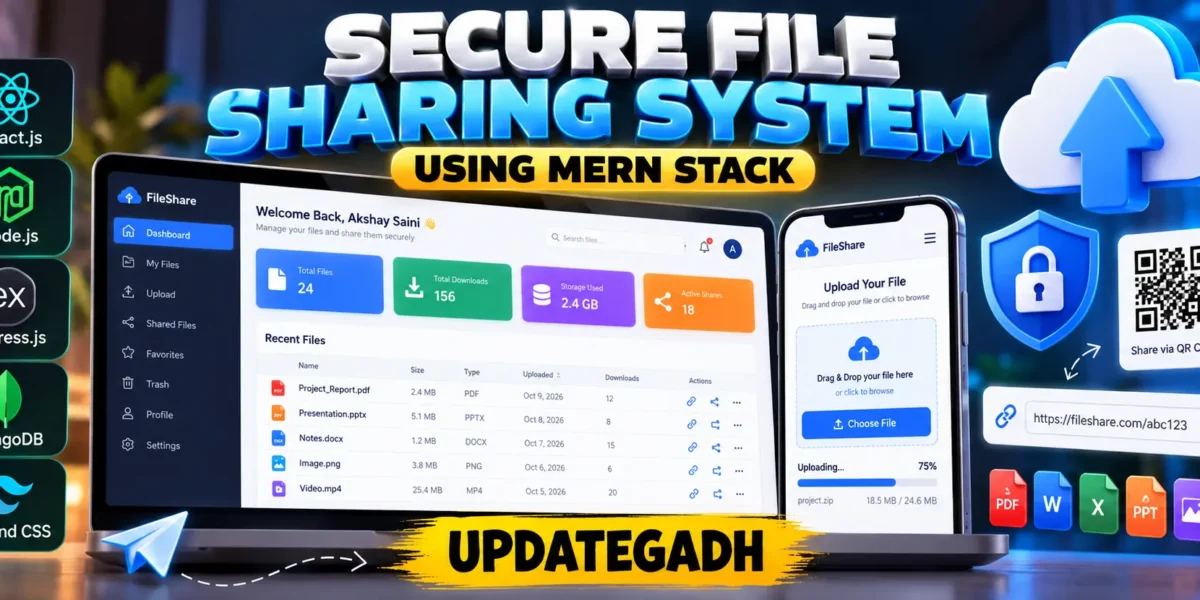
File Sharing System Using MERN Stack
The Advanced Secure File Sharing System using MERN Stack is a web-based application designed to simplify file uploading, downloading, and sharing. Developed using React.js, Node.js, Express.js, MongoDB, and MongoDB GridFS, this project provides a centralized platform for managing digital files through a responsive interface.
Users can upload documents, generate unique sharing links, download files, and manage their uploads through a dashboard. The system also includes JWT authentication, password hashing, file expiration, QR code generation, upload progress tracking, and administrative statistics.
Complete Advance AI Topics: Click Here
Real Time Projects on YouTube:- DecodeIT
Project Overview
| Project Details | Information |
|---|---|
| Project Name | Advanced Secure File Sharing System |
| Frontend | React.js, HTML, CSS, Tailwind CSS |
| Backend | Node.js, Express.js |
| Database | MongoDB |
| File Storage | MongoDB GridFS |
| Authentication | JWT Authentication |
| Password Security | bcryptjs |
| Developer | UPDATEGADH |
Available Features
- User Registration and Login: Users can create accounts and access their workspaces through authenticated sessions.
- Profile Management: Users can view and update their profile information.
- Secure File Upload: Upload supported files using the file selection interface and monitor upload progress.
- Drag-and-Drop Upload: Select files by dragging them into the upload area.
- MongoDB GridFS Storage: Store file contents separately from their metadata using GridFS.
- File-Sharing Links: Generate unique links for sharing uploaded files.
- QR Code Generation: Generate QR codes for file-sharing URLs.
- File Management: Search, rename, and delete uploaded files.
- Expiration Management: Set file expiration periods and automatically clean up expired files.
- Download Tracking: Record download counts and file activity.
- Anonymous Uploads: Allow temporary uploads without account registration.
- User Dashboard: Display file counts, storage usage, downloads, and recent uploads.
- Admin Statistics: View registered-user counts, file counts, storage totals, and recent activity.
- Responsive UI: Access the application through desktop and mobile browsers.
Technology Stack
- React.js: Builds the interactive frontend.
- Node.js: Runs backend JavaScript code.
- Express.js: Provides REST API endpoints.
- MongoDB: Stores user accounts, file metadata, and activity records.
- MongoDB GridFS: Stores uploaded file contents.
- JWT: Authenticates protected API requests.
- bcryptjs: Hashes user passwords.
- Tailwind CSS: Supports responsive interface styling.
- Multer: Processes file uploads.
- QRCode: Generates QR codes for sharing links.
Installation Guide in VS Code
Step 1: Extract the Project
Extract the project ZIP file and open the UPDATEGADH_Secure_File_Sharing_System folder in Visual Studio Code.
Step 2: Install and Start MongoDB
Install MongoDB Community Server and ensure its Windows service is running. The application uses MongoDB at 127.0.0.1:27017 by default.
Step 3: Install Backend Dependencies
Open a terminal in VS Code and run:
cd server
npm install --legacy-peer-deps
Step 4: Configure Environment Variables
Copy server/.env.example to server/.env and configure the following values:
PORT=5000
MONGODB_URI=mongodb://127.0.0.1:27017/updategadh_files
JWT_SECRET=replace_with_a_long_random_secret
CLIENT_URL=http://localhost:5173
MAX_FILE_MB=25
Replace the JWT secret with a strong, unique value before running the application.
Step 5: Start the Backend
npm run devThe backend should start at http://localhost:5000 and report a successful MongoDB connection.
Step 6: Install Frontend Dependencies
Open another terminal and execute:
cd client
npm install
Step 7: Start the Frontend
npm run devOpen http://localhost:5173 in your browser to access the application.
Download complete source code
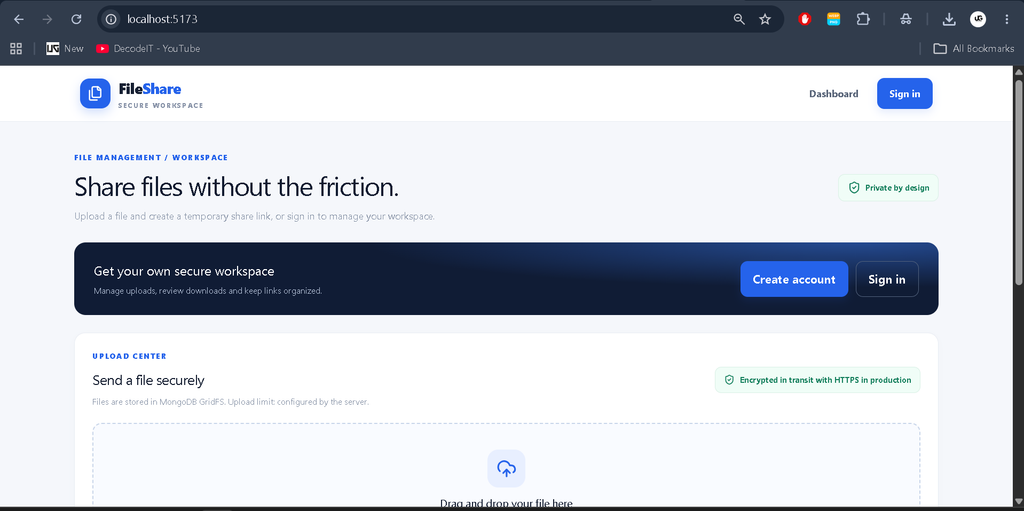
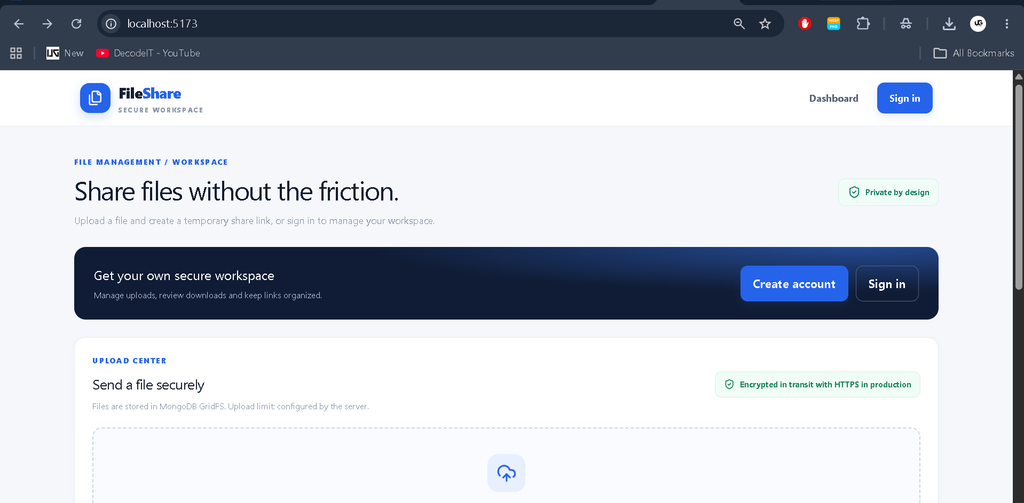
Screenshot
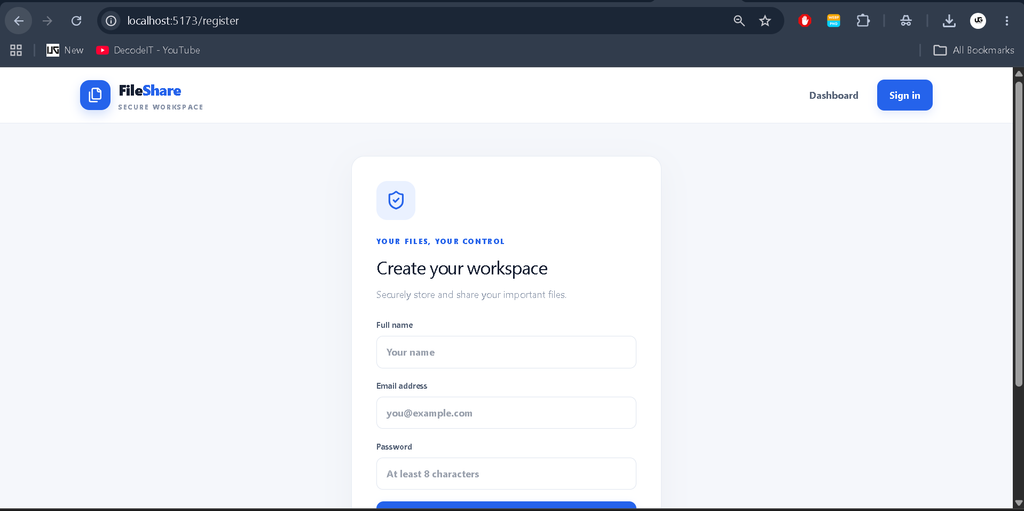
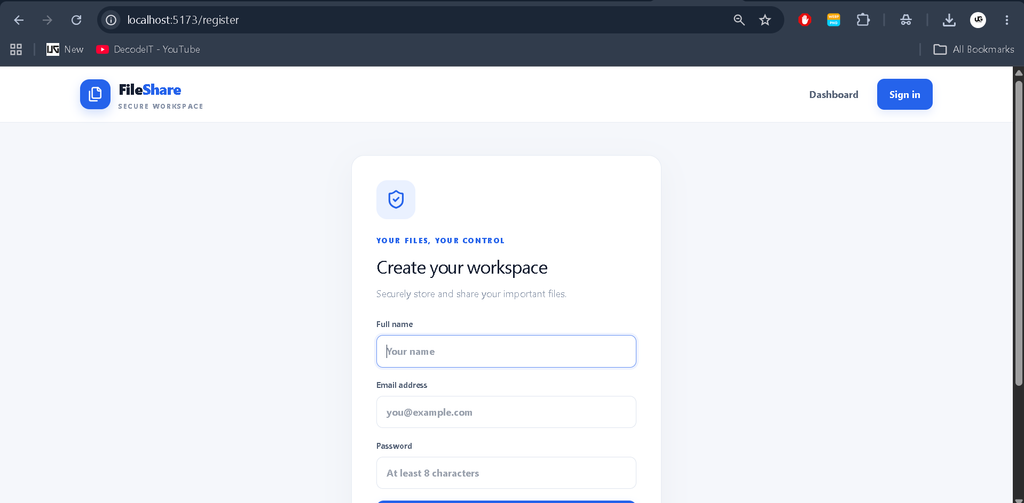
How to Use the Project
User
Register an account or sign in, upload a supported file, monitor upload progress, and manage your files from the dashboard. Users can search files, rename or delete their uploads, copy sharing links, generate QR codes, and review download statistics.
Anonymous Visitor
Visitors can upload supported files without registering. Anonymous uploads receive temporary sharing links and are subject to the configured file-size, file-type, and expiration restrictions.
Administrator
An administrator can access protected administrative statistics and review user, file, storage, and activity information through the available admin APIs. The first administrator account must be assigned the admin role in MongoDB.
Security Features
The application uses JWT authentication, bcrypt password hashing, request rate limiting, upload validation, and ownership checks for protected file operations. File expiration is handled by a scheduled cleanup process.
For production deployment, configure HTTPS, secure database access, strong secrets, backups, and malware scanning. Review file-sharing permissions carefully before sharing sensitive information.
Project Benefits
- Provides practical experience with full-stack MERN development.
- Demonstrates file uploads and downloads using MongoDB GridFS.
- Helps students understand authentication and access control.
- Introduces REST API development and database modeling.
- Demonstrates responsive dashboards and file-management workflows.
- Can be extended with file previews, advanced reporting, and additional administrative controls.
Contributing
Developers can improve the project by adding new features, enhancing the user interface, improving validation, and strengthening file-sharing security. Test changes locally and document any new environment variables or installation requirements.
License
This project is provided for educational and development purposes. Review the licenses of the included dependencies and define an appropriate license for your own distribution before publishing or redistributing the project.
Final Thoughts
As a student project, the Advanced Secure File Sharing System is a useful way to learn how frontend development, backend APIs, database storage, and authentication work together. It demonstrates essential file-management concepts and provides a foundation for building more advanced sharing applications.
Keywords: Advanced Secure File Sharing System Using MERN Stack, MERN Stack File Sharing Project, React File Upload System, Node.js File Sharing Application, MongoDB GridFS Project, File Sharing System Source Code,File Sharing System,File Sharing System Using MERN Stack ,File Sharing System Using python File Sharing System Using PHP