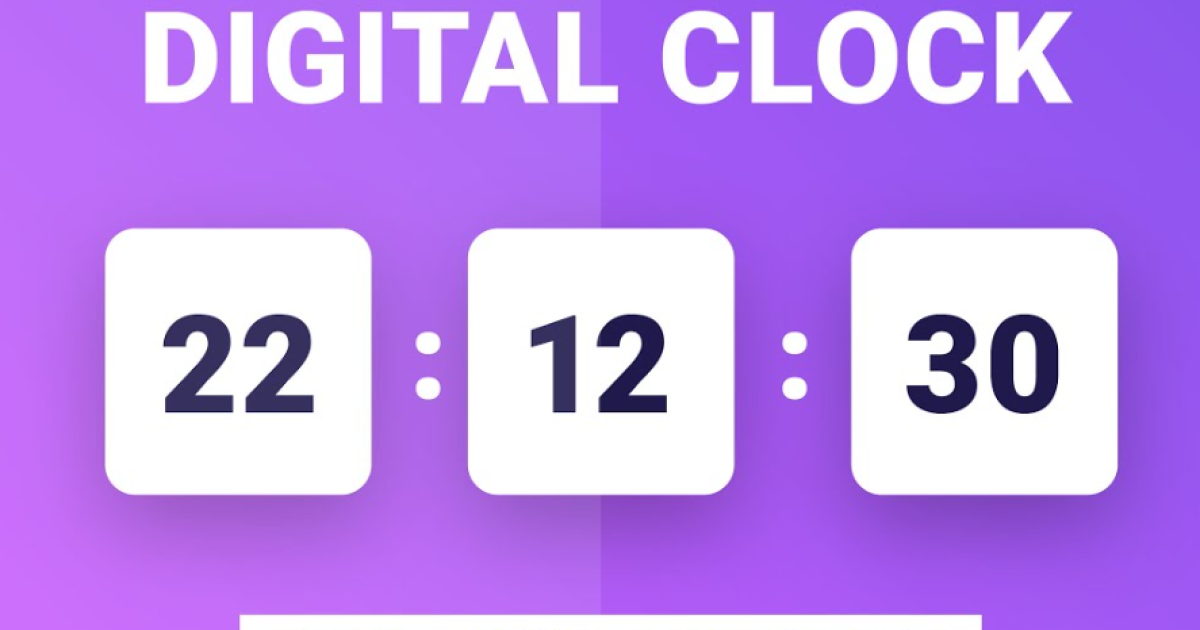
How to Design Digital Clock using JavaScript
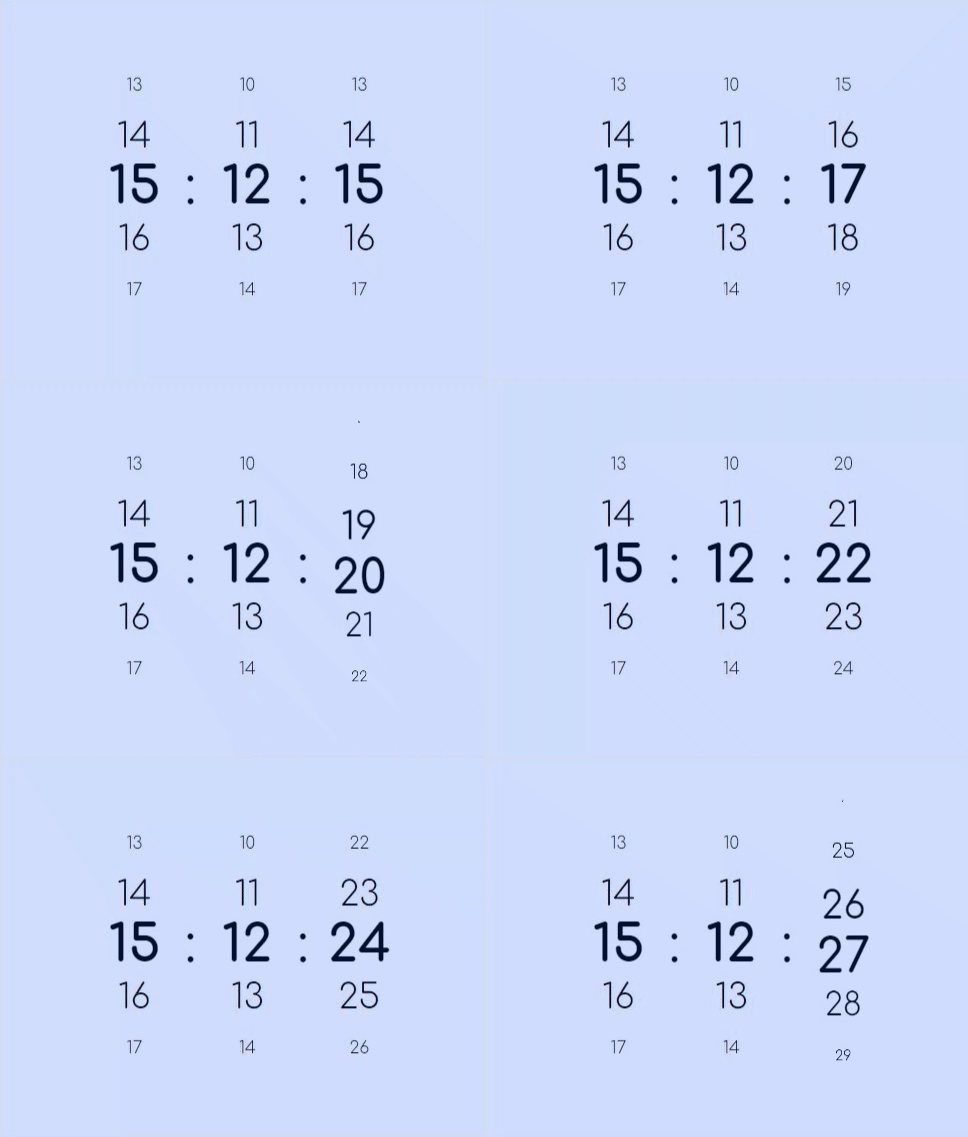
:
:
Table of Contents
Creating a digital clock using JavaScript typically involves the following requirements:
- HTML Structure: Create a basic HTML structure for your clock, including placeholders for the hours, minutes, seconds, and AM/PM indicators.
- CSS Styling: Apply CSS styles to format and position the clock elements on the web page. You can customize fonts, colors, and sizes to match your design preferences.
- JavaScript Code: Write JavaScript code to dynamically update the clock's time. You'll need to use the
Dateobject to retrieve the current time and update the HTML elements accordingly. - Real-time Updates: Implement a mechanism to ensure that the clock updates in real-time, with the seconds, minutes, and hours changing as time passes.
- AM/PM Display: If you want to display the time in a 12-hour format, include logic to determine whether it's AM or PM.
- Optional Features: Depending on your project's complexity, you can add optional features like time zone conversion, date display, or custom animations for the clock hands.
- Testing: Thoroughly test your digital clock in different browsers to ensure compatibility and accuracy.
- Documentation: Provide clear and concise documentation for your code, especially if you plan to share it with others.
- Responsive Design: Consider making your digital clock design responsive, so it adapts well to different screen sizes and devices.
- User Interface: If you're creating a user-friendly clock, you may want to add user interactions, such as pausing or resetting the clock.
HTML file
<div class="clock" aria-label="00:00:00">
	<div class="clock__unit clock_unit--hr" aria-hidden="true" data-unit="h">
		<div class="clock__digits" data-unit-pos>00</div>
		<div class="clock__digits" data-unit-pos>00</div>
		<div class="clock__digits" data-unit-pos>00</div>
		<div class="clock__digits" data-unit-pos>00</div>
		<div class="clock__digits" data-unit-pos>00</div>
		<div class="clock__digits" data-unit-pos>00</div>
		<div class="clock__digits" data-unit-pos>00</div>
	</div>
	<div class="clock__colon">:</div>
	<div class="clock__unit clock__unit--min" aria-hidden="true" data-unit="m">
		<div class="clock__digits" data-unit-pos>00</div>
		<div class="clock__digits" data-unit-pos>00</div>
		<div class="clock__digits" data-unit-pos>00</div>
		<div class="clock__digits" data-unit-pos>00</div>
		<div class="clock__digits" data-unit-pos>00</div>
		<div class="clock__digits" data-unit-pos>00</div>
		<div class="clock__digits" data-unit-pos>00</div>
	</div>
	<div class="clock__colon">:</div>
	<div class="clock__unit clock__unit--sec" aria-hidden="true" data-unit="s">
		<div class="clock__digits" data-unit-pos>00</div>
		<div class="clock__digits" data-unit-pos>00</div>
		<div class="clock__digits" data-unit-pos>00</div>
		<div class="clock__digits" data-unit-pos>00</div>
		<div class="clock__digits" data-unit-pos>00</div>
		<div class="clock__digits" data-unit-pos>00</div>
		<div class="clock__digits" data-unit-pos>00</div>
	</div>
</div>
CSS File
* {
	border: 0;
	box-sizing: border-box;
	margin: 0;
	padding: 0;
}
:root {
	--hue: 223;
	--bg: hsl(var(--hue),90%,90%);
	--fg: hsl(var(--hue),90%,10%);
	--primary: hsl(var(--hue),90%,50%);
	--trans-dur: 0.3s;
	font-size: calc(40px + (80 - 40) * (100vw - 320px) / (2560 - 320));
}
body {
	background-color: var(--bg);
	color: var(--fg);
	display: flex;
	font: 1em/1.5 "Comfortaa", sans-serif;
	height: 100vh;
	transition:
		background-color var(--trans-dur),
		color var(--trans-dur);
}
.clock {
	display: flex;
	align-items: center;
	margin: auto;
}
.clock__colon,
.clock__digits {
	line-height: 1;
	height: 1rem;
	text-align: center;
}
.clock__digits {
	font-variation-settings: "wght" 300;
	width: 2rem;
}
.clock__digits:nth-child(1),
.clock__digits:nth-child(7) {
	transform: scale(0);
}
.clock__digits:nth-child(2),
.clock__digits:nth-child(6) {
	transform: scale(0.33);
}
.clock__digits:nth-child(3),
.clock__digits:nth-child(5) {
	transform: scale(0.67);
}
.clock__digits:nth-child(4) {
	font-variation-settings: "wght" 700;
}
.clock__digits:not(:nth-child(4)) {
	user-select: none;
	-moz-user-select: none;
	-webkit-user-select: none;
}
.clock__unit--rolling .clock__digits {
	animation: digitsMove1 0.3s ease-in-out;
}
.clock__unit--rolling .clock__digits:nth-child(2) { animation-name: digitsMove2; }
.clock__unit--rolling .clock__digits:nth-child(3) { animation-name: digitsMove3; }
.clock__unit--rolling .clock__digits:nth-child(4) { animation-name: digitsMove4; }
.clock__unit--rolling .clock__digits:nth-child(5) { animation-name: digitsMove5; }
.clock__unit--rolling .clock__digits:nth-child(6) { animation-name: digitsMove6; }
.clock__unit--rolling .clock__digits:nth-child(7) { animation: none; }

/* Dark theme */
@media (prefers-color-scheme: dark) {
	:root {
		--bg: hsl(var(--hue),90%,10%);
		--fg: hsl(var(--hue),90%,90%);
	}
}

/* Animations */
@keyframes digitsMove1 {
	from { transform: translateY(100%) scale(0.33); }
	to { transform: translateY(0) scale(0); }
}
@keyframes digitsMove2 {
	from { transform: translateY(100%) scale(0.67); }
	to { transform: translateY(0%) scale(0.33); }
}
@keyframes digitsMove3 {
	from {
		font-variation-settings: "wght" 700;
		transform: translateY(100%) scale(1);
	}
	to {
		font-variation-settings: "wght" 300;
		transform: translateY(0) scale(0.67);
	}
}
@keyframes digitsMove4 {
	from {
		font-variation-settings: "wght" 300;
		transform: translateY(100%) scale(0.67);
	}
	to {
		font-variation-settings: "wght" 700;
		transform: translateY(0) scale(1);
	}
}
@keyframes digitsMove5 {
	from { transform: translateY(100%) scale(0.33); }
	to { transform: translateY(0) scale(0.67); }
}
@keyframes digitsMove6 {
	from { transform: translateY(100%) scale(0); }
	to { transform: translateY(0) scale(0.33); }
}JS File
window.addEventListener("DOMContentLoaded",() => {
	const c = new Clock2(".clock",true);
});

class Clock2 {
	now = null;
	then = null;

	constructor(el,is24Hours = false) {
		this.el = document.querySelector(el);
		this.is24Hours = is24Hours;

		this.init();
	}
	init() {
		this.timeUpdate();
	}
	get timeAsObject() {
		const date = new Date();
		let h = date.getHours();
		const m = date.getMinutes();
		const s = date.getSeconds();
		const ap = h > 11 ? "PM" : "AM";
		// milliseconds since 1/1/1970
		const since1970 = date.getTime() - date.getTimezoneOffset() * 60 * 1000;
		// deal with midnight and 13:00 if not using 24-hour clock
		if (!this.is24Hours) {
			if (h === 0) h += 12;
			else if (h > 12) h -= 12;
		}
		return { h, m, s, ap, since1970 };
	}
	get timeAsString() {
		let { h, m, s, ap } = this.timeAsObject;
		// prepend 0 to the minute and second if single digits
		if (m < 10) m = `0${m}`;
		if (s < 10) s = `0${s}`;

		let timestamp = `${h}:${m}:${s}`;

		if (!this.is24Hours) timestamp += ` ${ap}`

		return timestamp;
	}
	timeUpdate() {
		// update the `aria-label`
		this.el?.setAttribute("aria-label", this.timeAsString);
		// reset the animations
		const rolling = "clock__unit--rolling";
		const unitEls = Array.from(this.el.querySelectorAll(`[data-unit]`));
		unitEls.forEach(el => {
			el.classList.remove(rolling);
		});
		void this.el.offsetWidth;
		// update the time objects
		this.then = this.now;
		this.now = this.timeAsObject;
		const { then, now } = this;

		Object.keys(now).forEach(unit => {
			const unitEl = this.el.querySelector(`[data-unit="${unit}"]`);
			if (!unitEl) return
			// add the rolling animation when digits aren’t equal
			if (then !== null && then[unit] !== now[unit]) unitEl.classList.add(rolling);
			// update the digits
			const unitPos = Array.from(unitEl.querySelectorAll(`[data-unit-pos]`));
			let posIndex = -3;
			unitPos.forEach(pos => {
				let digits = now[unit] + posIndex;
				const unitLoop = unit === "h" ? 24 : 60;

				if (digits < 0) digits += unitLoop;
				else if (digits >= unitLoop) digits -= unitLoop;

				let digitsString = `${digits}`;
				if (digits < 10) digitsString = `0${digits}`;

				pos.innerText = digitsString;
				++posIndex;
			});
		});
		// loop
		clearTimeout(this.timeUpdateLoop);
		this.timeUpdateLoop = setTimeout(this.timeUpdate.bind(this),1e3);
	}
}
Download Complete Source Code Below
:
:
How to Design Digital Clock using JavaScript
<!DOCTYPE html>
<html lang="en">
<head>
    <meta charset="UTF-8">
    <meta name="viewport" content="width=device-width, initial-scale=1.0">
    <title>Digital Clock</title>
    <style>
      .clock-container {
    display: flex;
    border: 2px solid;
    background-color: #000000e6;
    justify-content: center;
    font-weight: bold;
    color: white;

        }

        .clock {
            display: flex;
            align-items: center;
        }

        .clock__colon,
        .clock__digits {
            line-height: 1;
            height: 1rem;
            text-align: center;
        }
        .clock {
            display: flex;
            align-items: center;
            margin: auto;
        }
        .clock__colon,
        .clock__digits {
            line-height: 1;
            height: 1rem;
            text-align: center;
        }
        .clock__digits {
            font-variation-settings: "wght" 300;
            width: 2rem;
        }
        .clock__digits:nth-child(1),
        .clock__digits:nth-child(7) {
            transform: scale(0);
        }
        .clock__digits:nth-child(2),
        .clock__digits:nth-child(6) {
            transform: scale(0.33);
        }
        .clock__digits:nth-child(3),
        .clock__digits:nth-child(5) {
            transform: scale(0.67);
        }
        .clock__digits:nth-child(4) {
            font-variation-settings: "wght" 700;
        }
        .clock__digits:not(:nth-child(4)) {
            user-select: none;
            -moz-user-select: none;
            -webkit-user-select: none;
        }
        .clock__unit--rolling .clock__digits {
            animation: digitsMove1 0.3s ease-in-out;
        }
        .clock__unit--rolling .clock__digits:nth-child(2) { animation-name: digitsMove2; }
        .clock__unit--rolling .clock__digits:nth-child(3) { animation-name: digitsMove3; }
        .clock__unit--rolling .clock__digits:nth-child(4) { animation-name: digitsMove4; }
        .clock__unit--rolling .clock__digits:nth-child(5) { animation-name: digitsMove5; }
        .clock__unit--rolling .clock__digits:nth-child(6) { animation-name: digitsMove6; }
        .clock__unit--rolling .clock__digits:nth-child(7) { animation: none; }

        /* Dark theme */
        @media (prefers-color-scheme: dark) {
            :root {
                --bg: hsl(var(--hue), 90%, 10%);
                --fg: hsl(var(--hue), 90%, 90%);
            }
        }

        /* Animations */
        @keyframes digitsMove1 {
            from { transform: translateY(100%) scale(0.33); }
            to { transform: translateY(0) scale(0); }
        }
        @keyframes digitsMove2 {
            from { transform: translateY(100%) scale(0.67); }
            to { transform: translateY(0%) scale(0.33); }
        }
        @keyframes digitsMove3 {
            from {
                font-variation-settings: "wght" 700;
                transform: translateY(100%) scale(1);
            }
            to {
                font-variation-settings: "wght" 300;
                transform: translateY(0) scale(0.67);
            }
        }
        @keyframes digitsMove4 {
            from {
                font-variation-settings: "wght" 300;
                transform: translateY(100%) scale(0.67);
            }
            to {
                font-variation-settings: "wght" 700;
                transform: translateY(0) scale(1);
            }
        }
        @keyframes digitsMove5 {
            from { transform: translateY(100%) scale(0.33); }
            to { transform: translateY(0) scale(0.67); }
        }
        @keyframes digitsMove6 {
            from { transform: translateY(100%) scale(0); }
            to { transform: translateY(0) scale(0.33); }
        }
    </style>
</head>
<body>
   <div class="clock-container">
     <div class="clock" aria-label="00:00:00">
        <div class="clock__unit clock_unit--hr" aria-hidden="true" data-unit="h">
            <div class="clock__digits" data-unit-pos>00</div>
            <div class="clock__digits" data-unit-pos>00</div>
            <div class="clock__digits" data-unit-pos>00</div>
            <div class="clock__digits" data-unit-pos>00</div>
            <div class="clock__digits" data-unit-pos>00</div>
            <div class="clock__digits" data-unit-pos>00</div>
            <div class="clock__digits" data-unit-pos>00</div>
        </div>
        <div class="clock__colon">:</div>
        <div class="clock__unit clock__unit--min" aria-hidden="true" data-unit="m">
            <div class="clock__digits" data-unit-pos>00</div>
            <div class="clock__digits" data-unit-pos>00</div>
            <div class="clock__digits" data-unit-pos>00</div>
            <div class="clock__digits" data-unit-pos>00</div>
            <div class="clock__digits" data-unit-pos>00</div>
            <div class="clock__digits" data-unit-pos>00</div>
            <div class="clock__digits" data-unit-pos>00</div>
        </div>
        <div class="clock__colon">:</div>
        <div class="clock__unit clock__unit--sec" aria-hidden="true" data-unit="s">
            <div class="clock__digits" data-unit-pos>00</div>
            <div class="clock__digits" data-unit-pos>00</div>
            <div class="clock__digits" data-unit-pos>00</div>
            <div class="clock__digits" data-unit-pos>00</div>
            <div class="clock__digits" data-unit-pos>00</div>
            <div class="clock__digits" data-unit-pos>00</div>
            <div class="clock__digits" data-unit-pos>00</div>
        </div>
    </div>
	</div>

    <!-- JavaScript Code -->
    <script>
        window.addEventListener("DOMContentLoaded", () => {
            const c = new Clock2(".clock", true);
        });

        class Clock2 {
            now = null;
            then = null;

            constructor(el, is24Hours = false) {
                this.el = document.querySelector(el);
                this.is24Hours = is24Hours;

                this.init();
            }
            init() {
                this.timeUpdate();
            }
            get timeAsObject() {
                const date = new Date();
                let h = date.getHours();
                const m = date.getMinutes();
                const s = date.getSeconds();
                const ap = h > 11 ? "PM" : "AM";
                // milliseconds since 1/1/1970
                const since1970 = date.getTime() - date.getTimezoneOffset() * 60 * 1000;
                // deal with midnight and 13:00 if not using 24-hour clock
                if (!this.is24Hours) {
                    if (h === 0) h += 12;
                    else if (h > 12) h -= 12;
                }
                return { h, m, s, ap, since1970 };
            }
            get timeAsString() {
                let { h, m, s, ap } = this.timeAsObject;
                // prepend 0 to the minute and second if single digits
                if (m < 10) m = `0${m}`;
                if (s < 10) s = `0${s}`;

                let timestamp = `${h}:${m}:${s}`;

                if (!this.is24Hours) timestamp += ` ${ap}`

                return timestamp;
            }
            timeUpdate() {
                // update the `aria-label`
                this.el?.setAttribute("aria-label", this.timeAsString);
                // reset the animations
                const rolling = "clock__unit--rolling";
                const unitEls = Array.from(this.el.querySelectorAll(`[data-unit]`));
                unitEls.forEach(el => {
                    el.classList.remove(rolling);
                });
                void this.el.offsetWidth;
                // update the time objects
                this.then = this.now;
                this.now = this.timeAsObject;
                const { then, now } = this;

                Object.keys(now).forEach(unit => {
                    const unitEl = this.el.querySelector(`[data-unit="${unit}"]`);
                    if (!unitEl) return
                    // add the rolling animation when digits aren’t equal
                    if (then !== null && then[unit] !== now[unit]) unitEl.classList.add(rolling);
                    // update the digits
                    const unitPos = Array.from(unitEl.querySelectorAll(`[data-unit-pos]`));
                    let posIndex = -3;
                    unitPos.forEach(pos => {
                        let digits = now[unit] + posIndex;
                        const unitLoop = unit === "h" ? 24 : 60;

                        if (digits < 0) digits += unitLoop;
                        else if (digits >= unitLoop) digits -= unitLoop;

                        let digitsString = `${digits}`;
                        if (digits < 10) digitsString = `0${digits}`;

                        pos.innerText = digitsString;
                        ++posIndex;
                    });
                });
                // loop
                clearTimeout(this.timeUpdateLoop);
                this.timeUpdateLoop = setTimeout(this.timeUpdate.bind(this), 1e3);
            }
        }
    </script>
</body>
</html>
YouTube Video :- https://www.youtube.com/@Decodeit./playlists

🧙♂️Python Magic: Learn How to Create Face Recognition based Attendance System in python!
Face Recognition based Attendance System


Unlock Your Java Superpowers with 9 Mind-Blowing Mini Projects in One Ultimate Application!
9 Mind-Blowing Mini Projects





🎓 Need Complete Final Year Project?
Get Source Code + Report + PPT + Viva Questions (Instant Access)
🛒 Visit UpdateGadh Store →