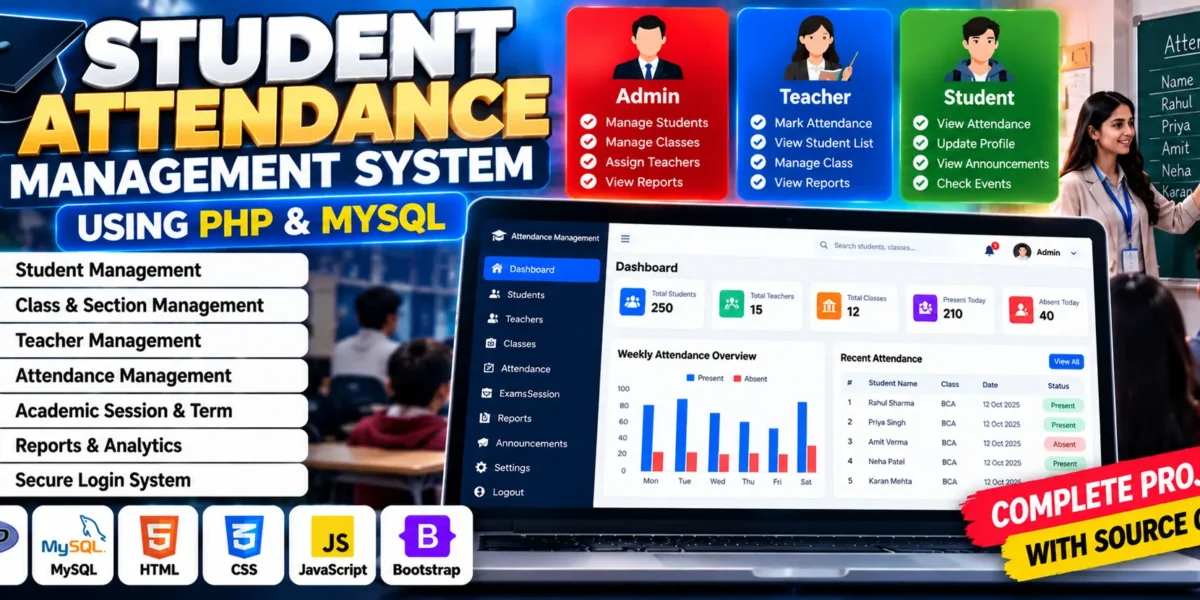
Student Attendance Management System Using PHP and MySQL
The Student Attendance Management System Using PHP and MySQL is a web-based application designed to simplify student attendance tracking in schools, colleges, and educational institutions. Traditional attendance registers require manual data entry and calculations, which can lead to errors, misplaced records, and unnecessary paperwork. This project provides a digital platform where administrators and teachers can manage student information, organize classes, and maintain attendance records efficiently.
Developed using PHP, MySQL, HTML, CSS, and JavaScript, the system supports role-based access for administrators and teachers. Administrators can manage classes, sections, students, teachers, and academic sessions, while teachers can access their assigned classes and record attendance.
Complete Advance AI Topics: Click Here
Real Time Projects on YouTube:- DecodeIT
What Is a Student Attendance Management System?
A Student Attendance Management System is a web application that digitizes attendance-related activities. It allows administrators to organize academic information and teachers to record and review student attendance without relying entirely on manual registers.
Project Overview
| Project Details | Description |
|---|---|
| Project Name | Student Attendance Management System |
| Languages Used | PHP, HTML, CSS, JavaScript |
| Database | MySQL |
| Type | Web Application |
Available Features
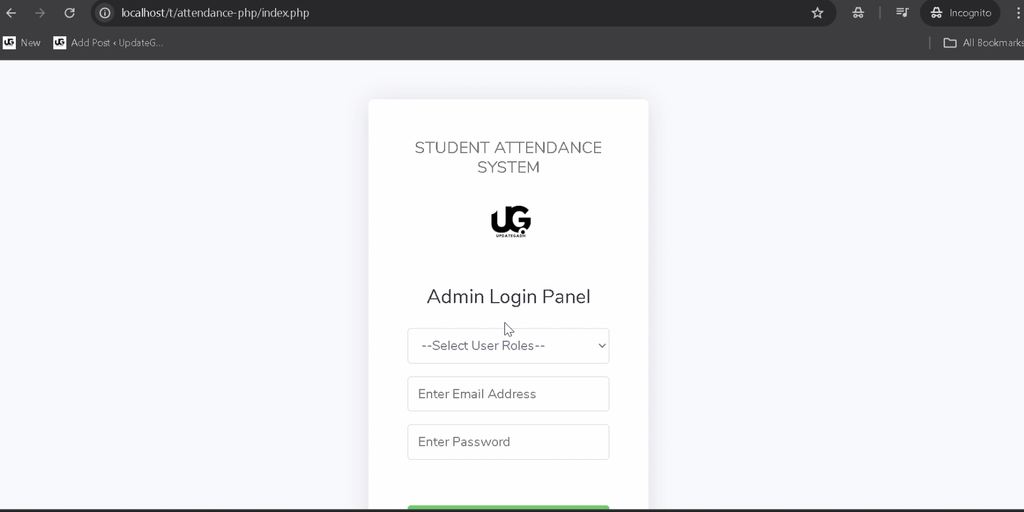
1. Admin Login
The system provides an administrator login interface that restricts access to authorized users. Administrators can access the management modules according to their assigned permissions.
2. Teacher Login
Teachers can log in using their own credentials and access the classes assigned to them. This helps organize responsibilities and keeps class-related operations separate.
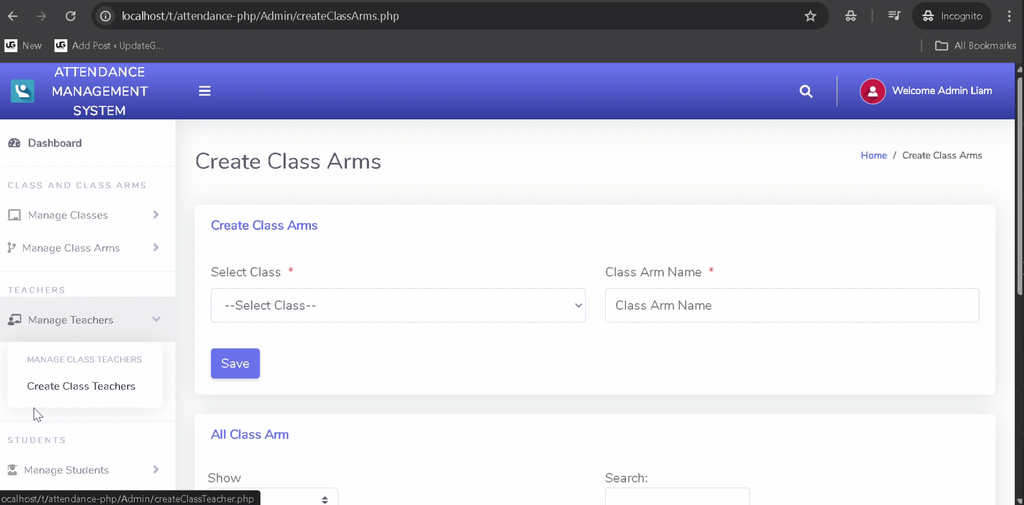
3. Class and Section Management
Administrators can create and manage classes and class sections, allowing students to be organized according to the institution’s academic structure.
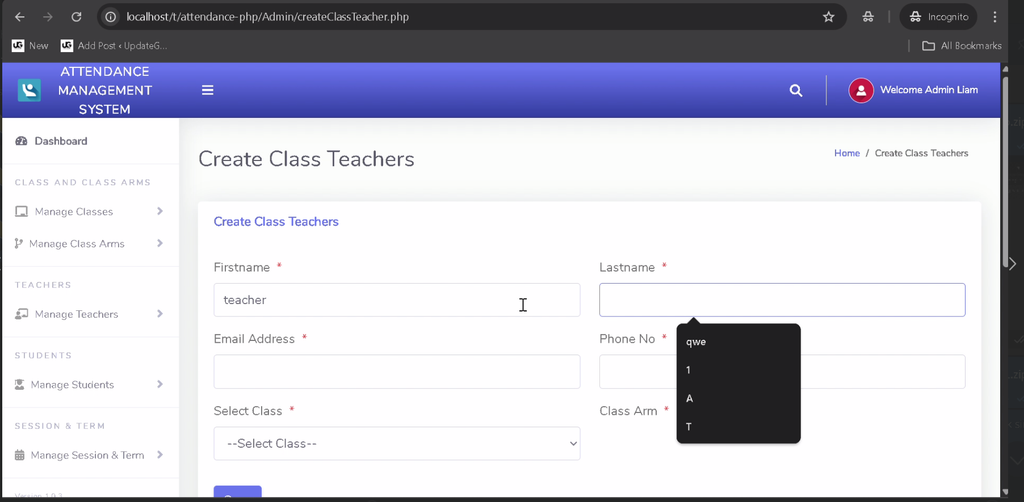
4. Teacher Assignment
Administrators can assign teachers to particular classes so that teachers can manage attendance for their designated groups.
5. Student Management
The administrator can add student details and maintain digital student records for attendance and academic organization.
6. Academic Session and Term Management
The system supports the management of academic sessions and terms, helping institutions organize attendance records according to their academic calendar.
7. Attendance Management
Teachers can select an assigned class, choose a date, and record student attendance. They can also review attendance records for the classes they manage.
8. User Management
Administrators can create and manage teacher accounts and other supported users, helping coordinate access to the system.
9. Forgot Password
The project includes a password recovery option to help users regain access when they encounter login problems.
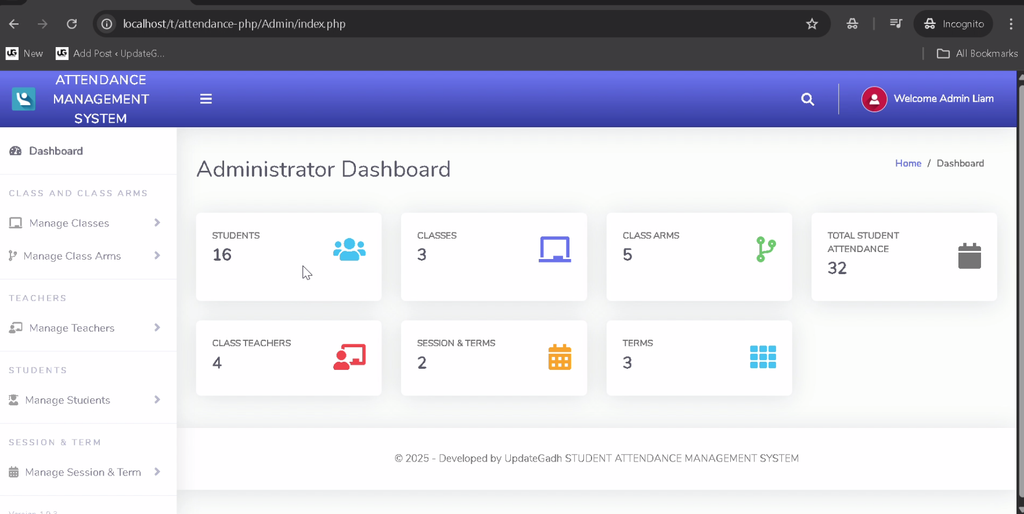
10. Role-Based Dashboards
Administrators and teachers have separate dashboards with navigation options relevant to their responsibilities.
Technology Stack
- PHP: Handles server-side processing and application logic.
- MySQL: Stores student, teacher, class, session, and attendance records.
- HTML: Structures the web pages.
- CSS: Styles the application interface.
- JavaScript: Supports client-side interactivity.
- XAMPP: Provides the local Apache and MySQL environment.
Software and Tools Required
- XAMPP
- Visual Studio Code
- Web Browser
How to Download
The complete package is available so you can run, study, and submit it with confidence. It includes:
- Full Source Code
- Project Report
- Synopsis
- PPT Presentation
Screenshot
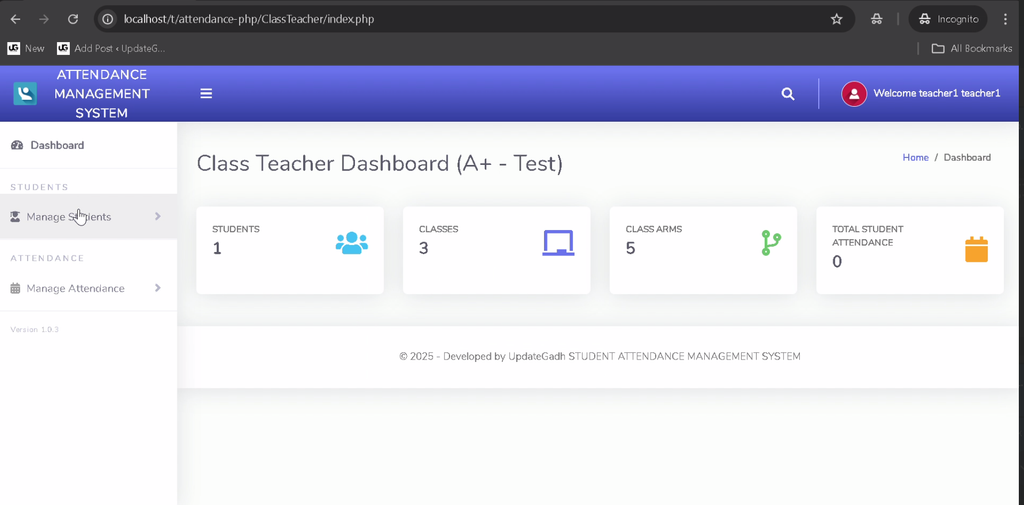
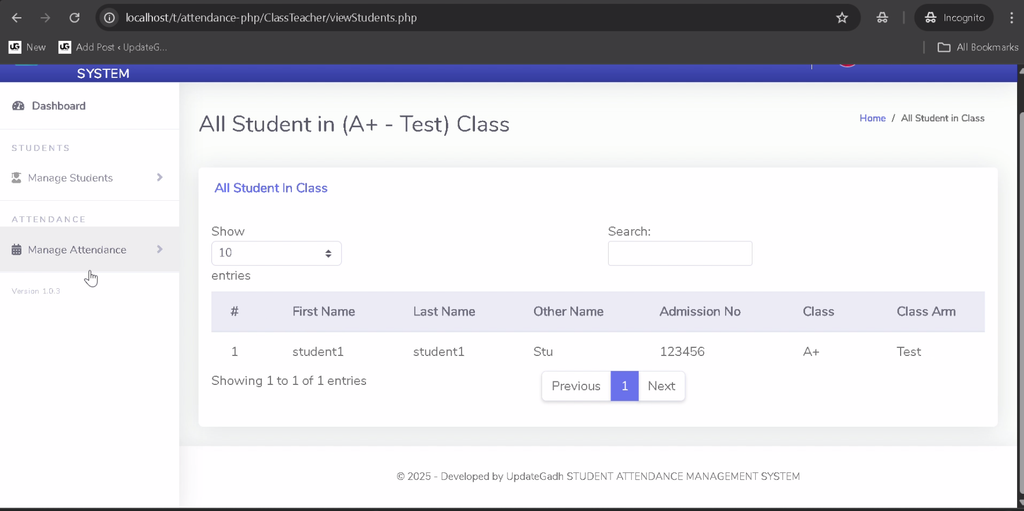
How to Install and Run the Project in VS Code?
Follow these steps to configure the Student Attendance Management System on your local computer using XAMPP and MySQL.
Step 1: Install the Required Software
Install XAMPP and Visual Studio Code on your computer.
Step 2: Extract the Project
Extract the project archive and copy the project folder into the XAMPP htdocs directory. For example:
C:\xampp\htdocs\student-attendance-management-systemStep 3: Start Apache and MySQL
Open the XAMPP Control Panel and start both Apache and MySQL.
Step 4: Create the Database
Open phpMyAdmin in your browser and create a database named attendancemsystem.
CREATE DATABASE attendancemsystem;Import the SQL file provided with the project into this database to create the required tables and load any included sample data.
Step 5: Configure the Database Connection
Locate the database configuration file, commonly named config.php or stored inside the Admin/includes directory. Update the connection settings to match your local setup.
define("DB_HOST", "localhost");
define("DB_NAME", "attendancemsystem");
define("DB_USER", "root");
define("DB_PASS", "");
Use the configuration format already present in your project and replace the example credentials if your MySQL installation requires a password.
Step 6: Run the Project
Open your browser and visit the local project URL:
http://localhost/student-attendance-management-system/If you used a different folder name, replace the folder name in the URL. The application should display its login page when the server and database configuration are correct.
How to Use the Student Attendance Management System?
1. Admin Usage
- Log in using the administrator credentials supplied with the project.
- Create classes and sections.
- Assign teachers to their respective classes.
- Add student records to the system.
- Configure academic sessions and terms.
- Manage teacher accounts and other supported users.
- Review attendance records for the available classes.
2. Teacher Usage
- Log in using the teacher credentials supplied with the project.
- Access assigned classes.
- Select a class and attendance date.
- Record student attendance.
- Review attendance records for assigned classes.
Separating administrator and teacher responsibilities helps maintain an organized workflow and restricts access according to each role.
Why Is This Project Useful for Students?
- PHP Development: Learn how server-side code processes forms and manages records.
- Database Integration: Understand how MySQL stores student and attendance information.
- CRUD Operations: Practice creating, viewing, updating, and deleting records.
- Role-Based Access: Explore how different users access separate modules.
- Academic Applications: Understand how web applications can simplify attendance-related tasks.
- Practical Learning: Build experience with a database-driven application relevant to educational institutions.
Frequently Asked Questions
1. What is the Student Attendance Management System?
It is a PHP and MySQL web application designed to organize student records, academic classes, and attendance activities.
2. Which technologies are used in this project?
The project uses PHP, MySQL, HTML, CSS, and JavaScript.
3. What are the main user roles?
The main roles are Administrator and Teacher, each with different permissions and dashboard functionality.
4. Which database is used?
The project uses MySQL, with the database named attendancemsystem in the supplied setup instructions.
5. How can I run the project locally?
Place the project folder in XAMPP’s htdocs directory, start Apache and MySQL, import the provided SQL file, configure the database connection, and open the local project URL.
Final Thoughts
The Student Attendance Management System is a practical academic project for students who want to learn PHP and MySQL through a real-world educational use case. It brings together student records, class management, teacher assignments, academic sessions, and attendance tracking in a centralized web application.
Keywords: Student Attendance Management System Using PHP and MySQL, student attendance management system PHP, attendance management system project in PHP, student attendance management system source code, attendance management system using PHP and MySQL, student attendance project report PDF, attendance management system project documentation