Warehouse Management System
A simple project on Warehouse Management, an open-source Warehouse Management System (WMS) backend developed using Python and the Django web framework. It is designed with a focus on simplicity, modularity, and scalability — making it ideal for students who wish to explore how real-world inventory and warehouse logic can be managed through code.
Warehauser offers a practical backend structure that manages inventory, products, users, and warehouse operations through a clean and efficient architecture. This project helps learners understand how professional warehouse systems operate behind the scenes, with an emphasis on backend logic, request handling, and data synchronization.
Best Final Year Project For Data Science :–Click Here
Project Overview
| Attribute | Details |
|---|---|
| Project Name | Warehauser – Warehouse Management System |
| Language/s Used | Python, HTML (Templates) |
| Database | SQLite |
| Type | Backend Web Application |
Project Description
Warehauser is not just a sample Django app — it’s a structured backend system built for managing warehouse operations effectively. The project demonstrates how Django’s ORM, middleware, and modular apps can be utilized to handle complex business workflows such as stock movement, role-based access, and background scheduling tasks.
The backend is built using Django’s Model-View-Template (MVT) structure, allowing seamless integration between data models, logic, and API endpoints. The project also includes scripts for automated processes, middleware for security and logging, and serializers for structured API responses — all of which make it both student-friendly and production-ready.
Best Advanced Python Projects:-Click Here
From a learning perspective, Warehauser introduces students to several essential backend development practices:
- Managing models, forms, and serializers efficiently.
- Handling permissions and role-based access.
- Writing reusable utility functions.
- Scheduling background tasks for inventory checks or data updates.
Available Features
After analyzing the project files, here are the actual features that exist within the Warehauser system:
1. User Management
The system supports creating and managing multiple user roles such as warehouse managers, operators, and staff. Authentication and permission handling are managed through Django’s built-in features and custom middleware found in the core app.
2. Product and Inventory Handling
The core/models.py and logic/lib directories contain modules that define how products, stock items, and warehouse data are structured and manipulated. This feature allows tracking available stock, reserved quantities, and product details across multiple warehouses.
3. Logging and Monitoring
Warehauser includes a loggers.py and middleware.py file in the core app that handle activity logging, request tracking, and system-wide monitoring. This helps administrators or developers review system performance and error reports effectively.
4. Task Scheduling
In the main project directory, the scheduler.py and tasks.py files handle background jobs, allowing the system to perform automatic operations such as stock updates or cleanup tasks periodically.
5. Dynamic Filtering and API Serialization
The presence of filters.py and serializers.py in the core app shows that the project supports dynamic filtering of querysets and data serialization for APIs. This makes it easier to interact with frontend or third-party systems.
6. Web Interface with Templates
Though Warehauser is backend-focused, it still includes the web app with templates and static files. This ensures that basic admin or management dashboards can be built or extended easily for testing or demonstration purposes.
7. Localization Support
The locale directory (with language folders like ar and de) demonstrates that the system supports multiple languages, which can be extended based on requirements.
Installation Guide (for VS Code)
Follow these steps to set up and run the Warehauser project on your system using Visual Studio Code:
Step 1: Extract the Project
Unzip the downloaded project folder to a known location on your system, for example:
C:\Users\<YourName>\Downloads\Warehouse Management System using Python & Django
Download New Real Time Projects :–Click here
Step 2: Open Project in VS Code
- Launch Visual Studio Code.
- Click on File → Open Folder.
- Select the extracted project folder Warehouse Management System using Python & Django
Step 3: Create a Virtual Environment
Open a new terminal in VS Code and run:
python -m venv venv
Then activate it:
- For Windows:
venv\Scripts\activate - For macOS/Linux:
source venv/bin/activate
Step 4: Install Required Packages
The dependencies are listed in requirements.txt inside the warehauser folder. Run the following:
pip install -r warehauser/requirements.txt
Step 5: Apply Database Migrations
Initialize the database:
python manage.py makemigrations
python manage.py migrate
Step 6: Create Superuser (Admin)
To access the admin interface, create a superuser:
python manage.py createsuperuser
Provide your preferred username, email, and password when prompted.
Step 7: Run the Development Server
Finally, start the Django server:
python manage.py runserver
Once started, open your browser and visit:
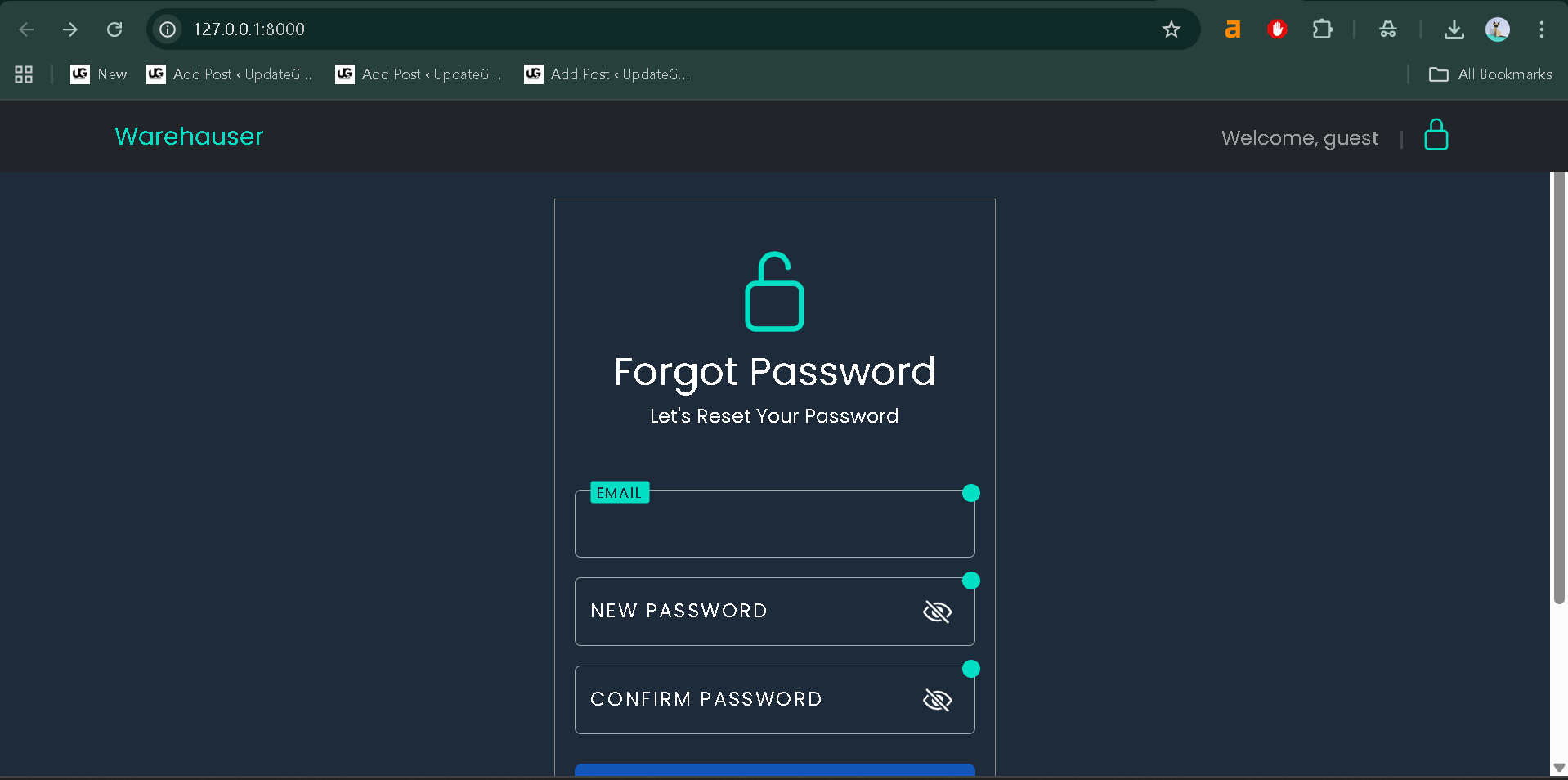
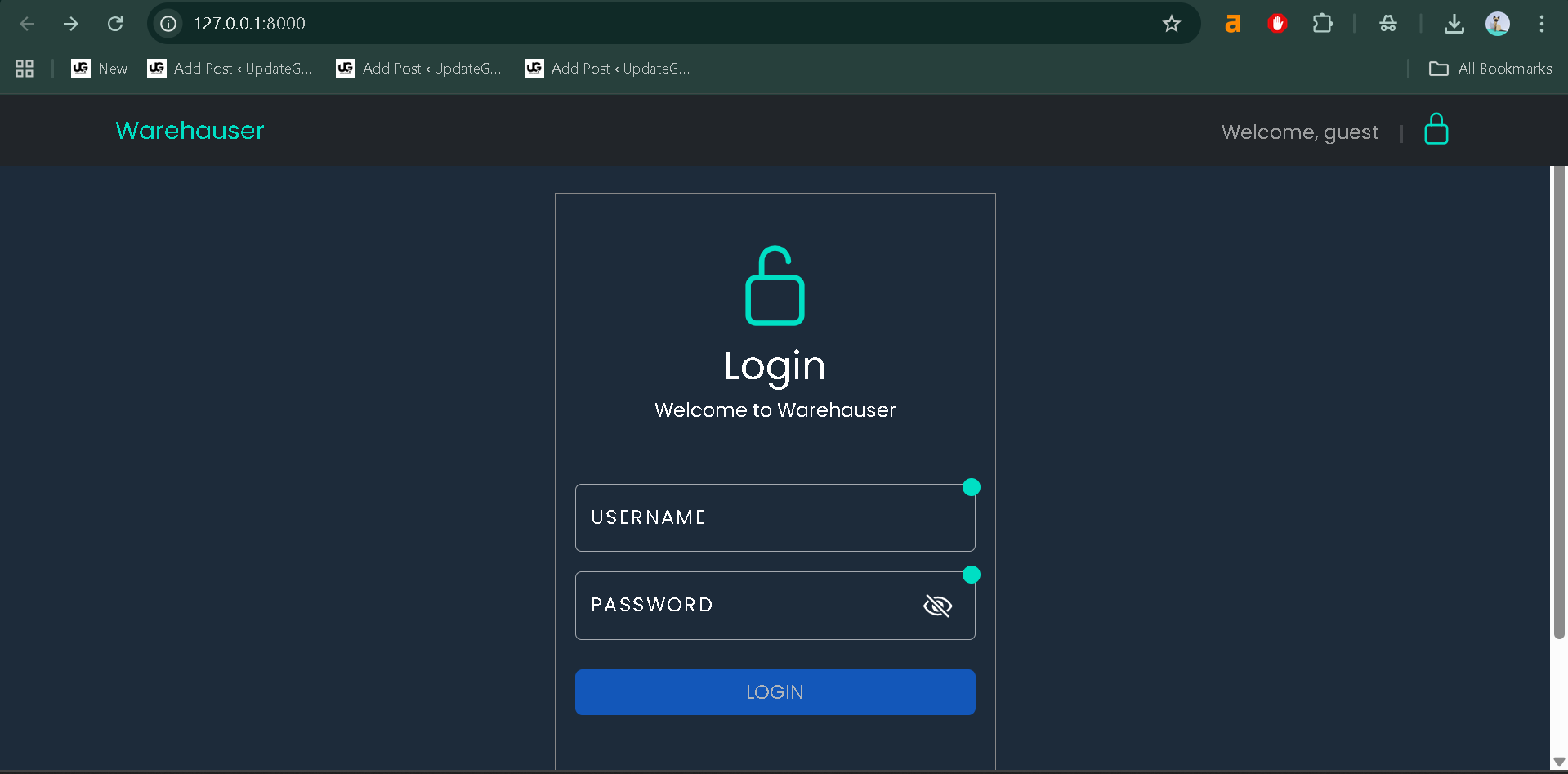
http://127.0.0.1:8000/
Your Warehauser backend system will now be live and ready to explore.
Usage Guide
Warehauser provides a clean backend structure that can be utilized through the admin interface or integrated with a custom frontend. Below is how different roles typically interact with the system:
Best Final Year Project For JAVA :- Click Here
1. Administrator
The Admin (created via createsuperuser) has full control over the system.
- Can add or remove users.
- Manage product categories, inventory data, and permissions.
- Review logs and handle configurations in the Django admin panel.
This role is crucial for maintaining order in multi-user warehouse environments.
2. Warehouse Manager
The manager oversees warehouse operations — verifying stock levels, managing inbound and outbound goods, and ensuring data consistency.
Using the web interface (or APIs if extended), managers can view detailed product information, filter stock data, and coordinate with suppliers.
3. Warehouse Staff
Operators and staff members perform daily operations like adding items to stock, marking items as shipped, or checking availability.
This role interacts mostly with operational parts of the backend, using permissions set by the admin.
How This Project Helps Students
From a student’s perspective, Warehauser is an excellent educational project because it brings together multiple aspects of real-world backend development.
Unlike small Django demos, Warehauser exposes students to actual system architecture with multiple modules working together — including models, serializers, logging, permissions, and scheduling.
Here’s why this project is particularly valuable:
1. Practical Learning
Students gain hands-on experience in setting up and running a full Django backend, dealing with real code that simulates how logistics systems function in large enterprises.
Best Final Year Project For SPRINGBOOT:–Click Here
2. Understanding Modular Design
The structure of Warehauser clearly separates business logic (core, logic, and web apps). This helps learners understand the importance of modularity in large-scale software design.
3. Enhancing Problem-Solving Skills
Through managing stock and user interactions, students can explore use cases such as inventory synchronization, background job scheduling, and database optimization.
4. Career-Oriented Exposure
Since warehouse management is a critical part of logistics, supply chain, and e-commerce industries, working on a system like Warehauser provides valuable exposure to industry-relevant backend operations.
5. Extensible Architecture
The project can be extended into a full-fledged web application or RESTful API by adding Django REST Framework. This gives students a chance to experiment with modern backend technologies while learning best practices.
Real-Life Application
The Warehauser system is a simplified yet realistic version of software used in:
- Logistics and Supply Chain Companies
- E-commerce Inventory Management
- Manufacturing Units with Multiple Warehouses
- Product Distribution and Retail Businesses
Best Final Year Project For JSP :- Click Here
We have Best projects Available in all languages:–Click Here
inventory management system-django github
inventory management system django source code
inventory management system project in python pdf
inventory management system python django
python warehouse management system
inventory management system using python mysql
inventory management github python
python inventory management gui
warehouse management system using python & django github
warehouse management system using python & django ppt
warehouse management system using python & django example inventory management system-django github
inventory management system in django
inventory management system project with source code python
inventory management system project pdf with source code
inventory management github python
warehouse inventory management system source code
django warehouse management system
school management system project in django with source code
inventory management system django source code pdf
inventory management system django source code example
🎓 Need Complete Final Year Project?
Get Source Code + Report + PPT + Viva Questions (Instant Access)
🛒 Visit UpdateGadh Store →