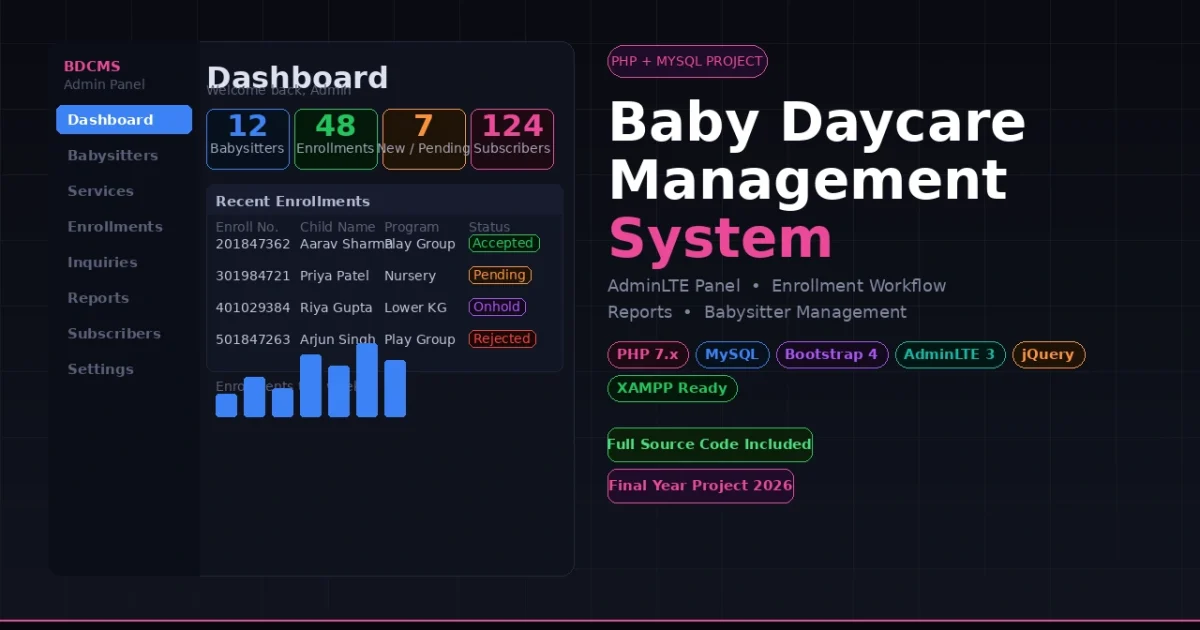
Baby Daycare Management System in PHP MySQL — Full Project with Admin Panel
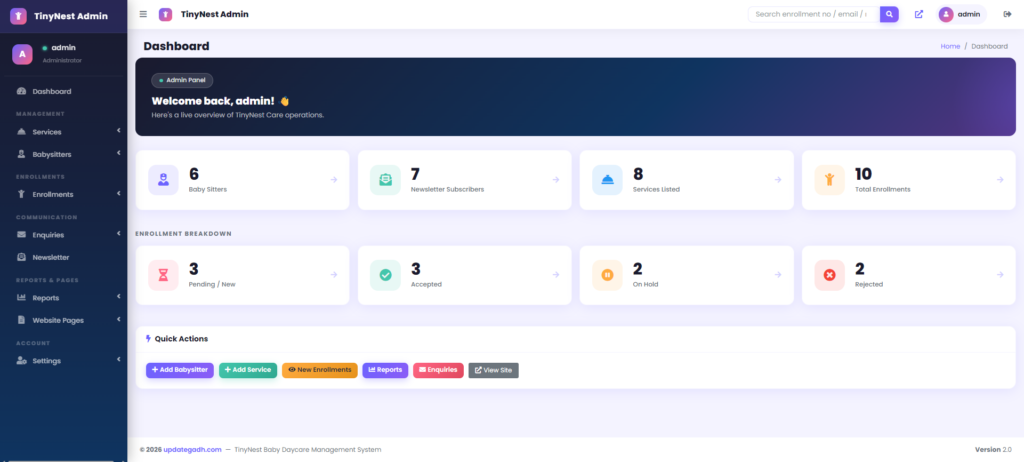
If you are a BCA, MCA, or B.Tech CS student searching for a complete, real-world PHP and MySQL project that covers both a public-facing website and a fully functional admin panel, the Baby Daycare Management System (BDCMS) is one of the best choices you can make for your final year submission in 2026. It covers parent-facing enrollment forms, babysitter profile management, inquiry handling, date-range reports, and a polished AdminLTE dashboard — everything an examiner wants to see in one project.
Project Overview
| Project Name | Baby Daycare Management System (BDCMS) |
| Server-side Language | PHP 7.x (compatible with PHP 7.2+) |
| Database | MySQL / MariaDB |
| Frontend | HTML5, CSS3, Bootstrap 4, Font Awesome 5 |
| Admin Theme | AdminLTE 3 |
| Web Server | Apache via XAMPP / WAMP / LAMP |
| Authentication | PHP Sessions with MD5-hashed passwords |
| Difficulty | Intermediate |
| Best For | BCA, MCA, B.Tech CS/IT Final Year Students |
Key Features
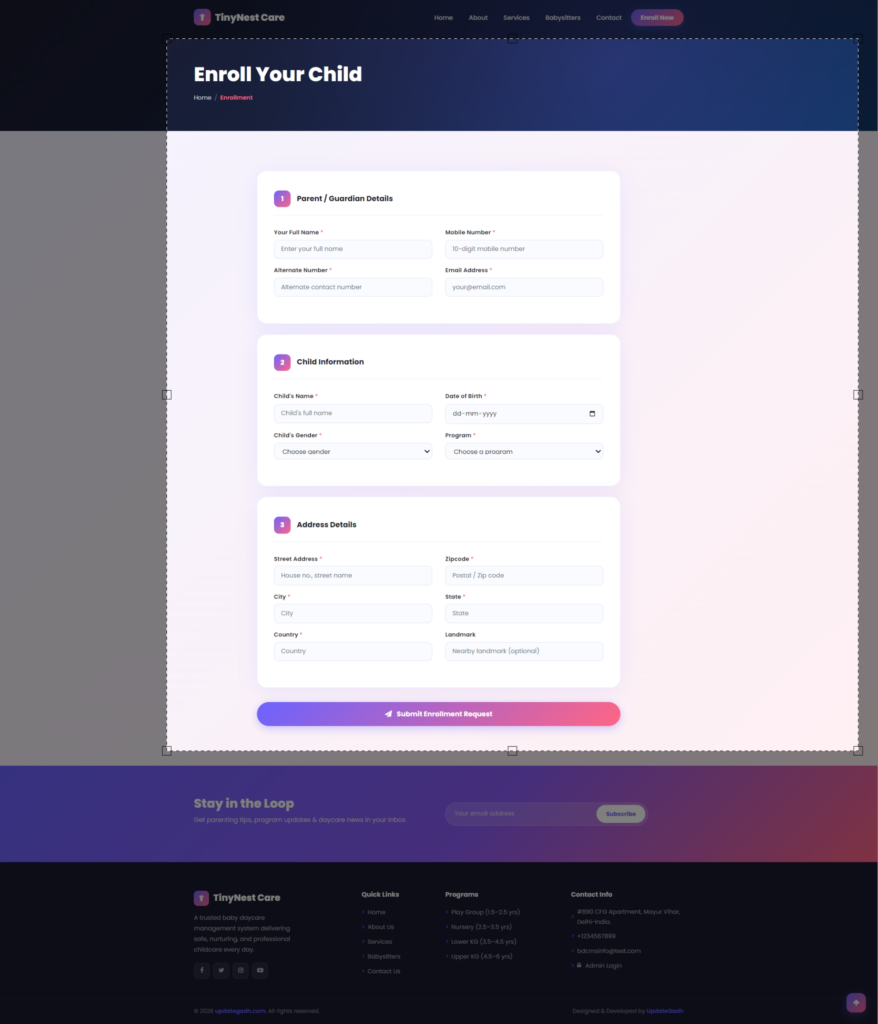
- Public enrollment form — parents fill in child details, program selection, and contact information; the system auto-generates a unique 9-digit enrollment number with a thank-you confirmation page
- Babysitter management — admin can add, edit, update profile photos, and delete babysitter records including experience, languages known, certificates, and full descriptions
- Enrollment workflow — admin views all, new, and on-hold enrollments and can Accept or Reject each request with a custom remark and timestamp
- Inquiry and contact management — all parent contact messages are stored and the admin can mark them as read or unread and view full message details
- Date-range and search reports — filter enrollments between any two dates or search by enrollment number, email, or mobile number for quick lookup
- Website content management — admin updates the About Us and Contact Us page content, address, email, and phone directly from the dashboard without touching code
- Newsletter subscriber management — all email addresses subscribed via the home page are listed in the admin panel for download or review
🎬 Watch the Full Project Tutorial on YouTube!
We’ve built this project step by step on our YouTube channel. Watch the full video, like, and subscribe for daily project tutorials.
Technologies Used
| Layer | Technology | Purpose |
|---|---|---|
| Server-side | PHP 7.x | Backend logic, form processing, session authentication |
| Database | MySQL / MariaDB | Store babysitters, enrollments, contacts, subscribers |
| Frontend | HTML5 + CSS3 + Bootstrap 4 | Responsive public-facing website layout |
| Icons | Font Awesome 5 | UI icons across the frontend and admin panel |
| Admin Theme | AdminLTE 3 | Professional admin dashboard with sidebar navigation |
| JavaScript | jQuery + DataTables | Dynamic tables, sorting, and pagination in admin |
| JS Extras | Select2, SweetAlert2, Chart.js | Dropdowns, alert modals, and dashboard stat charts |
| Rich Text | Summernote | WYSIWYG editor for About Us and Services content |
| Date Filter | Daterangepicker | Date range selector for enrollment reports |
| Web Server | Apache (XAMPP / WAMP) | Local server for running PHP and MySQL |
Screenshots
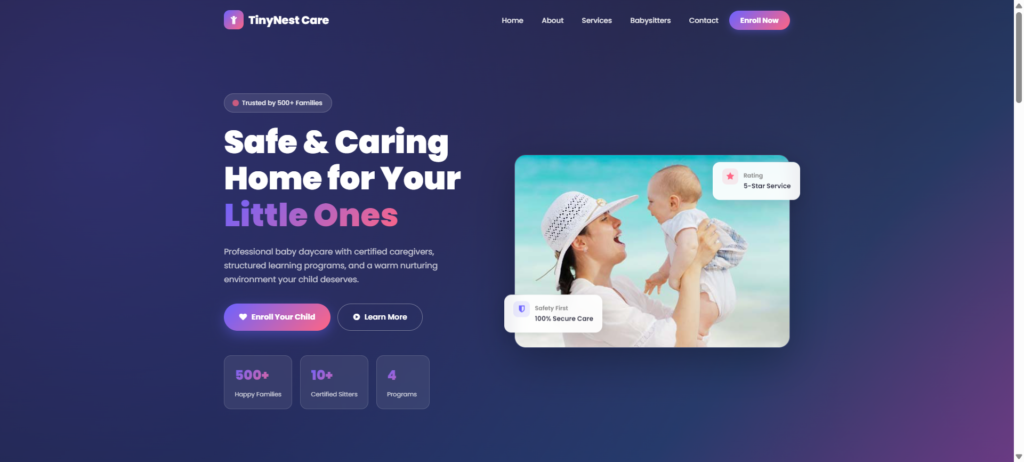
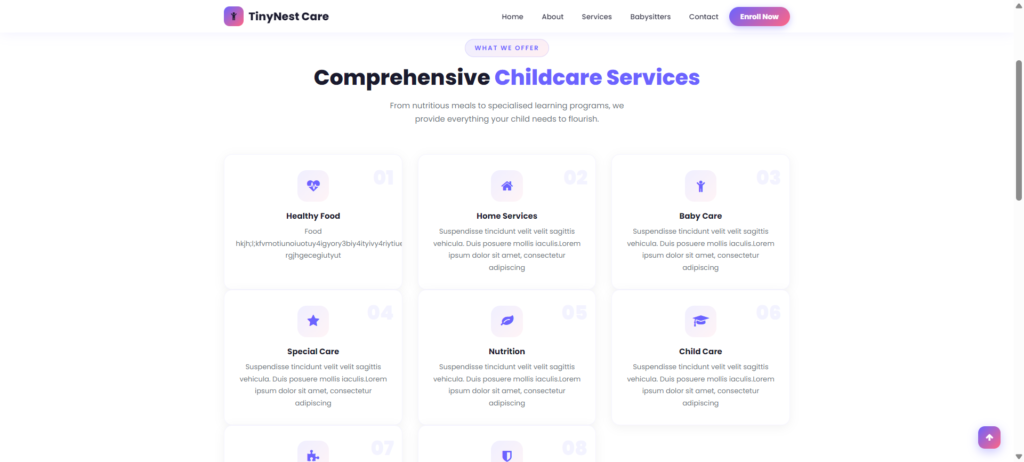
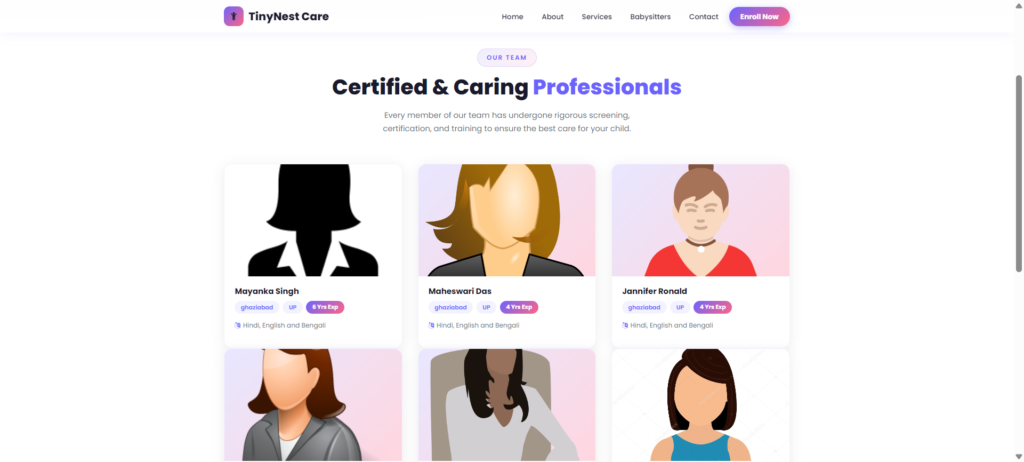
This is a complete, ready-to-run paid project. It includes the full PHP source code, complete MySQL database dump, AdminLTE admin panel, all frontend pages, setup instructions, and remote setup support from our team.
Get This Project
Baby Daycare Management System — PHP + MySQL + AdminLTE
Full source code + SQL database + setup guide + remote support included
Need help after purchase? Contact us on WhatsApp or via our support page
How to Run This Project
Step 1 — Install XAMPP or WAMP
Download and install XAMPP (Windows/Mac/Linux) or WAMP (Windows). Start both Apache and MySQL services from the control panel.
Step 2 — Copy the project folder
# For XAMPP users
Copy the "bdcms" folder to:  C:\xampp\htdocs\

# For WAMP users
Copy the "bdcms" folder to:  C:\wamp\www\

# For LAMP users
Copy the "bdcms" folder to:  /var/www/html/
Step 3 — Create the database
# Open PHPMyAdmin in your browser
http://localhost/phpmyadmin

# Create a new database named:
bdcmsdb

# Import the SQL dump file:
SQL File/bdcmsdb.sql
(PHPMyAdmin → select bdcmsdb → Import → choose file → Go)
Step 4 — Verify database credentials
Open bdcms/includes/config.php and confirm the default connection settings match your local setup:
Host:     localhost
Username: root
Password: (empty — default for XAMPP)
Database: bdcmsdb
Step 5 — Open in your browser
# Public frontend
http://localhost/bdcms

# Admin panel
http://localhost/bdcms/admin

# Default admin login
Username : admin
Password : Test@123
Change the default admin password immediately after your first login using the Change Password option in the admin panel.
Database Schema
| Table | Purpose | Key Fields |
|---|---|---|
| tbladmin | Admin account credentials | AdminName, AdminuserName, Password (MD5), Email, MobileNumber |
| tblbabysitter | Babysitter profiles | Name, Email, City, State, LanguagesKnown, BabysitterExp, ProfilePic |
| tblenrollment | Child enrollment requests | EnrollmentNumber, ChildName, DOB, ProgramName, Status, Remark |
| tblcontact | Parent contact inquiries | FirstName, LastName, Email, Phone, Message, IsRead |
| tblservices | Daycare services listing | ServiceName, ServiceDetail, CreationDate |
| tblpage | About Us and Contact Us content | PageType, PageTitle, PageDescription, Email, MobileNumber |
| tblsubscriber | Newsletter email subscribers | Email, DateofSub |
How It Works
Parent Enrollment Flow
- Parent visits the public website and clicks the Enroll button
- Fills in child name, date of birth, gender, program (Play Group, Nursery, Lower KG), parent contact details, and address
- System generates a unique 9-digit enrollment number and saves the record to
tblenrollmentwith Status as NULL (pending) - Parent sees the thank-you page with their enrollment number for future reference
- Admin reviews the request under New Enrollments and either Accepts or Rejects it with a remark
Admin Authentication Flow
- Admin navigates to
http://localhost/bdcms/admin - Enters username and password — system compares MD5 hash against the
tbladmintable - On success, a PHP session is created and the admin is redirected to the dashboard
- All admin pages check for an active session — unauthenticated access is redirected back to login
- Password recovery is available via username and registered mobile number
Enrollment Report Flow
- Admin navigates to Reports in the sidebar
- For date-range reports, selects a start and end date using the Daterangepicker and submits
- All enrollments within that range are pulled from
tblenrollmentand displayed in a DataTable - For search reports, admin enters an enrollment number, email, or mobile number to find a specific record instantly
User Roles and Access
│ ADMIN PANEL LOGIN │
│ URL : http://localhost/bdcms/admin/ │
│ Username : admin │
│ Password : Test@123|
| Role | Login Required | Access Level |
|---|---|---|
| Public User / Parent | No | Browse pages, view babysitters, submit enrollment, send contact message |
| Administrator | Yes — /admin/index.php | Full access to manage babysitters, services, enrollments, inquiries, reports, and site content |
Why This is a Great Final Year Project
- Complete full-stack project — covers public frontend, admin panel, database design, and file uploads all in one codebase
- AdminLTE dashboard gives a professional look that immediately impresses examiners during viva demonstrations
- Enrollment workflow with status tracking (Pending, Accepted, Rejected, On-hold) shows understanding of real business process management
- Date-range and search reports demonstrate practical data retrieval and reporting skills that companies value in interviews
- File upload handling for babysitter profile photos and certificates covers an important PHP concept most beginner projects skip
- No registration required for parents — the enrollment number system is a smart design decision you can confidently explain in viva
- Runs on XAMPP / WAMP — zero additional setup cost, works on any Windows, Mac, or Linux laptop for live demos
You Might Also Like:
- Nursery Management System using PHP and MySQL — Free Download
- Clinic Management System using PHP and MySQL — Full Project
- NGO Management System using PHP and MySQL — Free Download
- Bank Management System using PHP and MySQL
- Tuition Management System using PHP and MySQL
- All PHP and MySQL Projects with Source Code — UpdateGadh
keywords Details
- baby daycare management system
- child daycare management courses online
- child daycare management
- child daycare management system
- how to prepare baby for daycare
- how to prepare infant for daycare
- how to prepare 9 month old for daycare
- how to ease a baby into daycare
- baby daycare management system project
- baby daycare management system using php github
🎓 Need Complete Final Year Project?
Get Source Code + Report + PPT + Viva Questions (Instant Access)
🛒 Visit UpdateGadh Store →