If you are just stepping into programming, the fastest way to grow is to stop only reading and start building. The best project ideas for beginners turn classroom theory into real, working software you can actually show off. Every project you finish teaches you something a textbook cannot: how to debug, how to structure code, and how to ship something end to end.
Table of Contents
In this guide you will find ten beginner-friendly project ideas across web development, programming logic, and computer science. Each one is simple enough to start today, yet meaningful enough to sit proudly on your resume or GitHub. Whether you are a BCA, MCA, B.Tech, Diploma, or MBA student, these projects will sharpen your skills and make learning genuinely enjoyable.
Why Building Projects Matters for Beginners
Tutorials show you the “what”, but projects force you to understand the “why”. When you build something real, you run into errors, edge cases, and design decisions that no lecture prepares you for. That struggle is exactly where learning happens. A finished project also gives you a talking point in interviews and a concrete artifact for your portfolio, which matters far more to recruiters than a list of technologies you have merely heard of.
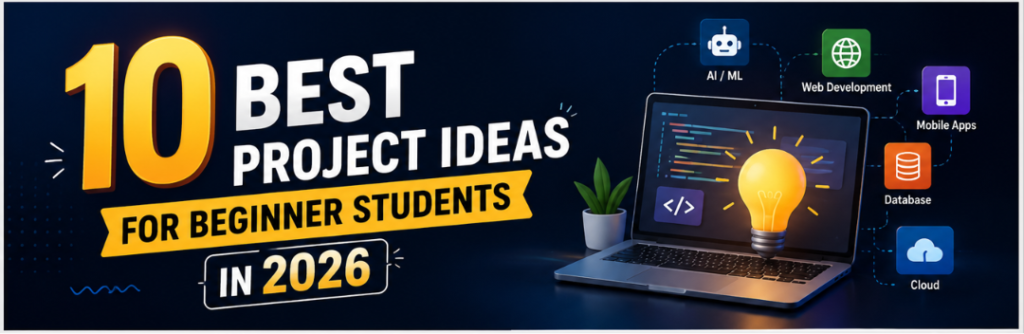
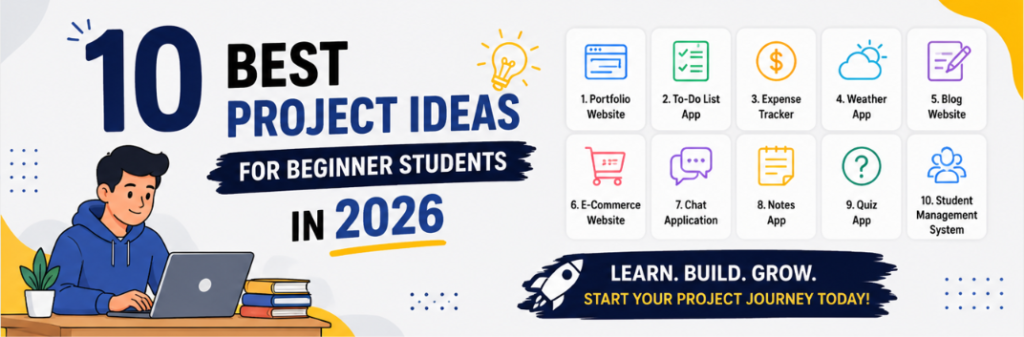
10 Best Project Ideas for Beginner Students in 2026
1. Personal Portfolio Website
Building your own portfolio site is the classic first project, and for good reason. It teaches you the fundamentals of web development while giving you something you will actually use to introduce yourself to employers and collaborators.
Key features:
- An “About” section that introduces who you are
- A projects gallery to showcase your work
- A contact form with basic validation
- Clean navigation and a responsive layout
Technologies to learn: HTML, CSS, and JavaScript, with an optional touch of PHP or Python for back-end handling.
2. To-Do List Application
A to-do app looks small but packs in the core logic of almost every application you will ever build. It walks you straight through CRUD operations: Create, Read, Update, and Delete.
Key features:
- Add new tasks
- Mark tasks as completed
- Delete tasks
- Filter tasks by status
Technologies to learn: Python or any language of your choice, JavaScript for a web version, and SQL if you want to store tasks in a database.
3. Basic Calculator
A calculator is a superb way to practise programming logic. It reinforces functions, user input, and the flow of basic mathematical operations without overwhelming you.
Key features:
- Addition, subtraction, multiplication, and division
- A clear button to reset the current calculation
- A clean, easy-to-use interface
Technologies to learn: Python or any language for a console version, or HTML, CSS, and JavaScript for a web-based one.
4. Weather App Using an API
This project introduces you to third-party APIs, one of the most valuable real-world skills you can pick up early. Your app will pull live weather data from a service such as OpenWeatherMap based on a city the user enters.
Key features:
- Fetch real-time weather for any city
- Show current temperature, humidity, and forecast
- Optionally display icons for different conditions
Technologies to learn: HTML, CSS, and JavaScript for handling the API, or Python if you prefer a back-end approach.
Want ready-made real-time projects with full source code?
Download Real-Time Projects Now
5. Simple Blog Platform
A basic blog is a step up in ambition and a rewarding one. It introduces content management, user authentication, and database integration all in a single project.
Key features:
- Create, edit, and delete posts
- Simple login so only authenticated users can publish
- A database to store posts and user details
Technologies to learn: HTML, CSS, and JavaScript on the front end; Python (Flask or Django) or PHP on the back end; and SQL for storage.
6. Student Management System
This is an excellent pick for beginners who want to practise handling data and performing structured operations on records.
Key features:
- Add new student records
- View existing records
- Edit and delete records
- Search students by name or ID
Technologies to learn: Python or Java for the logic, with MySQL or SQLite to store the data.
7. Expense Tracker
An expense tracker doubles as a personal finance tool and a lesson in data handling, input validation, and basic arithmetic.
Key features:
- Add daily expenses with descriptions
- Categorise spending such as food, transport, and entertainment
- Display a running summary of totals
- Optionally export the data to a CSV file
Technologies to learn: Python or any language, or HTML, CSS, and JavaScript for a web version, with SQLite as an optional database.
8. Quiz Application
A quiz app is a genuinely fun challenge that tests your ability to build something interactive. Pick any topic you love and let the app track the score.
Key features:
- Multiple-choice questions
- An optional timer for each question
- Score calculation at the end
Technologies to learn: HTML, CSS, and JavaScript for a web version, or Python for a command-line edition.
9. Contact Management System
This project gives you solid practice with CRUD operations and data storage while producing something practical.
Key features:
- Add contacts with name, phone number, and email
- Search contacts by name
- Update contact details
- Delete contacts
Technologies to learn: Python, Java, or any language you like, optionally backed by SQLite or MySQL.
10. Simple E-commerce Website
For anyone ready to level up their web development, a basic online store is a fun and meaningful challenge. It introduces product listings, cart handling, and the core logic behind buying online.
Key features:
- Product pages with details and prices
- A working shopping cart
- An order summary and checkout flow (without real payments)
Technologies to learn: HTML, CSS, and JavaScript on the front end; Python (Flask or Django) or PHP on the back end; plus a database to store products.
How to Choose the Right First Project
Do not chase the most impressive idea on this list. Pick the one that matches the language you are currently learning and the amount of time you have. Start small, finish it completely, and only then add extra features. A simple project that is fully working will teach you far more than an ambitious one you abandon halfway. Once you finish one, move to the next and gradually raise the difficulty.
Frequently Asked Questions
Which project should a complete beginner start with?
Begin with a personal portfolio website or a to-do list app. Both are simple, cover core concepts, and give you something usable at the end.
Do I need to know a database for these projects?
Not for all of them. Calculators and portfolio sites work fine without one, while systems like the student manager or blog platform are a great excuse to learn SQLite or MySQL.
Are these projects good for BCA, MCA, and B.Tech students?
Yes. They suit BCA, MCA, B.Tech CS/IT, Diploma, and even MBA students who want a technical edge. They also work well as a starting point before a full final year project.
Can I add these to my resume?
Absolutely. A finished project with clean code and a short description is one of the strongest things a beginner can put on a resume or GitHub profile.
Learn by Watching Real Project Walkthroughs
If you learn better by following along, watch full project tutorials with source code on our channel.
Subscribe to DecodeIT2 on YouTube