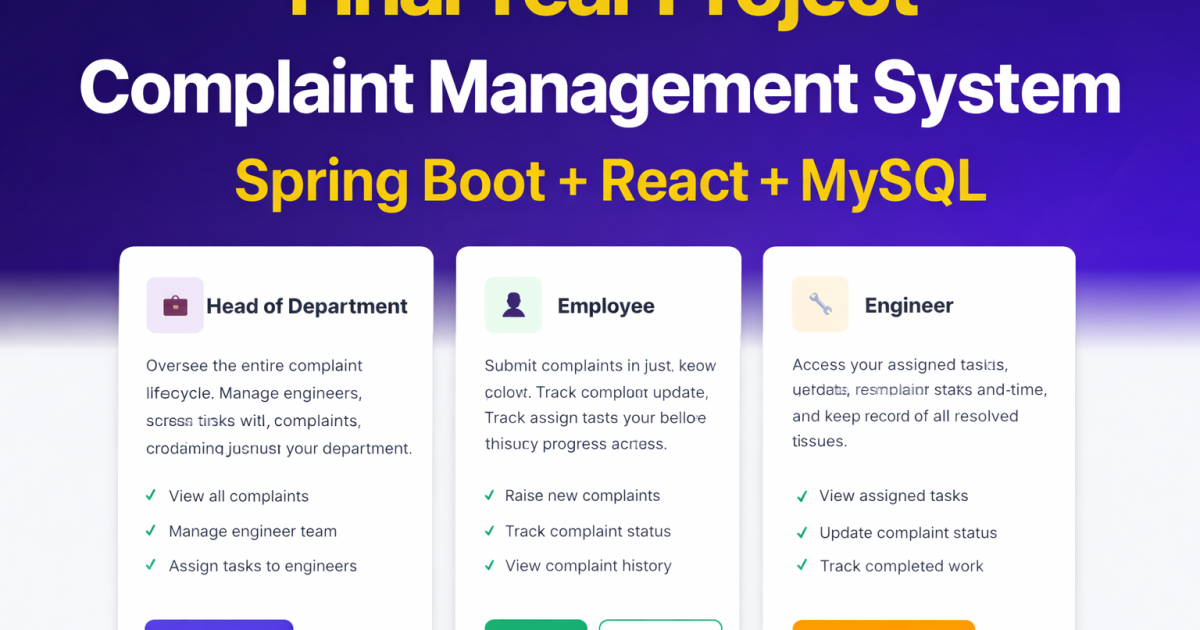
If you are looking for a complete Complaint Management System using Spring Boot + React full-stack final year project that is practical, industry-aligned, and easy to demonstrate in viva, this Complaint Management System is a perfect choice.
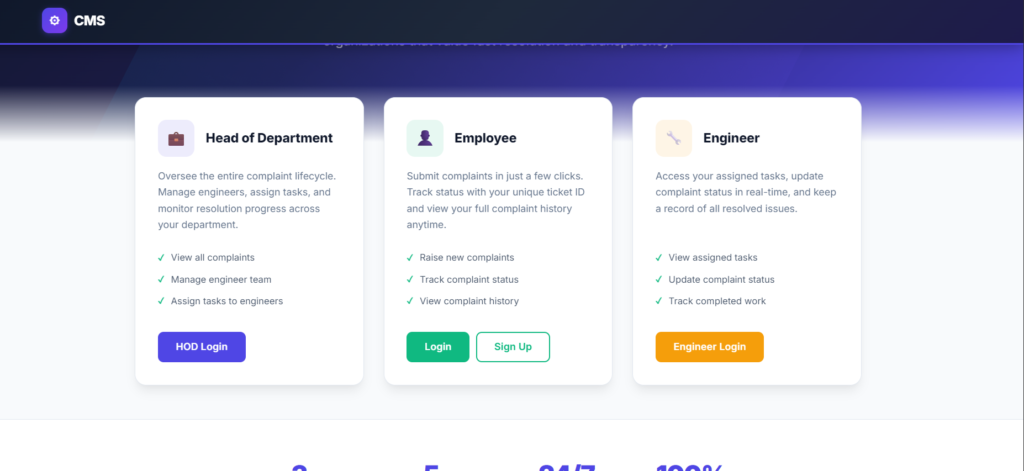
This project is built using Spring Boot (Backend), React (Frontend), and MySQL (Database). It allows organizations to manage internal complaints efficiently with role-based access for Employees, Engineers, and HOD (Head of Department).
This project is ideal for BCA, B.Tech, MCA, and MSc IT students.
Project tutorials, coding guides & placement tips for students.
Project Overview
A web-based system where:
- Employees can raise complaints
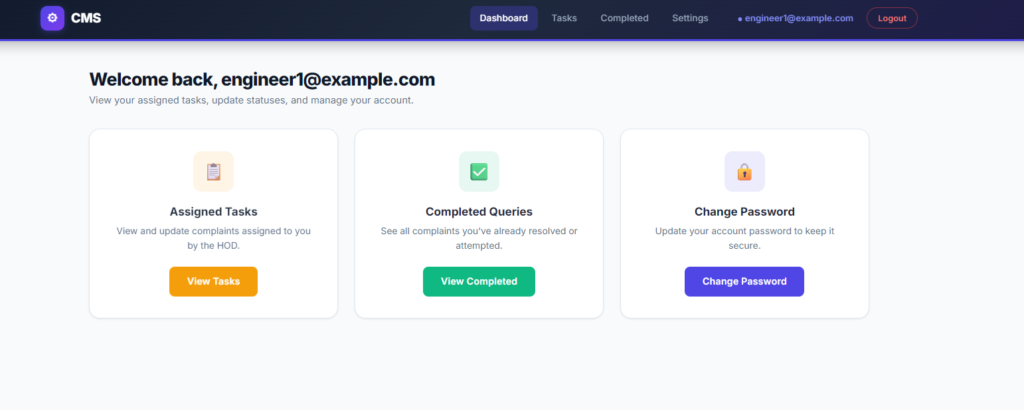
- Engineers can update complaint status
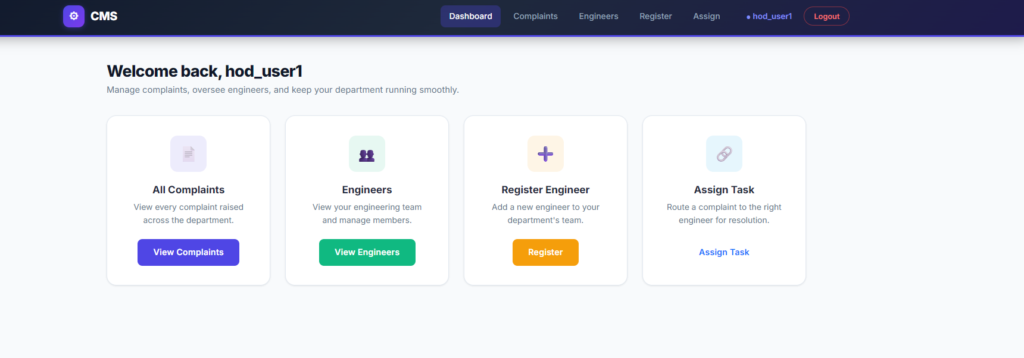
- HOD can assign tasks and manage engineers
- All users have secure login and role-based dashboard
Tech Stack Used
| Layer | Technology Used |
|---|---|
| Backend | Spring Boot 3.2.3, Java 17+ |
| Frontend | React 19, React Router, Axios |
| Database | MySQL 8.x |
| Styling | Bootstrap 5 + Custom CSS |
| Build Tool | Maven 3.9+ |
Why This Project is NEW and Advanced
This is not a basic CRUD project. It is designed using modern full-stack architecture:
| Traditional College Project | This Project |
|---|---|
| JSP/Servlet only | Spring Boot REST APIs |
| Simple HTML | React SPA (Single Page Application) |
| No role management | Multi-role system (Employee, Engineer, HOD) |
| No real workflow | Task assignment & tracking workflow |
| Static UI | Dynamic React Dashboard |
This makes it closer to real industry systems used in companies.
Features Module-wise
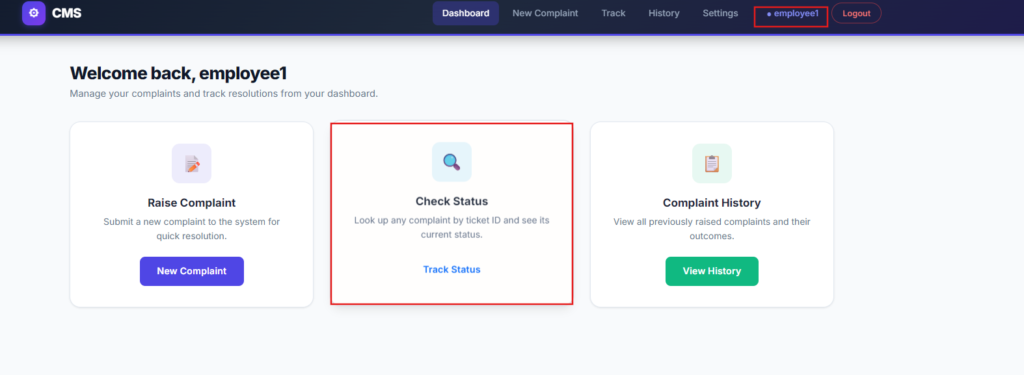
Employee Module
- Register/Login
- Raise complaint
- View complaint history
- Track complaint status
- Change password
Engineer Module
- Login
- View assigned tasks
- Update complaint status
- View completed tasks
- Change password
HOD Module
- Login
- View all complaints
- Assign tasks to engineers
- Register/Delete engineers
- Monitor complaint resolution
Project Architecture
| Layer | Responsibility |
|---|---|
| Controller | Handles API requests |
| Service | Business logic |
| Repository | Database communication |
| React Components | UI rendering |
| Axios | API communication |
Backend runs on:
https://updategadh.com
Frontend runs on:
https://updategadh.com
Default Login Credentials
HOD
| Username | Password |
|---|---|
| hod_user1 | 123456 |
| hod_user2 | 654321 |
Employee
| Username | Password |
|---|---|
| emp2@gmail.com | 123123 |
| employee1 | 111111 |
| employee2 | 222222 |
| employee3 | 333333 |
Engineer
| Password | Type | |
|---|---|---|
| engineer1@example.com | 444444 | Electrical |
| engineer2@example.com | 555555 | Mechanical |
| engineer3@example.com | 666666 | Civil |
| test@gmail.com | 123456 | Hardware |
API Endpoints Overview
Employee APIs
| Method | Endpoint | Description |
|---|---|---|
| POST | /api/employee/login | Login |
| POST | /api/employee/register | Register |
| POST | /api/employee/raise-complain | Raise complaint |
| GET | /api/employee/history/{user} | View history |
| GET | /api/employee/status/{id} | Check status |
| PUT | /api/employee/change-password | Change password |
Engineer APIs
| Method | Endpoint | Description |
|---|---|---|
| POST | /api/engineer/login | Login |
| GET | /api/engineer/tasks/{email} | Assigned tasks |
| PUT | /api/engineer/update-status | Update status |
| GET | /api/engineer/attempted/{email} | Completed tasks |
| PUT | /api/engineer/change-password | Change password |
HOD APIs
| Method | Endpoint | Description |
|---|---|---|
| POST | /api/hod/login | Login |
| GET | /api/hod/complaints | View all |
| GET | /api/hod/engineers | View engineers |
| POST | /api/hod/register-engineer | Add engineer |
| PUT | /api/hod/assign-task | Assign complaint |
| DELETE | /api/hod/engineer/{email} | Delete engineer |
How to Run the Project
Step 1 – Start MySQL
Start MySQL using XAMPP or standalone service.
Step 2 – Initialize Database
Run the schema.sql file to create:
Database name: querysolve
Step 3 – Start Backend
cd complaint-management-backend
./mvnw spring-boot:run
Step 4 – Start Frontend
cd complaint-management-frontend
npm install
npm start
Open browser at:
https://updategadh.com
Configuration Details
Backend (application.properties)
spring.datasource.url=jdbc:mysql://localhost:3306/querysolve
spring.datasource.username=root
spring.datasource.password=
server.port=8080
Frontend (api.js)
const API_BASE_URL = 'https://updategadh.com/api';
Viva Questions and Answers
1. Why did you use Spring Boot instead of Servlets?
Spring Boot provides auto-configuration, REST support, dependency management, and production-ready features. It reduces boilerplate code and is widely used in real companies.
2. How does React communicate with Spring Boot?
React uses Axios to send HTTP requests to REST APIs exposed by Spring Boot. The backend processes the request and returns JSON responses.
3. How is role-based access handled?
Each module (Employee, Engineer, HOD) has separate login APIs and dashboard routes. The frontend renders pages based on user role, and backend APIs are separated by role path.
Real World Use Cases
- College/University complaint portal
- IT support ticket system
- Corporate internal issue management
- Government department grievance system
This Project Package Includes
- Complete Source Code
- Trained ML Model
- Dataset
- Page Documentation + PPT (Kindly inform us at least 1 day in advance ₹499 for that)
- Installation Guide
- System Architecture Diagram
Who Should Buy This Project?
- Final Year Students
- MCA / B.Tech Students
- Students preparing for viva
- Beginners learning Spring Boot + React
- Those who want ready-to-run project for submission
Download Full Project
If you want this complete ready-to-run project with support and explanation:
🎓 Need Complete Final Year Project?
Get Source Code + Report + PPT + Viva Questions (Instant Access)
🛒 Visit UpdateGadh Store →