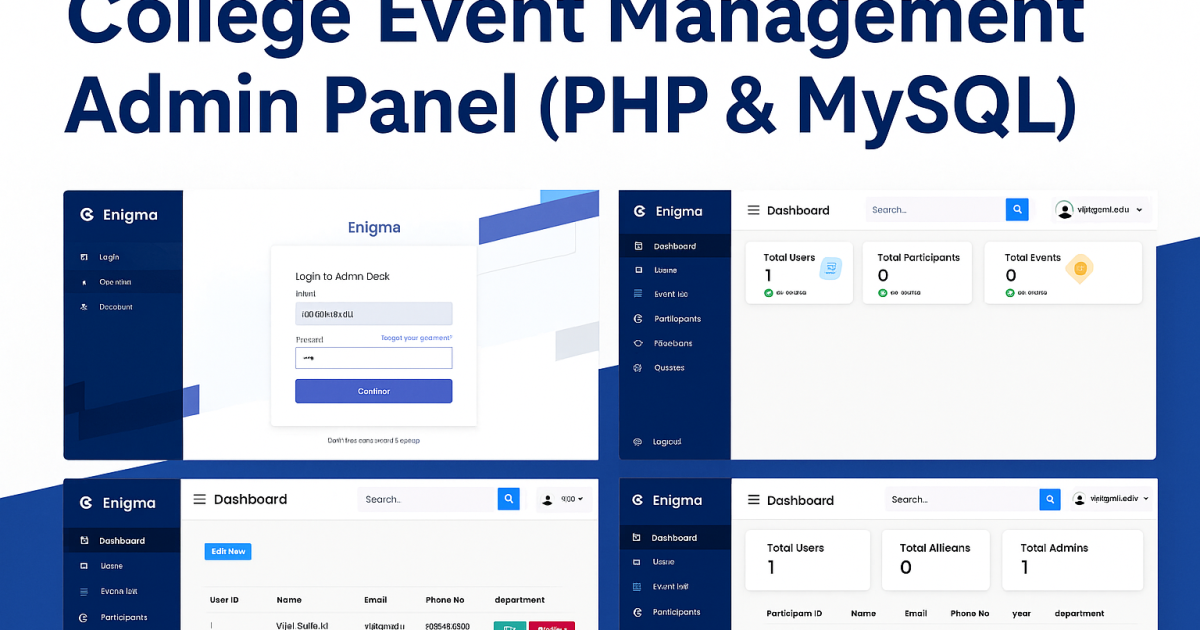
College Event Management Admin Panel
Introduction
College Event Management Admin Panel is a simple web app made using PHP and MySQL. It helps colleges manage events like technical fests, workshops, or symposiums from one place.Using this panel, admins can handle users, event details, participants, and messages easily. The layout is simple and works well on different screen sizes. It’s a good project for students who want to learn how to build an event management system.
Features
- Admin Authentication
Secure login system for authorized admin access. - User Management
Add, edit, or delete admin users with permission control. - Participant Management
Track participant details, registrations, and status updates. - Event Management
Create, update, and remove event listings with ease. - Feedback and Queries
View and manage feedback submitted for events. - Responsive Design
Optimized for desktop and mobile users using Bootstrap. - Modular Code Structure
Clean and organized codebase using PHP components.
Download New Real Time Projects :-Click here
Tech Stack
- Frontend: HTML, CSS (Bootstrap)
- Backend: PHP
- Database: MySQL
- PHP Version (Recommended): 5.6.3, 7.4.12
- Type: Web Application
Installation and Deployment
Installation Steps (Using VS Code)
- Download and Open the Project
- Download the ZIP
- Extract it to a folder.
- Open the extracted folder
- Set Up the Local Server
- Install XAMPP or any PHP-supported local server.
- Place the extracted project folder (admin-panel-event-management, for example) in XAMPP’s htdocs directory.
- Import the MySQL Database
- From the XAMPP control panel, launch phpMyAdmin.
- Make a brand-new database, such as enigma_db.
- Import the file located at:
database/enigma_db.sql
- Configure Database Connection
- In VS Code, go to:
admin/connect.php - Update the database credentials:
$host = 'localhost'; $username = 'root'; $password = ''; $database = 'enigma_db';
- In VS Code, go to:
- Start Your Server
- Launch Apache and MySQL from the XAMPP control panel.
- In your browser, go to:
http://localhost/admin-panel-event-management/admin/login.php
Project Overview
| Project Detail | Description |
|---|---|
| Project Name | College Event Management Admin Panel |
| Language/s Used | PHP, HTML, CSS (Bootstrap) |
| PHP Version | 5.6.3, 7.4.12 (Recommended) |
| Database | MySQL |
| Type | Web Application |


We have projects Available in all languages:–Click Here
event-management system project in php github
event management system project in php and mysql with source code
event management system project in php source code | free download
event management system using php and mysql
event-management-system project source code github
event management project in php with source code
event management system project source code in html css and javascript
event management system project with source code
college event management admin panel php & mysql tutorial
college event management admin panel php & mysql github
college event management admin panel php & mysql pdf
college event management admin panel php & mysql example
event management system project in php github
🎓 Need Complete Final Year Project?
Get Source Code + Report + PPT + Viva Questions (Instant Access)