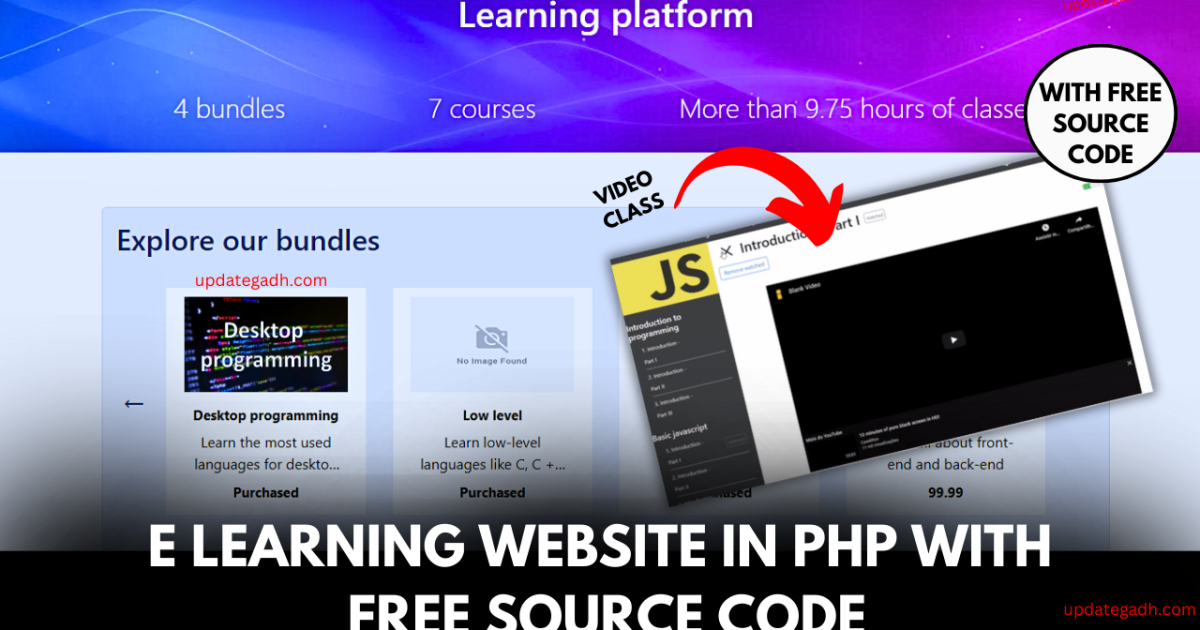
Introduction E learning Website in php
Welcome to our dynamic learning platform E learning Website in php come together to empower your journey into web development! .Website project regarding a learning platform created with PHP and tested using the Selenium framework. It also employs the MVC design pattern. This program was created solely for educational reasons and not for profit.
Check 100+ PHP Projects with Source Code
What`s New
Video Class:
- Users access video lectures and lessons for enrolled courses.
- Features include variable video formats, playback controls, and discussion forums related to each video.
Design Approach
Language Used : PHP
Database : MySQL
User Interface Design : HTML,CSS,JAVASCRIPT
Web Browser : Google Chrome, IE8,
Software : XAMPP / Mamp/ Lamp (anyone)
Front end: HTML, CSS, and JavaScript
Back end: PHP and MySQL
Project tutorials, coding guides & placement tips for students.
Module
For Users:
- Signup:
- Users can create an account by providing basic information like name, email, and a password.
- Optional fields or steps may be included for additional profile details, and account verification ensures authenticity.
- Login:
- Registered users can log in using their email and password or opt for social media sign-ins.
- Security features such as two-factor authentication enhance account protection.
- My Courses:
- Users access a personalized dashboard displaying enrolled courses.
- The dashboard allows easy navigation, progress tracking, and access to course materials.
- Bundle Information:
- Course bundles, featuring related courses at a discounted rate, are showcased.
- Information on bundle content, pricing, and promotions is provided to users.
- Video Class:
- Users access video lectures and lessons for enrolled courses.
- Features include variable video formats, playback controls, and discussion forums related to each video.
- User Settings:
- Users personalize profiles by updating information and preferences.
- Account settings, including privacy and notifications, are easily adjustable.
- Support:
- A support section offers assistance through FAQs, user guides, and customer support contact options.
- Live chat, email, or phone support channels are available for user inquiries and issues.
For Admin:
- Support:
- The admin has access to a support module to manage user inquiries and issues.
- The support module includes features like a ticketing system, inquiry tracking, and tools to assist users effectively.
- Courses Manager:
- Admins have a dedicated interface to manage courses offered on the platform.
- This includes the ability to add new courses, edit existing course details, and remove or archive courses.
- Bundles User Manager:
- The admin has control over user enrollments in course bundles.
- This feature allows the admin to add or remove users from specific course bundles, ensuring accurate subscription management.
- Bundles Edit:
- Admins can modify the details of existing course bundles.
- This includes updating bundle content, adjusting pricing, and implementing promotions or discounts.
Outputs


Before Download E learning Website in php Please Check How to setup
Project Setup:
Here are the steps broken down into points for clarity:
- Install MySQL v5.7 or greater and to create a database named
learning_platform. - Run the SQL files located at
src/main/sqlin the following order:
1 - tables.sql
2 - views.sql
3 - procedures.sql
4 - triggers.sql
5 - instances.sql
- Open
src/main/php/environment.phpand to comment the line 3 and uncomment the line 2; - Copy all the files to your server application (for example, if you’re using Apache, you’ve to move the files to a folder called ‘www’);
- Install the project dependencies using composer:
Document and Reports
This document file contains a project Synopsis, Reports, and various diagrams. Also, the abstract pdf file is inside the zip and you can modify it accordingly. Documents and Reports take 2-3 days to create as per the user Requirements
Download Project:
Virus note: All files are scanned once-a-day by updategadh.com for viruses, but new viruses come out every day, so no prevention program can catch 100% of them
FOR YOUR OWN SAFETY, PLEASE:
1. Re-scan downloaded files using your personal virus checker before using it.
2. NEVER, EVER run compiled files (.exe’s, .ocx’s, .dll’s etc.)–only run source code.
Download Project “E learning Website in php
e learning website in india
e learning website for students
e learning website design
e learning website project
e learning website login
e learning website project with source code
e learning website templates
e learning website github
chatgpt e learning website
free e learning website
🎓 Need Complete Final Year Project?
Get Source Code + Report + PPT + Viva Questions (Instant Access)
🛒 Visit UpdateGadh Store →