Employee Management System Using MERN Stack
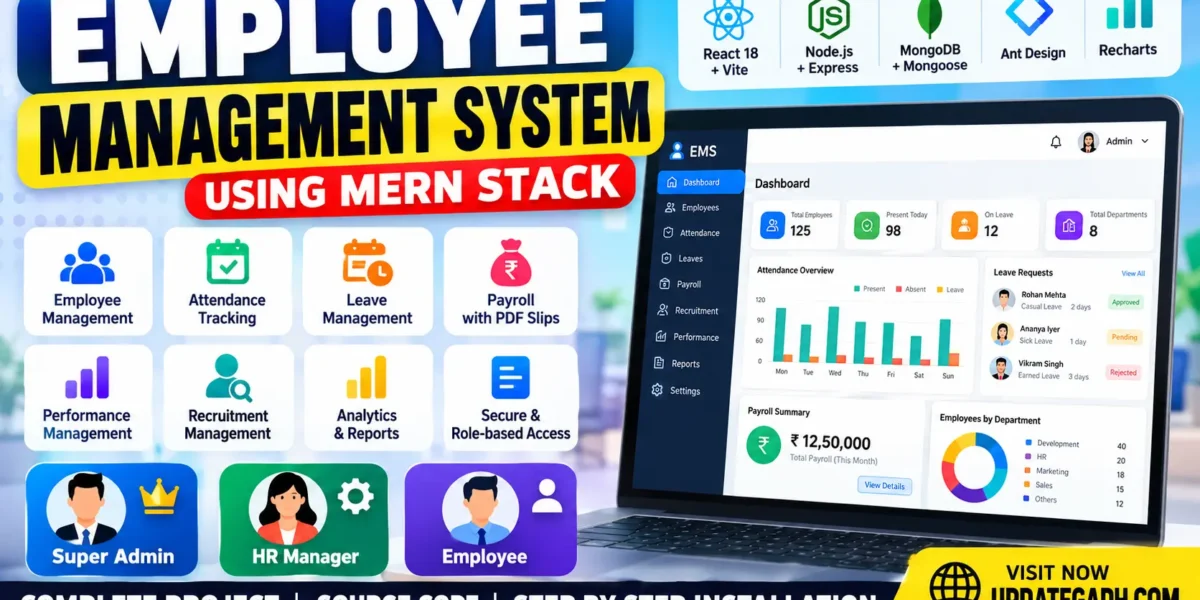
The Employee Management System Using MERN Stack is a full-stack web application designed to simplify human resource operations. Developed using React, Node.js, Express.js, and MongoDB, the system provides dedicated portals for Super Admins, HR Managers, and Employees. It supports employee records, attendance tracking, leave approvals, payroll processing, recruitment, performance management, analytics, and reports.
This project demonstrates how modern web technologies can be used to develop a centralized employee management solution with role-based access, secure authentication, database-driven dashboards, PDF salary slips, and CSV exports.
Table of Contents
Complete Advance AI Topics: Click Here
Real Time Projects on YouTube:- DecodeIT
Project Overview
| Project Detail | Description |
|---|---|
| Project Name | Employee Management System |
| Frontend | React 18, Vite, Ant Design |
| Backend | Node.js, Express.js |
| Database | MongoDB |
| ORM/ODM | Mongoose |
| Authentication | JWT and bcryptjs |
| Charts | Recharts |
| Reports | PDFKit and CSV |
| Project Type | Full-Stack Web Application |
Available Features
1. Super Admin Panel
- Manage user accounts and HR Manager access.
- Configure application settings and module permissions.
- Control access to HR management modules.
- Review audit logs and sensitive administrative changes.
2. Employee Management
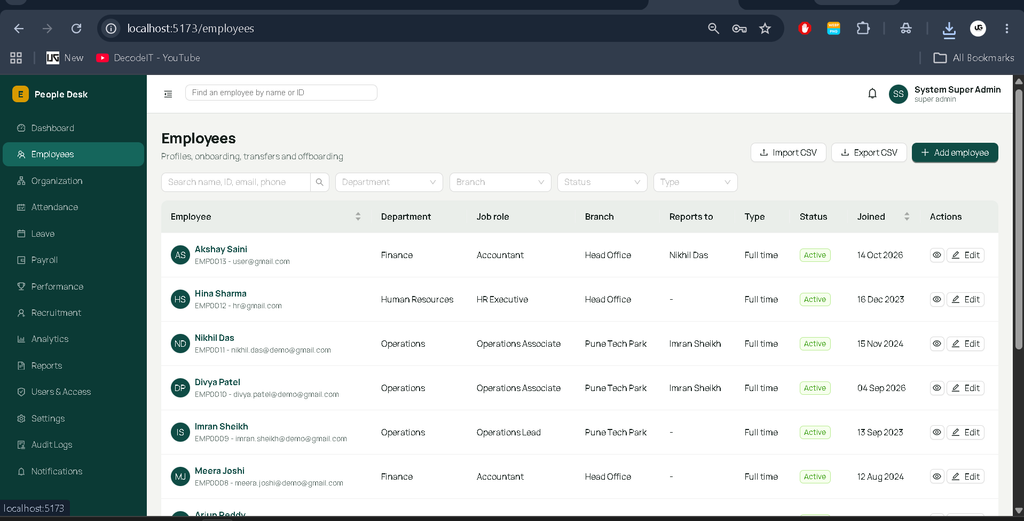
- Create and maintain employee records.
- Manage employee profiles, documents, and skills.
- Maintain organizational and reporting relationships.
- Support temporary passwords and mandatory password changes.
3. Attendance Management
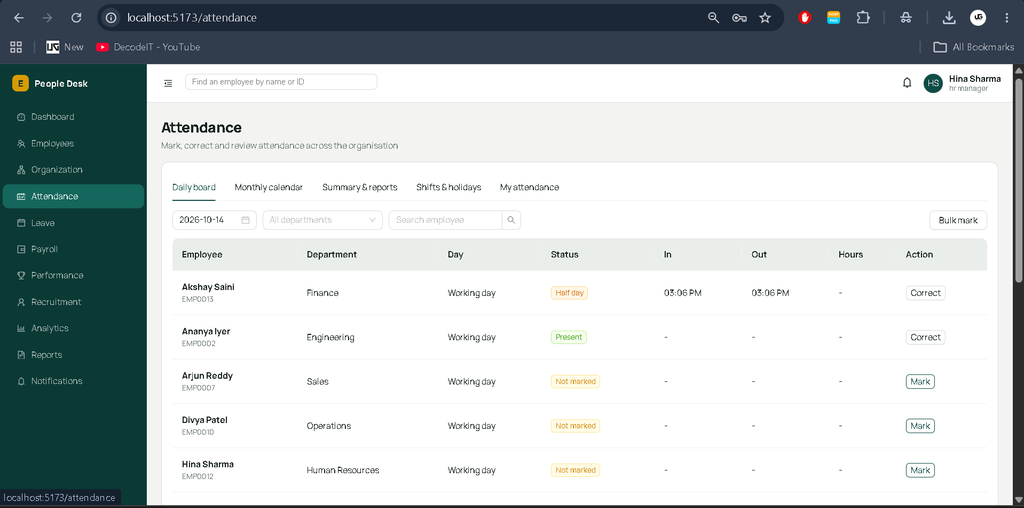
- Record employee check-in and check-out times.
- Calculate working hours, late arrivals, half-days, and overtime.
- Support daily attendance records and bulk attendance operations.
- Maintain correction history with reasons.
4. Leave Management
- Submit and manage leave applications.
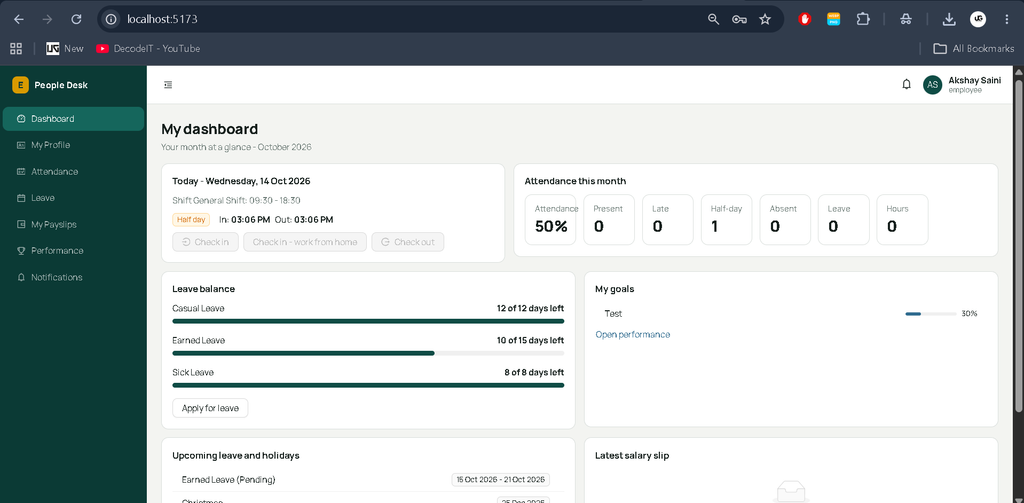
- Track leave balances, holidays, and weekly offs.
- Support HR and reporting-manager approval workflows.
- Validate overlapping requests and applicable leave balances.
5. Payroll Management
- Calculate gross salary using basic pay, allowances, overtime, and bonuses.
- Calculate loss-of-pay deductions using working days and attendance records.
- Apply configured employee tax calculations.
- Record salary payments and finalize monthly payroll.
- Generate PDF payslips accessible to employees after payment.
6. Recruitment Management
- Manage recruitment records and hiring activities.
- Organize recruitment information through the HR management interface.
7. Performance Management
- Manage employee goals and performance indicators.
- Maintain performance reviews and review scores.
- Calculate weighted review scores from indicators entered by HR.
- Provide access to applicable training information.
8. Analytics and Reports
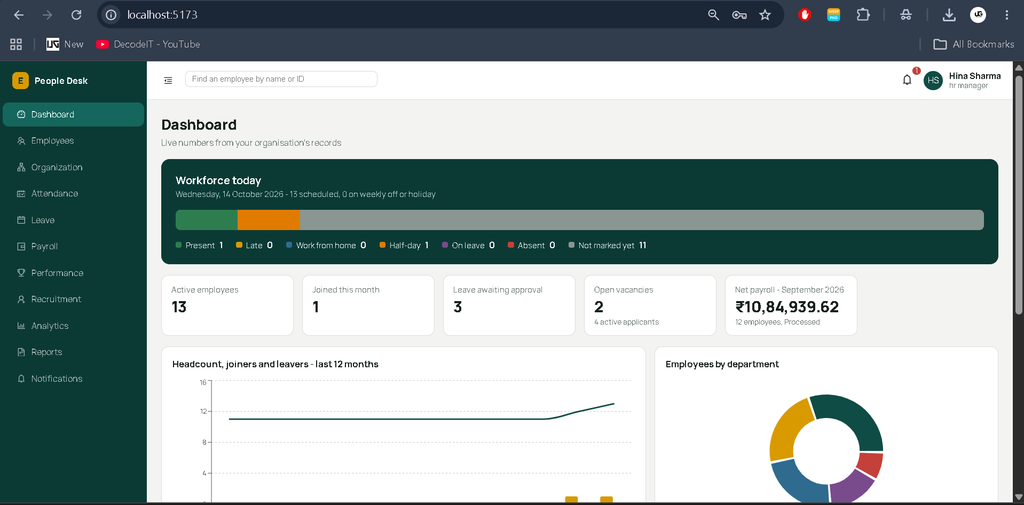
- Display dashboard statistics calculated from database records.
- Provide organizational analytics and reports.
- Export supported report data to CSV.
- Maintain audit records for sensitive operations.
9. Notifications and Security
- Provide in-app notifications and optional email notifications.
- Use JWT authentication and bcryptjs password hashing.
- Enforce role-based and module-level permissions.
- Include rate limiting, Helmet security headers, and account lockout after repeated failed sign-ins.
- Protect authenticated file downloads and sanitize inputs against NoSQL operator injection.
- Protect CSV exports against formula injection.
User Roles
Super Admin
The Super Admin manages user accounts, HR access, application settings, module permissions, audit logs, and the overall system.
HR Manager
The HR Manager handles employee records, attendance, leave, payroll, recruitment, performance, analytics, and reports according to the permissions configured by the Super Admin.
Employee
Employees can manage their own profiles, documents, skills, attendance, leave requests, goals, reviews, and training. They can also access their payslips after the corresponding payroll payment has been recorded.
Software and Tools Required
- Node.js 18 or newer.
- npm package manager.
- MongoDB Community Server or MongoDB Atlas.
- Visual Studio Code.
- Modern web browser.
How to Download
The complete package is available so you can run, study, and submit it with confidence. It includes:
- Full Source Code
- Project Report
- Synopsis
- PPT Presentation
Screenshot
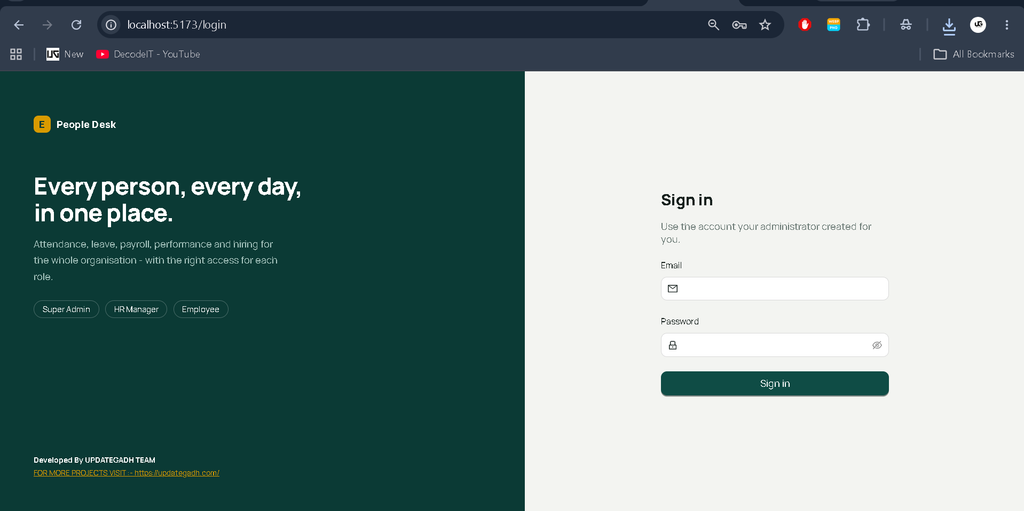
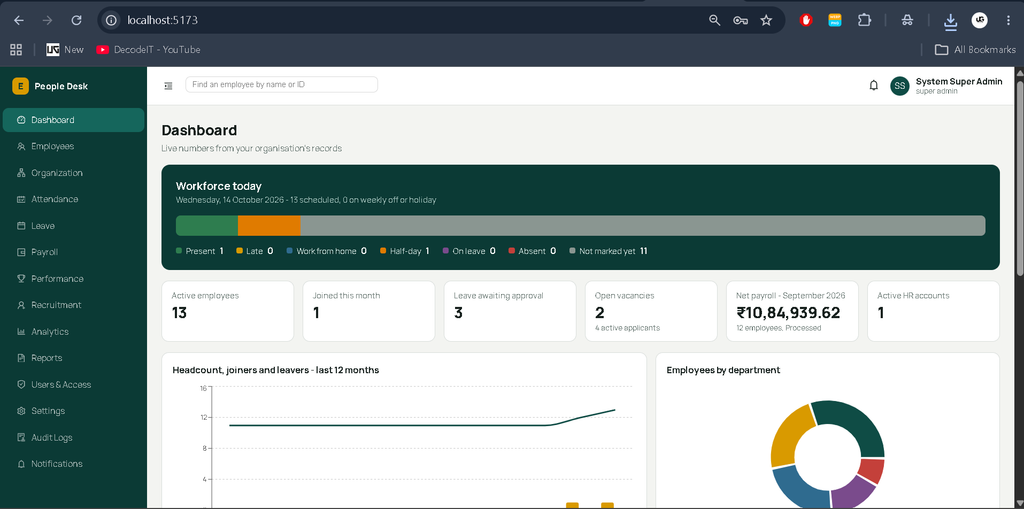
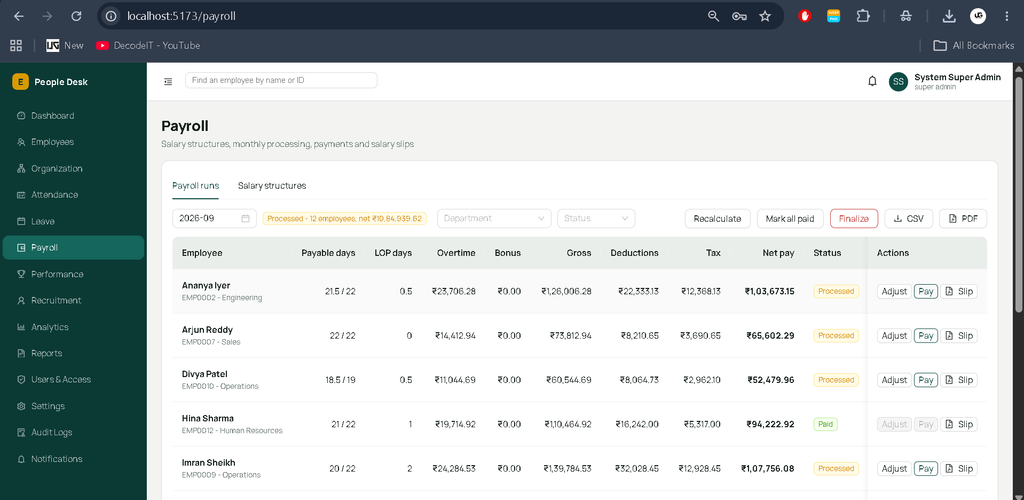
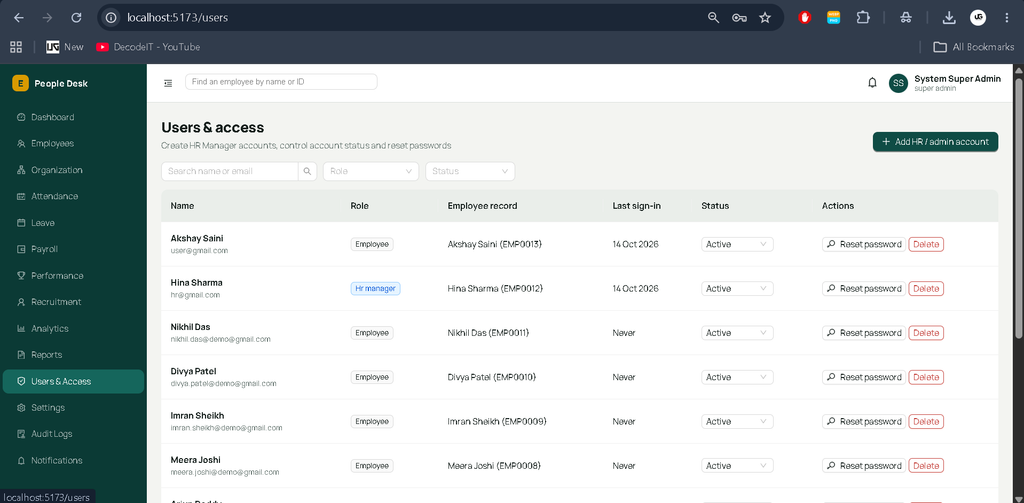
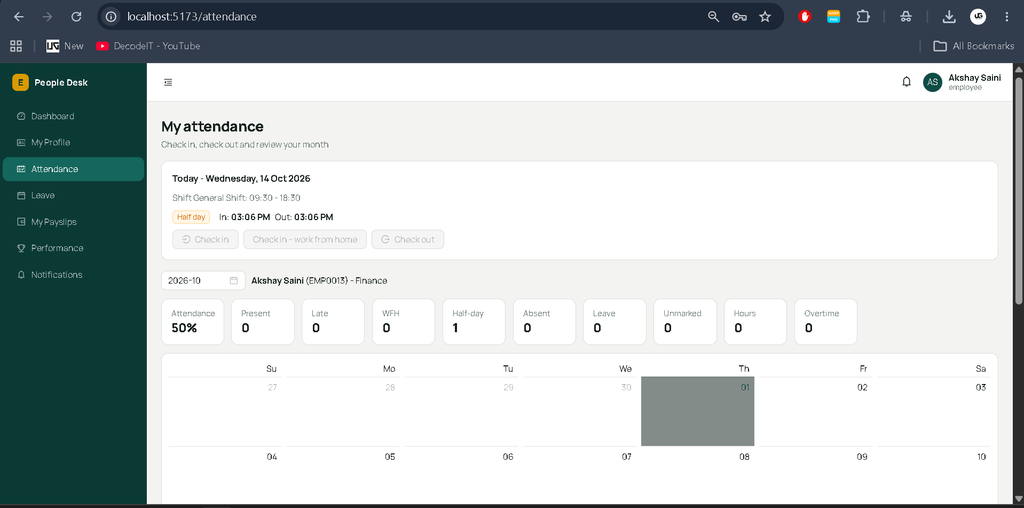
Installation Guide in VS Code
Step 1: Extract the Project
Extract the downloaded ZIP file and open the enterprise-employee-management-system folder in Visual Studio Code.
Step 2: Install Dependencies
Open the integrated terminal at the project root and execute:
npm run install:allStep 3: Configure the Backend Environment
Run the following commands in the VS Code PowerShell terminal:
cd backend
Copy-Item .env.example .env
Open backend/.env and configure the following variables:
MONGO_URI: MongoDB connection string.JWT_SECRET: A strong, randomly generated secret.SUPER_ADMIN_EMAIL: Your Super Admin email address.SUPER_ADMIN_PASSWORD: Your Super Admin password.SEED_USER_PASSWORD: Password used for sample HR and employee accounts.
Use passwords containing at least 10 characters, including uppercase and lowercase letters, a number, and a symbol. Replace all placeholder values before initializing the application.
Ensure that MongoDB is running locally or that your MongoDB Atlas connection string is correctly configured.
Step 4: Initialize the Database
From the backend directory, execute:
npm run initThis initializes the required database indexes, application defaults, and Super Admin account.
Step 5: Load Sample Data
To load fictional sample employee records, execute:
npm run seedTo reset the database and reload the sample data, use:
npm run seed:resetWarning: The reset command deletes existing database data. Use it only when you intend to reset the database.
Step 6: Start the Application
Return to the project root:
cd ..
npm run dev
Once both servers have started, open the following URLs:
- Frontend: http://localhost:5173
- Backend API Health: http://localhost:5000/api/health
To execute the calculation tests from the project root, run:
npm testCore Business Rules
- Attendance: Each employee has one attendance entry per day. Late arrivals, half-days, and overtime are calculated according to configured shift rules.
- Leave: Requests follow balance validation, holiday rules, overlap checks, and ordered approval workflows.
- Payroll: Gross salary includes basic pay, allowances, overtime, and bonuses. Loss-of-pay deductions depend on eligible working days, and unmarked past working days may trigger warnings.
- Performance: Review scores use the weighted average of performance indicators entered by HR.
- Dashboard: Statistics are calculated from database records. Sample records are fictional test data.
Troubleshooting
Missing Environment Variable
Create backend/.env from .env.example and configure all required values.
MongoDB Connection Failed
Ensure MongoDB is running and verify the MONGO_URI value in the backend environment file.
Frontend Network Error
Confirm that the backend server is running on port 5000 and that the frontend development server is running correctly.
Email Notifications Not Working
Configure the required SMTP environment variables and enable email notifications in application settings.
Payroll Warnings
Review attendance records for past working days, mark missing attendance where appropriate, and recalculate payroll.
Advantages of the Project
- Centralized employee and HR data management.
- Improved attendance and leave tracking.
- Structured payroll processing and PDF salary slips.
- Separate access for Super Admins, HR Managers, and Employees.
- Database-driven dashboards and CSV reports.
- Practical experience with MERN stack development.
Future Scope
- Integration with biometric attendance devices.
- Advanced recruitment analytics and interview scheduling.
- Additional payroll integrations and configurable salary components.
- Cloud deployment, automated backups, and expanded reporting.
Conclusion
The Employee Management System using the MERN Stack is a practical full-stack project that brings employee records, attendance, leave workflows, payroll, recruitment, and performance management into one application. Its role-based portals, database-driven analytics, PDF payslips, and security controls make it a valuable learning project for students interested in developing business management software.
Employee Management System, Employee Management System , employee management system project, employee management system project in java, employee management system integral university, employee management system project in java with source code, employee management system project in python, employee management system in excel free download, employee management system github, employee management system project source code, employee management system ui design