Node.js Events
In Node.js applications, events and callbacks are important concepts for building efficient and responsive applications. Node.js uses a single-threaded, event-driven architecture and relies heavily on asynchronous operations to handle multiple tasks without blocking the execution of other code.
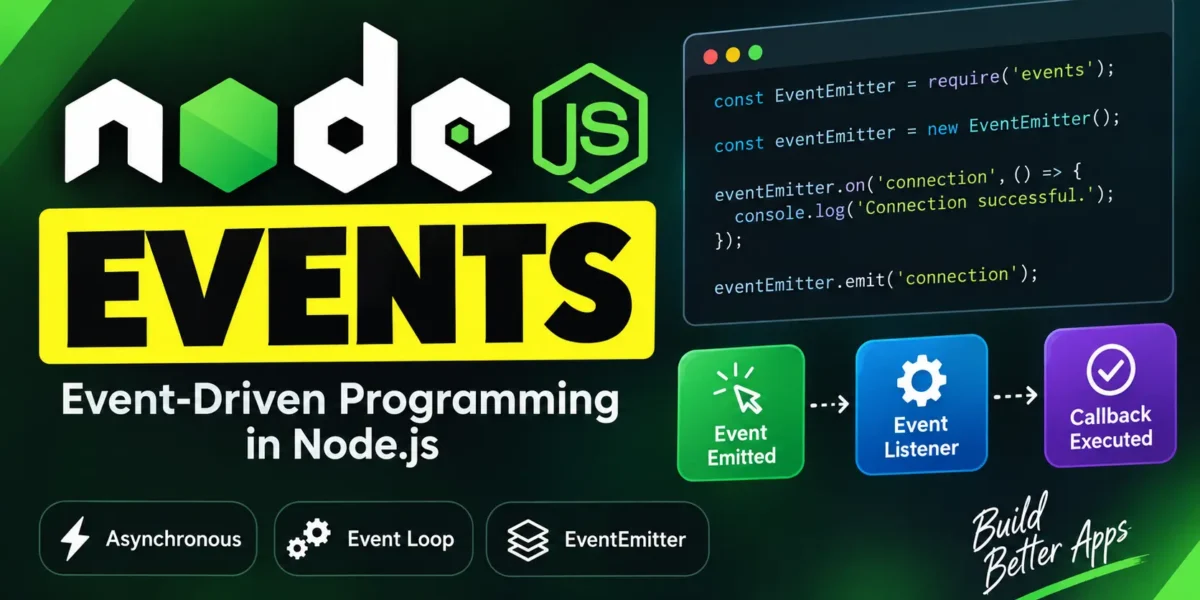
Node.js follows the observer pattern, where the event loop continuously waits for events. When an event occurs, Node.js executes the listener function associated with that event. This approach is one of the foundations of Node.js’s non-blocking architecture.
Table of Contents
Event-Driven Programming in Node.js
Node.js is designed around event-driven programming. When a Node.js application starts, it initializes variables, defines functions, and then waits for events to occur.
At the heart of an event-driven application is the event loop. It continuously monitors for events and executes the appropriate callback or event listener when an event is triggered. This makes Node.js particularly effective for applications that perform many input/output operations.
Complete Advance AI Topics: Click Here
SQL Tutorial: Click Here
Difference Between Events and Callbacks
Although events and callbacks are both used in asynchronous programming, they have different roles in Node.js.
| Callbacks | Events |
|---|---|
| A callback is executed when an asynchronous operation completes or produces a result. | An event represents something that has occurred and can trigger one or more listeners. |
| Usually associated with a specific asynchronous function. | Based on the observer pattern and EventEmitter. |
| Generally handles the result of an operation. | Allows different parts of an application to respond to an event. |
Node.js provides a built-in events module that includes the EventEmitter class. Developers can use EventEmitter to create, register, and trigger custom events.
The EventEmitter Class
The EventEmitter class allows you to create events and attach event listeners to them.
Import the Events Module
const EventEmitter = require('events');

const eventEmitter = new EventEmitter();
Register an Event Listener
Use the on() method to register a listener for an event.
eventEmitter.on('eventName', eventHandler);Emit an Event
Use the emit() method to trigger an event.
eventEmitter.emit('eventName');Node.js Event Example
Let’s look at a complete example of using the EventEmitter class in Node.js.
File: main.js
const EventEmitter = require('events');

// Create an EventEmitter object
const eventEmitter = new EventEmitter();

// Create an event handler
const connectHandler = () => {
    console.log('Connection successful.');

    // Trigger the data_received event
    eventEmitter.emit('data_received');
};

// Register the connection event
eventEmitter.on('connection', connectHandler);

// Register the data_received event
eventEmitter.on('data_received', () => {
    console.log('Data received successfully.');
});

// Trigger the connection event
eventEmitter.emit('connection');

console.log('Program Ended.');
Run the Node.js Program
Save the code as main.js. Open your terminal or command prompt, navigate to the directory containing the file, and run:
node main.jsExpected Output
Connection successful.
Data received successfully.
Program Ended.
How This Node.js Event Example Works
When eventEmitter.emit('connection') is executed, Node.js triggers the connection event. Its registered listener, connectHandler, then runs and displays the connection message.
Inside that handler, eventEmitter.emit('data_received') triggers another event. The listener registered for data_received then displays the data received message.
Finally, the program executes console.log('Program Ended.'). This example demonstrates how events can be registered, triggered, and connected together using Node.js’s EventEmitter class.
YT:- DecodeIT
Conclusion
Node.js Events are an important part of its event-driven architecture. The EventEmitter class makes it easy to create custom events, register listeners, and trigger events using methods such as on() and emit(). Understanding events and callbacks is essential for developing efficient, asynchronous Node.js applications.
Keywords
Node.js Events, Node.js EventEmitter, Node.js Events Tutorial, Node.js Event Loop, Event-Driven Programming in Node.js, Node.js Callbacks, JavaScript EventEmitter, Node.js Asynchronous Programming Node.js Events, Node.js EventEmitter, Node.js Events Tutorial, Node.js Event Loop, Event-Driven Programming in Node.js, Node.js Callbacks, Node.js Asynchronous Programming, JavaScript EventEmitter, Node.js Event Handling, Node.js Tutorial