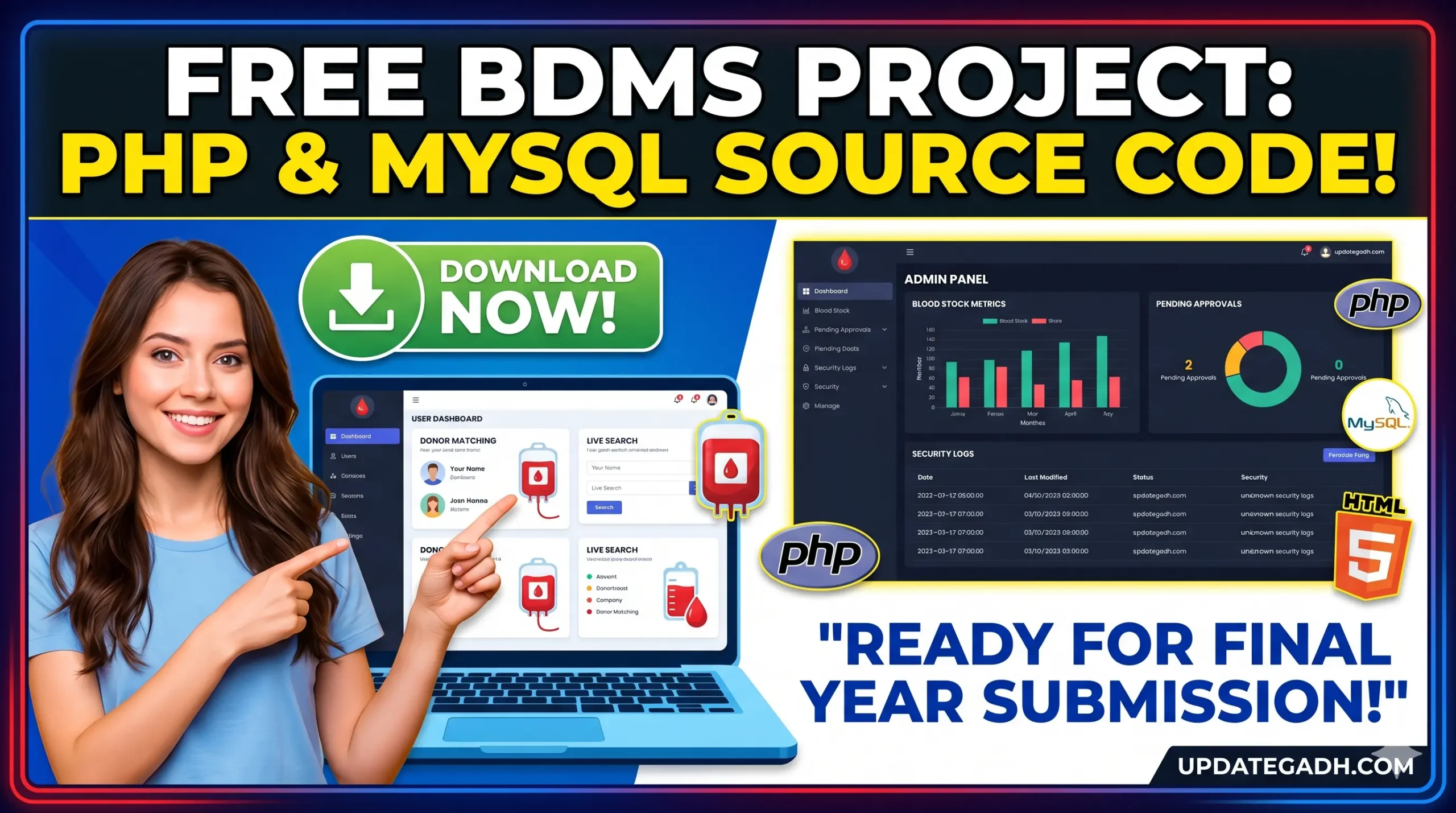
Blood Bank Management System Project in PHP & MySQL
Are you feeling the intense pressure of your final year college project submission? Finding a project that balances complex database operations, real-world utility, and clean documentation can be incredibly overwhelming. But don’t worry—we’ve got you covered!
Today we are providing a completely developed, fully functional, and ready-to-deploy Blood Bank Management System (BDMS) Project in PHP and MySQL. Whether you are a BCA, MCA, B.Tech, or BSc Computer Science student, this comprehensive web application is guaranteed to score high marks in your final practical exams and project vivas. Let’s break down everything you need to know to deploy this successfully.
Why a Blood Bank Management System is a Guaranteed High-Scorer
External examiners love web applications built around healthcare and emergency services because they solve genuine, real-world issues. Instead of a basic static website, this project demonstrates robust CRUD (Create, Read, Update, Delete) operations, session handling, relational database management, and responsive front-end design.
By submitting this project, you prove your proficiency in handling complex, data-driven backend logic—a core skill that tech companies look for during campus placements.
Project Architecture & Data Breakdown
This system is split into two massive pillars: the Public/Donor Facing Portal and the Centralized Administrative Dashboard. Let’s look at the data structure and how the modules interact with one another:
| Module Component | Data Processed | Core System Action |
|---|---|---|
| Donor Registration | Name, Age, Blood Group, Medical History, Contact Info | Inserts fresh rows into the donor database table safely. |
| Emergency Request System | Patient Name, Required Blood Group, Units Needed, Hospital Location | Broadcasts emergency alerts across the platform for active matches. |
| Smart Search Engine | Filters by Blood Type, State, and City | Executes live SQL queries to match patients with available local donors. |
| Camp & Drive Management | Event Date, Venue, Organizing Banner, Dynamic Image Uploads | Updates the site gallery automatically via backend multimedia handling. |
| Admin Control Center | Security Logs, Stock Metrics, Pending Approvals, User Statuses | Grants comprehensive overriding power to manage, delete, or verify records. |
The Full Technology Stack
This web application utilizes a highly optimized open-source tech stack that is easy to understand, easy to debug, and fast to execute. Here is the exact technology distribution of the project files:
| Technology / Layer | Project Share (%) | Role in System |
|---|---|---|
| JavaScript (ES6+) | 64.4% | Handles dynamic front-end interactions, form validations, and alerts. |
| PHP | 22.1% | Manages secure user sessions, data routing, hashing, and database connectivity. |
| CSS3 & HTML5 | 13.5% | Ensures an entirely responsive layout across mobile, tablet, and desktop screens. |
| MySQL / MariaDB | Database Engine | Utilizes relational data mapping across structured tables for fast queries. |
Project File Structure Explained
Understanding this file hierarchy will make it incredibly easy to answer any questions your examiner drops during the project viva:
| Folder / File Name | Type | Purpose & Functionality |
|---|---|---|
/Admin | Folder | Houses all backend code managing administrative panels and inventory counts. |
/donor | Folder | Contains modules dedicated strictly to logged-in voluntary blood donors. |
/doner_pic | Folder | The asset directory handling and storing uploaded donor profile pictures safely. |
index.php | File | The global landing environment and main homepage layout for visitors. |
header.php | File | Standardizes the dynamic, conditional navigational header across pages. |
bloodbank.sql | File | The primary database script containing schemas needed to build your tables instantly. |
Step-by-Step Installation & Setup Guide (XAMPP)
Setting this up locally on your machine takes less than five minutes. Follow these foolproof steps carefully:
Step 1: Download the Source Files
Click the dedicated download button provided at the bottom of this page to secure the complete, error-free zip folder containing the entire software package.
Step 2: Move Code to Local Server Host
Extract the contents of the downloaded ZIP archive. Copy the extracted project folder and head to your XAMPP installation directory, pasting it inside the root web directory: C:\xampp\htdocs\
Step 3: Boot Up Apache & MySQL
Launch your XAMPP Control Panel on your system. Locate the **Apache** and **MySQL** rows and click their respective “Start” buttons to bring your local server live.
Step 4: Build & Import Your SQL Database
- Open any modern browser window and type:
http://localhost/phpmyadmin/ - Click on “New” inside the sidebar navigation to establish a fresh database. Name it precisely
bloodbankand choose the default collation. - Select your newly constructed database from the sidebar, then click the “Import” tab sitting on top of the layout.
- Click “Choose File”, select the
bloodbank.sqlscript from inside your project directory, and hit the “Go” / “Import” button to execute the tables.
Step 5: Run Your Local Web App
Now, type the local hosting URL into your internet browser
And there you go! Your complete Blood Bank Management System is instantly loaded, active, and fully operational locally.
Pro-Tips to Secure an ‘A+’ Grade in Your Project Viva
- Personalize the Visuals: Don’t leave placeholder text! Go into
aboutus.phpandcontact.phpto insert actual text relevant to your university group to make it feel genuinely authentic. - Study Connection Scripts: Examiners love targeting database integration files. Review the connection strings to know exactly how data shifts from frontend PHP forms straight to the MySQL rows.
- Explain Future Scalability: Highlight future expansion updates in your final report. Talk about implementing global SMS API alerts during medical emergencies or incorporating Google Maps API to track down the nearest voluntary blood donor in real-time.
Download the Complete Project Package
We have packaged everything—the frontend files, backend PHP modules, and pre-configured database files—into a single, secure bundle. Click the download button below to pull the project files instantly:
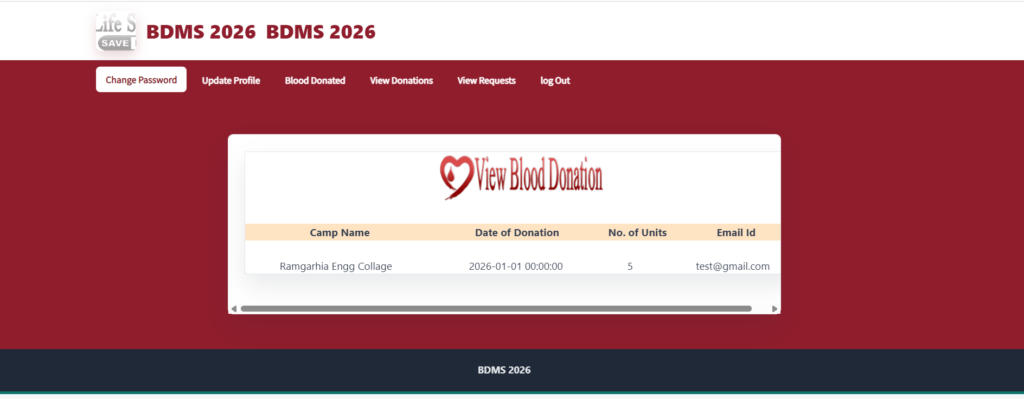
Donor Profile
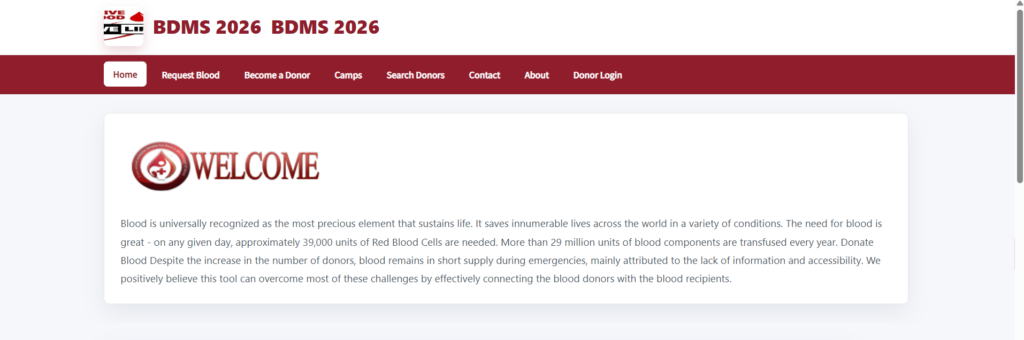
Homepage
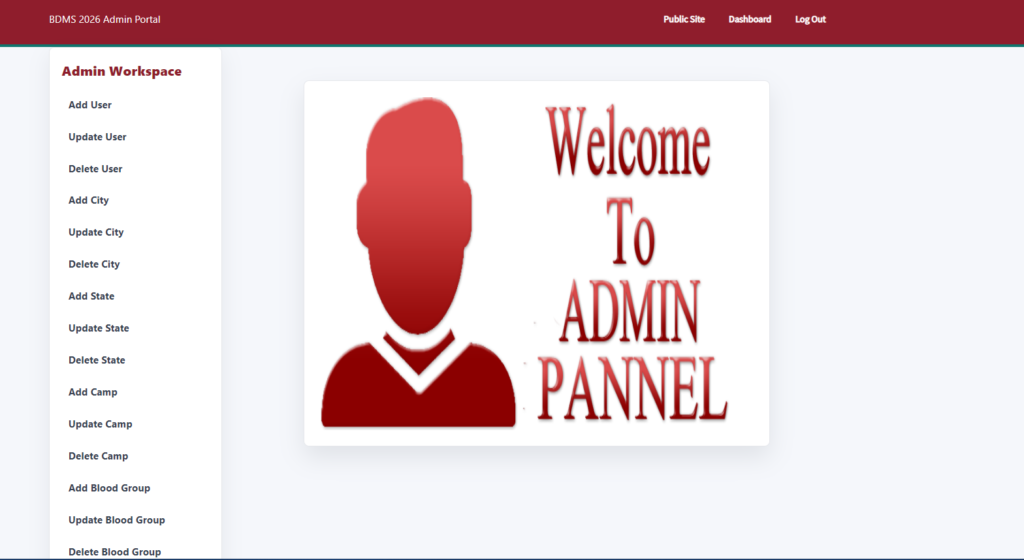
Admin
For more outstanding university web-app source codes, direct downloads, step-by-step guides, and engineering tips, keep your eyes on updategadh.com. Hit any deployment bugs? Let us know in the comments below, and our development team will help you fix them!
- Final year project for BCA with source code
- B.Tech Computer Science Final Year Project
- MCA final year project download free
- BSc Computer Science project topics with source code
- Academic project on Blood Bank Management System
- Blood bank management system in PHP and MySQL
- PHP dynamic web application source code free
- CRUD operations in PHP MySQL example project
- XAMPP local server project download
- Database schema for blood bank management system
- How to run a PHP MySQL project using XAMPP
- Free responsive blood bank website source code download
- Complete database-driven project for final year submission
- Step-by-step installation guide for PHP web application
- blood bank management system project pdf
- blood-bank management system github
- blood bank management system er diagram
- blood bank management system website
- blood bank management system project ppt
- blood bank management system images
- Blood Bank Management System Use Case Diagram
- blood bank management system documentation